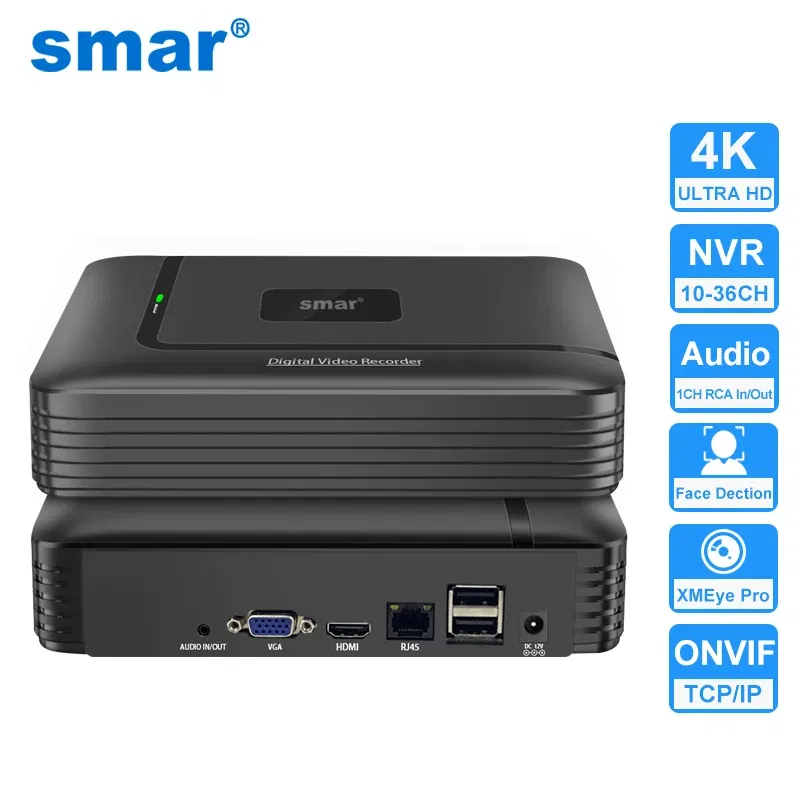

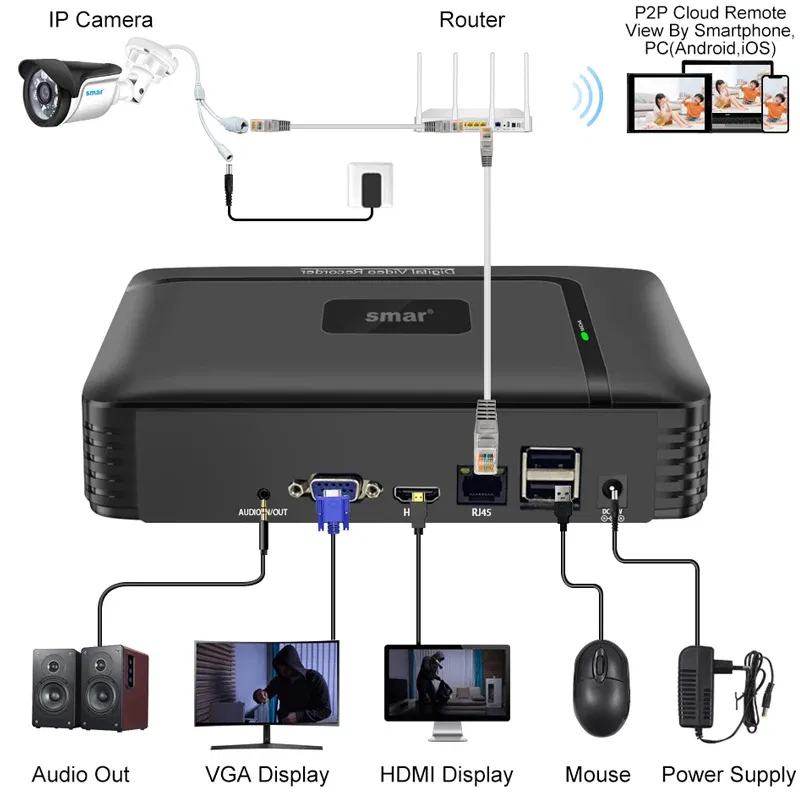
Video Input: 9CH, Ships From: CHINA, Plug Standard: AU Plug - Smar H.265 CCTV NVR Face Detection 10CH 16CH 32CH 36CH Max 4K Output Security Video Recorder Motion Detect P2P Onvif XMEye APP
$105.13 NZD
or 4 payments of $26.28 with

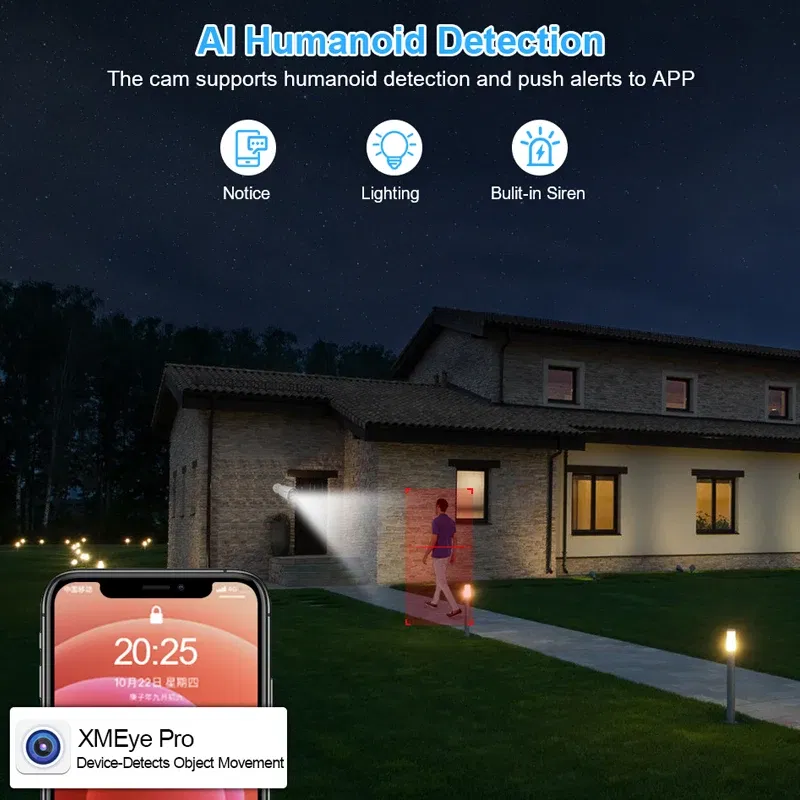
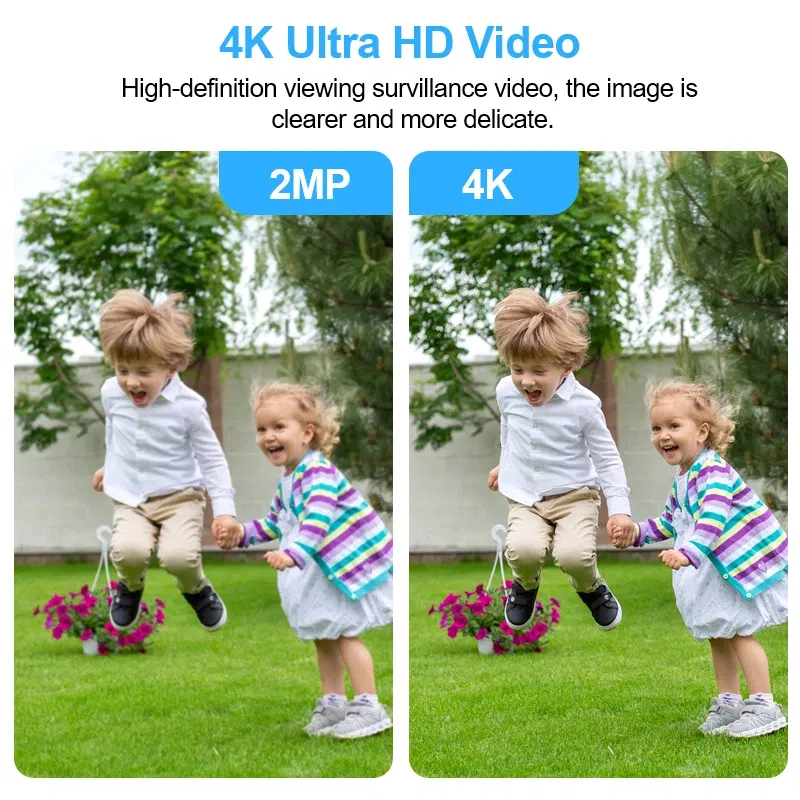
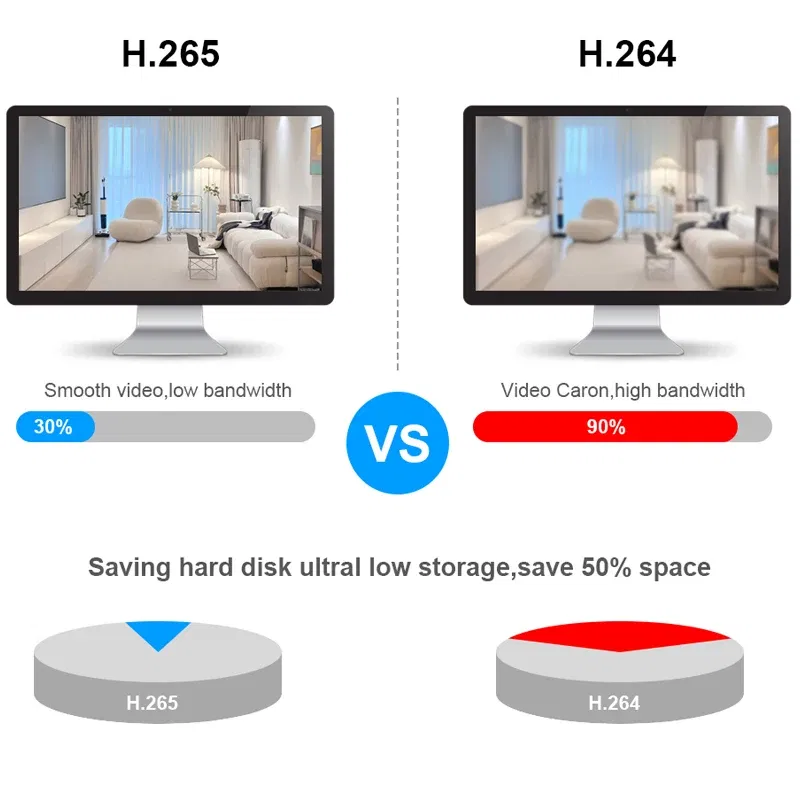
Smar Model: NT1032Origin: Mainland ChinaHign-concerned Chemical: NoneNetwork Protocol: TCP/IPNetwork Protocol: DHCPNetwork Protocol: SMTPNetwork Protocol: HTTPNetwork Protocol: DDNSNetwork Protocol: UPNPNetwork Protocol: PPPoENetwork Protocol: FTPNetwork Protocol: DNSTwo-way Audio: NoCompression Format: H.265Compression Format: H.264Wireless Security: wepHard drive Interface Type: SATAPOE: NoneCertification: CEe-Cloud(P2P): YESIP Mode: Static IP addressHard Drive Size: 3.5''Video Input Interface: RJ45Supported Mobile Systems: iPhone OSSupported Mobile Systems: AndroidSupported Mobile Systems: Windows MobileAudio Compression Format: G711AModel Number: NX1009K/16GL/32KAudio Input: NoTechnology: NetworkSupported Operating Systems: Microsoft Windows 98Supported Operating Systems: Microsoft Windows MESupported Operating Systems: Microsoft Windows 2000Supported Operating Systems: Microsoft Windows XPSupported Operating Systems: Microsoft Windows VistaSupported Operating Systems: Microsoft Windows 7Supported Operating Systems: Mac OSVideo Standard: NTSCVideo Standard: PALSmart home platform: otherVideo Output: 1VGA + 1HDMI-CompatibleAudio Output: NoneCommunication Interface: RS232Video Input: 9/10/16/32/36 CHANNEL IPMain Processor: XM/ Mstar/ Mstar/ NOVAHDD: up to 8TB(3.5ch HDD)Phone: Mobile phone, I-Pad, I-Phone, etcUSB: 2* USB 2.0(Not support Keyboard)Power supply: 12V2AAPP: XMEye ProCMS: SupportP2P: SupportAudio Out: 1CHPacking List:1* 9CH/ 10CH/16CH/32CH/36CH H.265 NVR1* USB Mouse1* DC12V Power Adapter for NVR1* User's ManualFor 9CH/10CH NVR:1. Max support 9*4K(8MP) IP Camera2. Don't support Wifi Adapter;3. 9CH/10CH(XM) Max Support 1920x1080P Display4.Support Multiple Languages: Chinese, English, Italian, Spanish, Japanese, Russian, French, Germany, Portuguese, Turkish, Greek, Vietnamese, Indonesian, CzechFor 16CH NVR:1. Max support 16*4K(8MP) IP Camera2. Don't Support Wifi Adapter3.16CH Max Support the 4K Display4.Support Multiple Languages: Chinese, English, Italian, Spanish, Japanese, Russian, French, Germany, Portuguese, Turkish, Greek, Vietnamese, Indonesian, CzechFor 32CH/36CH NVR:1. Max support 36*4K(8MP) IP Camera2. Support Wifi Adapter, the Wifi Adapter model is:76013.32CH/36CH Max Support the 4K Display4.Support Multiple Languages: Chinese, English, Italian, Spanish, Japanese, Russian, French, Germany, Portuguese, Turkish, Polish, Romanian, Hungarian, Finnish, Persian, Thai, Greek, Vietnamese, Brazilian, Hebrew, Indonesian, Arabic, Swedish, Czech, Bulgarian, Slovak, DutchHigh Definition4K High definition image, super infrared night vision H265++ VideoFace Record/Face Detection/Face PlaybackRecord every face that appears on the lens, without missing any details.You need use the Face Detction Function IP CameraHuman Detection & Email AlertWhen the Detect Motion happened in your home and office. you'll get instant alarming email when the home or office is invaded. You can even ensure that false alarms are avoided by setting the motion detection "mask"to block areas with constant movement.E-mail SetPlease note: SMTP Server only support these Email Box:126,163,gmail,sina,139,156,qq format, And the recipient can set up 5 vaild mail.Mail Testing: Test message sent success(It's OK)Mail Testing: Failed to connect to server.(It's failure)Advanced H.265++ Video CompressionH.265 (HEVC) doubles the coding efficiency compared with its predecessor H.264. That means H.265++ video saves around 70% of the bit rate at the same quality of coding.Support ONVIFYou can connect any brand's Onvif IP Cameras to our this NVR;Reminder:Smar's Video Recorder all support ONVIF and NETIP Protocol;Netip: It is a Private protocol, only applicable to Network Video Products of XM Scheme;Onvif: It is an international open network video product standard network interface protocol;Onvif Advantages:Onvif likes a communication bridge, It can implement multiple devices(IP Camera and Video Recorder) from different manufacturers connected to each other, mutual Communication.Onvif Disadvantages:The standards of onvif protocol are also different for video network products of different manufacturers;So,Their communication with each other will cause some bad problems, such as: motion detection can not work normally; Audio and video can't be synchronized; Loss of video data, etc......(Note: We recommend that when you buying the Network Video Recorder, also buying the IP Camera from our store, Because they have perfect private protocol between them, it can fully display products all of the functions.)Work with NVR for 24/7 Reliable RecordingIf you have multiple IP cameras or if you want 24/7 recording, smar Onvif NVR is your best choice. The NVR works perfectly and efficiently with the cameras for round-the-clock monitoring and recording for your home & business security and surveillance.Please refer to the following picture for how to install the hard disk:Easy access via multi-platformSupport Mobile Phone iOS, Android System,Remote view of mobile phones, any time... any where...How to connect IP cameras to NVR?1. Please connect the power supply to IP Cameras and NVR;2. Please connect the IP cameras to the Router through the network cable (Select router for different channels according to the number of cameras)3. Please connect NVR to Router through the network cable;4. Log in to the DVR, then search the IP address of IP cameras through NVR, add the IP address of IP cameras to NVR, and then they will be able to work together!Note: If your IP Cameras is not ours, Please check whether your IP cameras support the onvif protocol, otherwise they will not work together!10CH/16CH NVR Size and Multi angle display:9CH/32CH/36CH NVR Size and Multi angle display:Remote access via Mobile PhonePlease scanning the QR Code, then intall the XMEye Pro APP on your phone; Then follow the steps in the picture to add the device and connect it successfully. You will be able to access videos anytime, anywhere through your phoneVMS For Local Review & Record1. Please used your mobile phone to scan the QR code as below, and then click to download;2. Please install VMS software on your computer, then login VMS Software, Username: admin, Password:admin3. Please click the Device Manager-IPV4 Search-choose address of IP Camera- ADD-SAVE,Search and Camera successfully;4. Click t he Live View, then click IP Address of Default Group, then you will can Watching Video.Remote View Via P2P Cloud( XMEYE.NET)If you want to remote view thourh InternetPlease login your Google or IE or Firefox browserThen input Website of P2P Cloud: www.xmeye.netInput your P2P ID, and your password, login in.(Note: If your computer can't open this website, please install all the Plug-ins in your computer, otherwise, Otherwise, you will not be able to remotely access ).
The product may be provided by a different brand of comparable quality.
The actual product may vary slightly from the image shown.
Shop amazing plants at The Node – a top destination for plant lovers










.jpg)









.jpg)





.jpeg)





.jpeg)



.jpeg)








.jpeg)



.jpeg)

.jpeg)

.jpeg)

.jpeg)




.jpeg)
.jpg)

.jpeg)






.jpeg)
.jpeg)




.jpeg)





.jpeg)


.jpeg)

.jpeg)

.jpeg)

.jpeg)







.jpeg)
.jpeg)
.jpeg)





.jpeg)



.jpeg)






.jpg)
.jpeg)









.jpg)


ulva-Logo.jpg)




.jpeg)



.png)















.png)