U disk archive NS SX OS archive

Basic usage
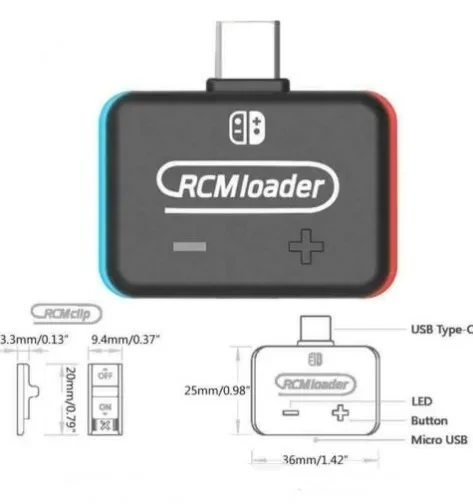
1: Unzip the SD file to the microSD card of the Nintendo Switch.
For files larger than 3.7GB, it is recommended to use exFAT, which includes a large number of games.
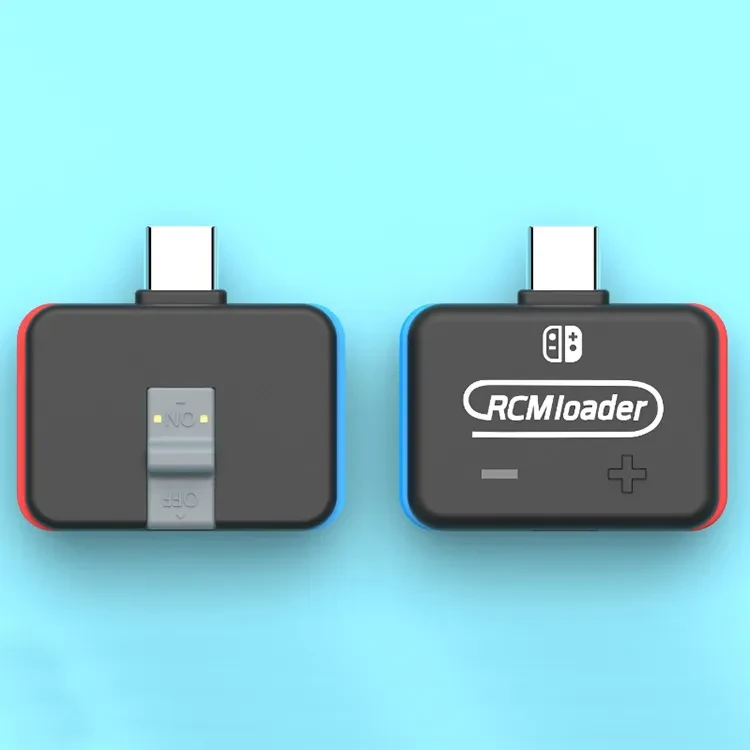
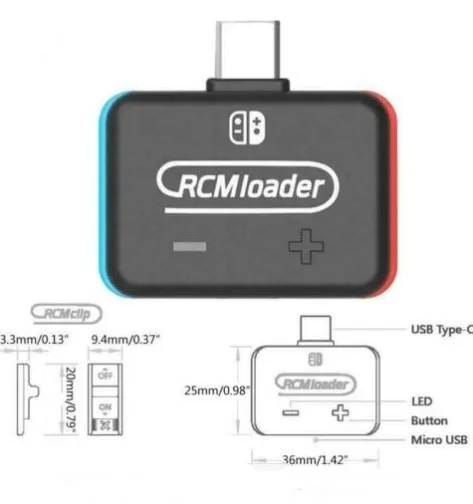
2: Insert the RCMloader and RCMclip into the Nintendo Switch.
RCMloader enters the charger port, the RCMclip in the right joycon track.
3: Press and hold the volume up and press the power button, CFW should start.
After the CFW is started, you can delete the RCMloader and RCMclip.
4: Enjoy the latest games and homemade games!
A more comprehensive guide can be found here.
RCMloader for ns switch console sx pro adaptor break for Atmosphere ReiNX SXOS
U Disk Archive for NS / SX OS – Portable Game Save and Data Backup Storage
Convenient Backup Solution for Game Archives and Save Files
This U disk archive for NS / SX OS archive use is designed as a compact, portable storage option for managing your game-related files, save
data, and archives. With its USB flash drive format, it lets you move files between compatible devices, organise your data, and keep
important archives safely stored in one place. Ideal for users who like to back up saves, keep different profiles, or store configuration
files, it offers a simple way to protect your data from accidental loss or device issues.
Portable USB Design for Easy Data Transfer
The U disk uses a standard USB interface, making it easy to plug into compatible computers, laptops, and supported hubs or devices for file
transfer and management. Its small size fits easily into a pocket, case, or controller bag, so you can carry it with your other gaming
accessories without adding bulk. This is especially useful for people who regularly manage archives, move data between devices, or keep
separate backups for peace of mind.
With enough capacity to store multiple archives and save sets (capacity depends on specific model), the drive is well suited for users who want a dedicated device just for game-related data. Keeping your archives on a separate U disk can help maintain a more organised system and make it easier to find specific files when needed.
Organised Archive Management and Versatile Use
Using a U disk archive for NS / SX OS archive tasks allows you to structure folders and files in a way that matches your preferences. You
can label directories, sort data by title, date, or profile, and keep older backups alongside current ones for extra security. This
organisation is helpful when you want to roll back to a previous configuration or safeguard important progress.
Beyond gaming, the U disk can typically be used as a standard USB storage device for documents, media, and other digital files, depending on how you choose to format and manage it. This versatility makes it a practical accessory for both everyday computing and game-related backup routines.
Why Choose a U Disk Archive for NS / SX OS Archive Use
Choosing this U disk archive gives you a dedicated, portable way to store and manage archives and save data in one convenient location. It
supports better organisation, easier transfers, and added protection against data loss, making it a valuable accessory for users who take
their game progress and configuration management seriously while still wanting a straightforward USB-based solution.
The product may be provided by a different brand of comparable quality.
The actual product may vary slightly from the image shown.
Shop amazing plants at The Node – a top destination for plant lovers
.png)








.jpg)









.jpg)





.jpeg)





.jpeg)



.jpeg)








.jpeg)



.jpeg)

.jpeg)

.jpeg)

.jpeg)




.jpeg)
.jpg)

.jpeg)






.jpeg)
.jpeg)




.jpeg)





.jpeg)


.jpeg)

.jpeg)

.jpeg)

.jpeg)







.jpeg)
.jpeg)
.jpeg)





.jpeg)



.jpeg)






.jpg)
.jpeg)









.jpg)


ulva-Logo.jpg)




.jpeg)



.png)















.png)