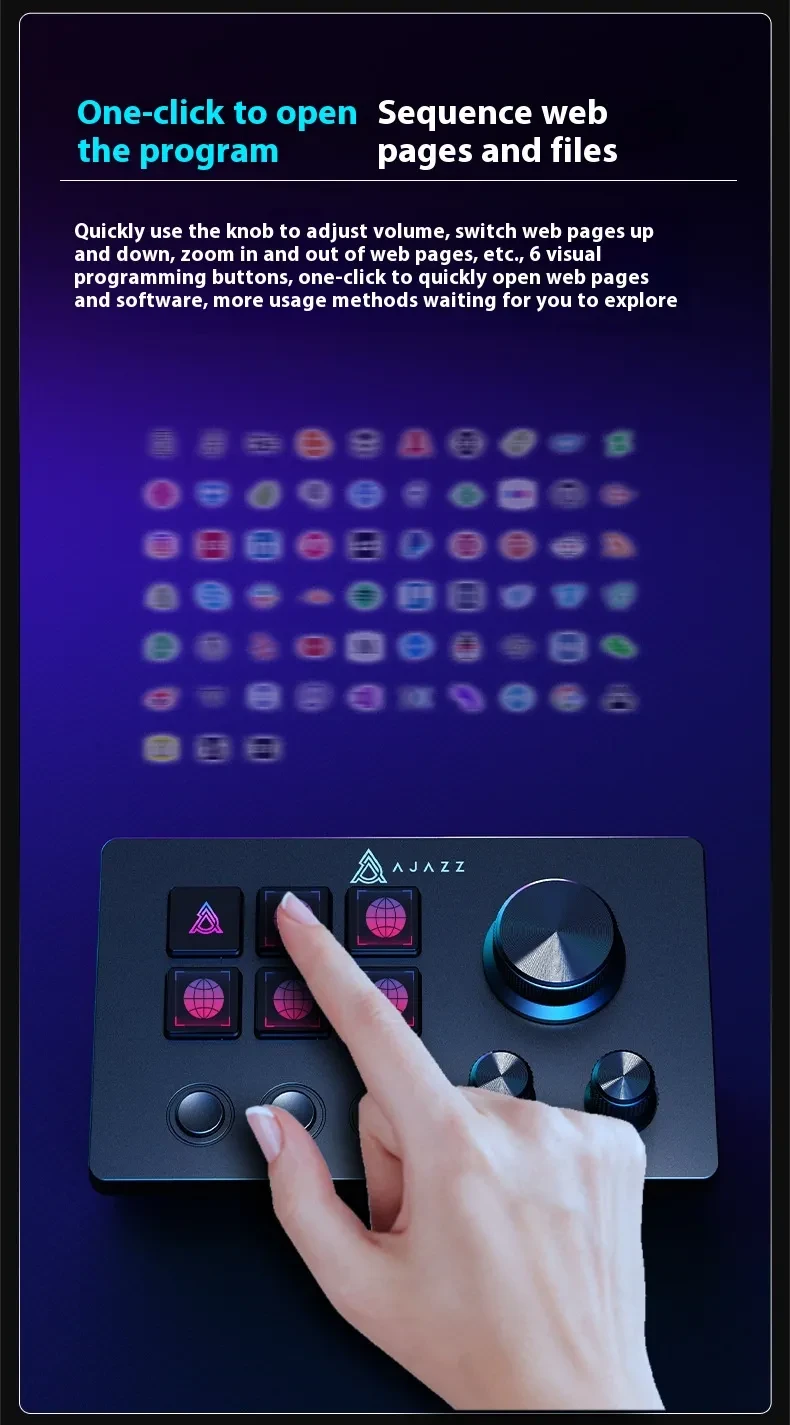
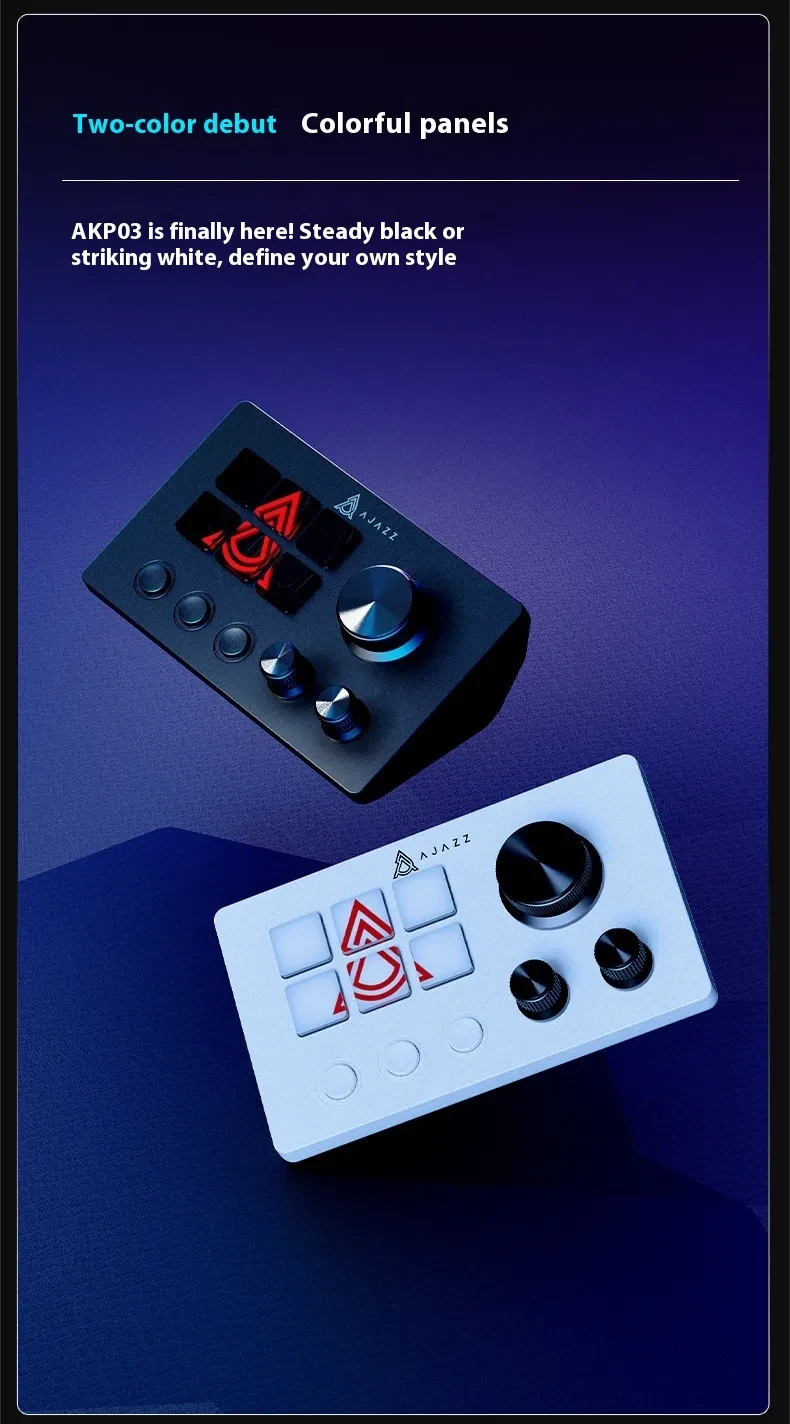
Live Assistant Volume Audio Channel Control Mesh File Video Visualization Button

Product information:
Color: white, black
Type: Gaming Keyboard
Connection method with computer: Wired
Material: ABS injection molding
Product Size: 130x80x60mm
Interface Type: type-c interface
Transmission method: single mode link (USB)
Packing list:
Keyboard *1
Product Image:
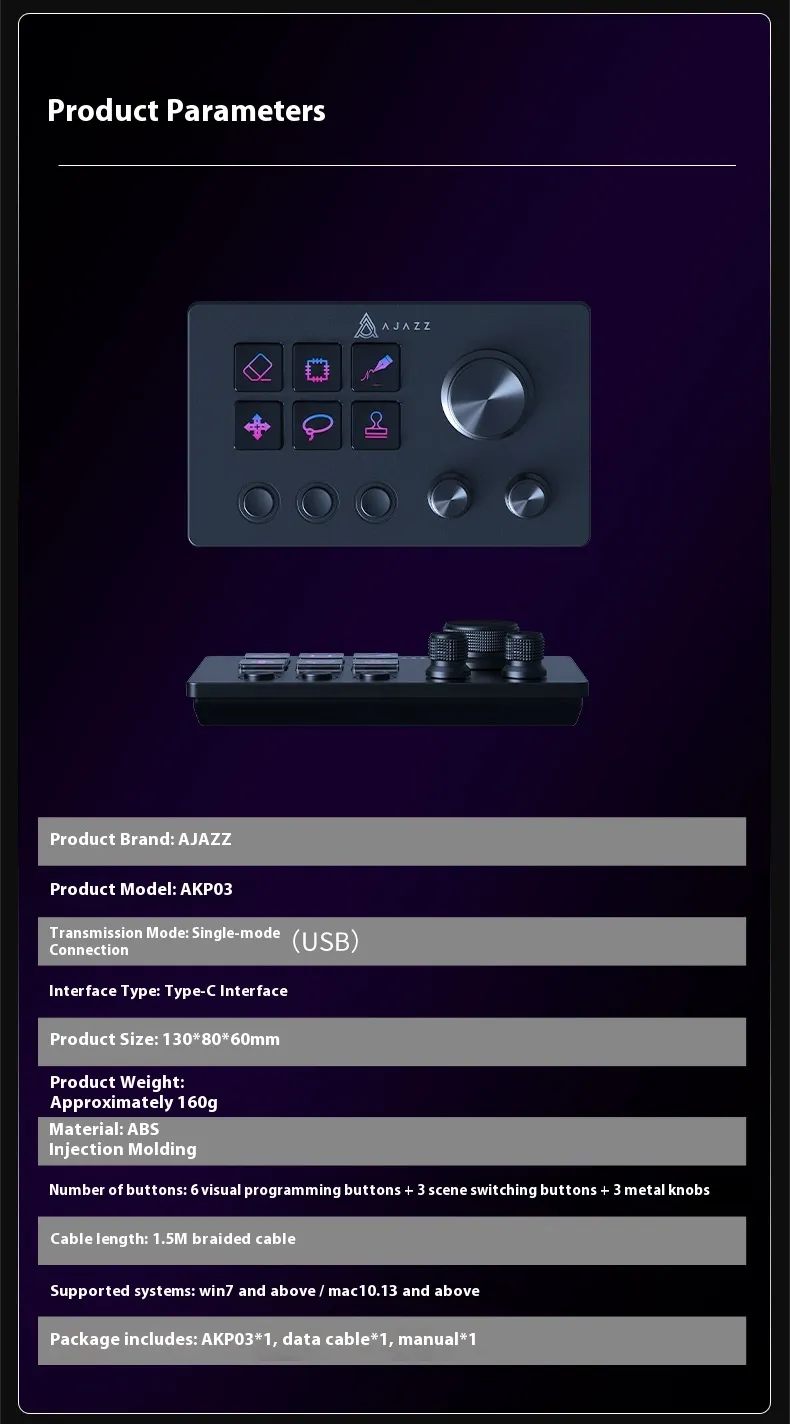
Live Assistant Volume Audio Channel Control Mesh File Video Visualization Button
do not add link
Intuitive Control Hub for Modern Live Streaming
The Live Assistant Volume Audio Channel Control Mesh File Video Visualization Button is designed as a central control interface for creators
who manage multiple audio and video elements during live broadcasts. Ideal for streamers, podcasters, DJs, online teachers, and content
producers, it helps you adjust volume levels, switch audio channels, trigger visual effects, and manage media playback with simple button
presses. By bringing critical controls into one compact surface, it makes live production smoother, faster, and more professional.
Multi-Channel Volume and Audio Control
With dedicated controls for different audio channels, this assistant lets you balance microphone input, system sounds, background music,
game audio, and voice chat independently. You can raise or lower specific channels in real time without navigating through software menus,
maintaining clean, clear sound throughout your stream or recording. This is especially useful when juggling multiple sources like guests,
overlays, and alerts.
Mesh-style Visual Layout and Custom Button Functions
The mesh-inspired control layout provides clearly separated zones for different functions—such as audio, video, files, and visual triggers.
Each button can be assigned a role, helping you switch scenes, launch media, or toggle filters with a single tap. This visual and tactile
structure reduces confusion and allows you to operate by feel, making it easier to react quickly while focusing on your content or audience.
Video Visualization and Scene Switching Support
The device is designed to work alongside compatible streaming or production software, allowing you to trigger scene changes, overlays, or
visual effects in sync with your audio. Dedicated buttons can be set to control transitions, show or hide elements, or cue pre-recorded
clips, giving your live output a more polished and dynamic look. It’s particularly useful for VTubers, presenters, and live performers who
rely heavily on visual storytelling.
Media and File Control at Your Fingertips
Beyond audio and video, the control surface can be mapped to manage files—such as opening specific assets, controlling playback, or
triggering sound effects and stingers. This centralises your workflow so you spend less time clicking around on your desktop and more time
engaging with your audience. The clear button layout supports repeatable, muscle-memory-based operation during busy live sessions.
Compact, Desk-friendly, and Creator-focused
Designed to sit comfortably on your desk, the Live Assistant Volume Audio Channel Control Mesh File Video Visualization Button keeps your
most important controls within easy reach. Its compact footprint makes it suitable for both small home setups and larger studio desks.
Whether you’re streaming games, hosting webinars, mixing audio, or producing live shows, it offers a focused, physical interface that
upgrades the way you control your content in real time.
The product may be provided by a different brand of comparable quality.
The actual product may vary slightly from the image shown.
Shop amazing plants at The Node – a top destination for plant lovers
.png)







.jpg)









.jpg)





.jpeg)





.jpeg)



.jpeg)








.jpeg)



.jpeg)

.jpeg)

.jpeg)

.jpeg)




.jpeg)
.jpg)

.jpeg)






.jpeg)
.jpeg)




.jpeg)





.jpeg)


.jpeg)

.jpeg)

.jpeg)

.jpeg)







.jpeg)
.jpeg)
.jpeg)





.jpeg)



.jpeg)






.jpg)
.jpeg)









.jpg)


ulva-Logo.jpg)




.jpeg)



.png)















.png)