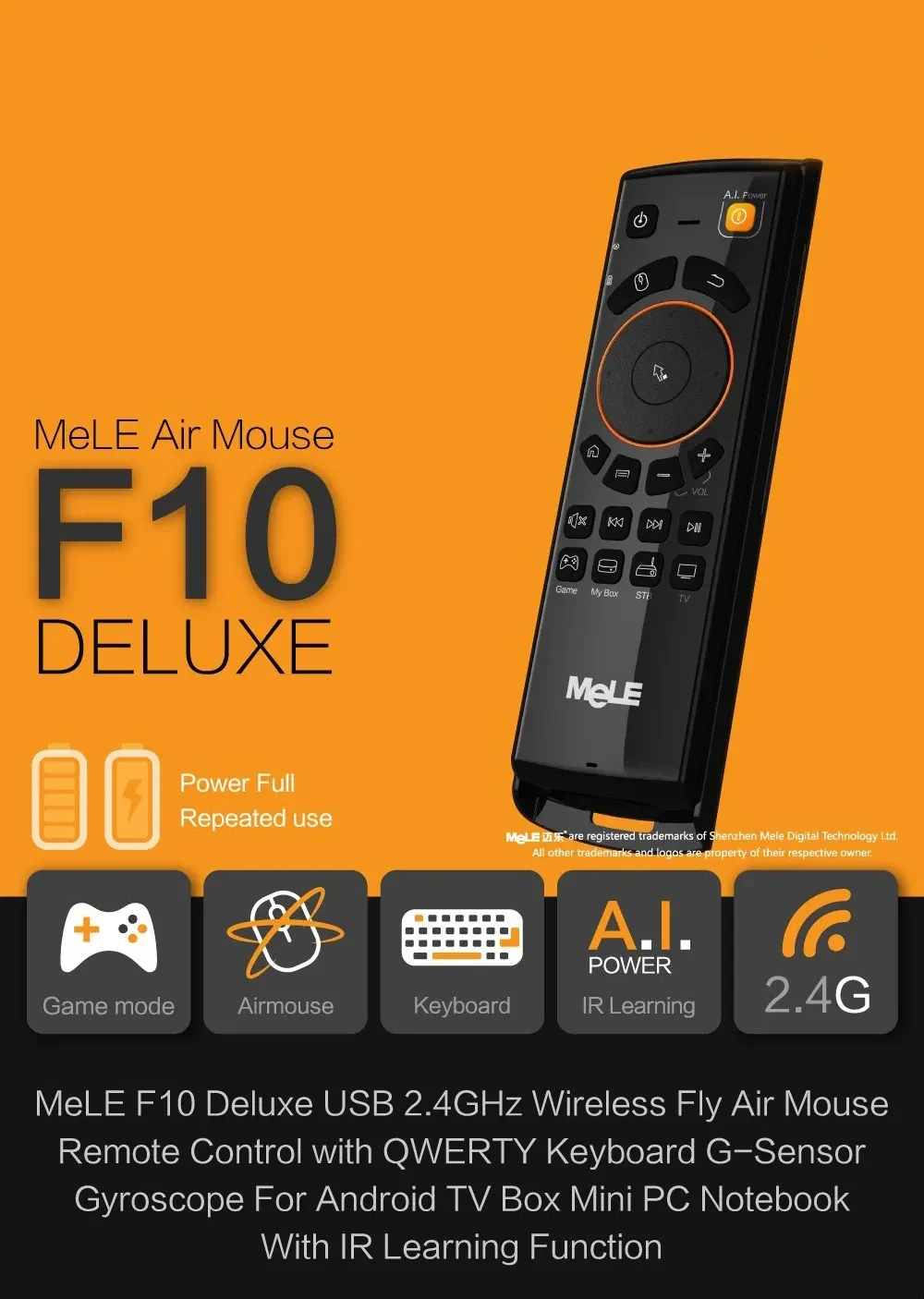
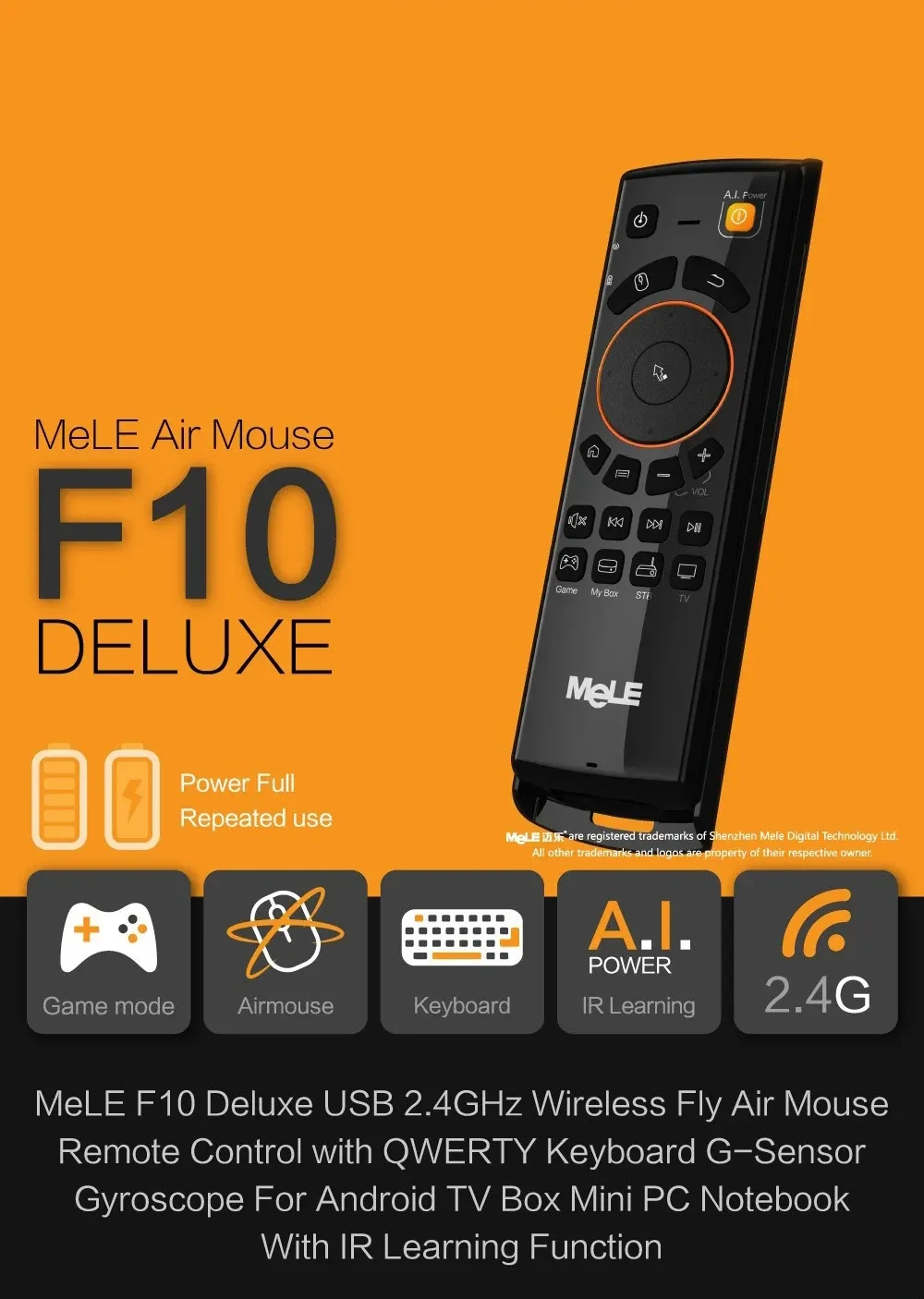
F10 deluxe wireless air mouse

F10 upgraded version (adding learning and somatosensory functions)
A good helper for computers, Android players, set-top boxes, smart TVs, tablets and other smart devices-remote control
Long-distance remote control, with mouse function, keyboard function, can play games, multifunctional in one, it is really smart and
convenient!
[Paired with USB receiver]
1. Connect the USB receiver to the host;
2. Within 2cm from the host, press and hold the left mouse button and the right mouse button on the front of the air mouse at the same
time until the indicator light on the side of the air mouse starts to flash. After the pairing is successful, the blue indicator light is
always on for 2 seconds and then off.
[IR button learning]
Enter / exit key learning state: Press and hold the STB or TV key for 2 seconds, the red indicator light on the left of the air mouse
blinks, indicating that the key learning state has been entered. Exit key learning state: short press STB or TV key, it will exit key
learning state. (Keys that support learning: Except for Power.Game.MyBox.STB.TV, all the keys on the front of the air mouse can learn)
1. Enter the key learning state; press and hold the TV key for 2 seconds, the red indicator light on the left of the air mouse starts
blinking, indicating that the key learning state has been entered;
2. Place the remote control of the TV directly on the top of the air mouse, the distance is about 3cm;
3. Press A.l.Power on the air mouse, the red indicator light blinks quickly, and then press the power button on the TV remote control. The
red indicator light changes from fast blinking to slow blinking, indicating that the power button has been successfully learned.
4. Repeat step 3 to continue learning other keys.
5. After the key learning is completed, the short TV key exits the learning state.
[Infrared learning button use]
STB mode: If you press and hold the STB key to enter the learning state, at any time, press the STB key to enter the STB mode, you can
use the keys learned in the STB mode;
TV mode: If you press and hold the TV button to enter the learning state, at any time, press the TV button to enter the TV mode, you can use
the keys learned in TV mode; after entering STB or TV mode, you must press MyBox to exit STB or TV Mode, return to MyBox mode, you can
continue to use air mouse functions, such as mouse mode, key mode, game mode, keyboard.
[Mouse, Button, Game Mode Switch]
Mouse mode: Except STB or TV mode, press the left mouse button at any time to enter the mouse mode;
Button mode: Except STB or TV mode, at any time, press the up, down, left and right buttons on the front of the air mouse to enter the
key mode;
Game mode: Except STB or TV mode, press the Game button at any time to enter the game mode. The game mode is mainly used for playing
somatosensory games. After entering STB or TV mode, you must press MyBox to exit STB or TV mode and return to MyBox mode in order to
continue using air mouse functions, such as mouse mode, key mode, game mode, and keyboard.
[Standby and Wake]
F10 Deluxe Wireless Air Mouse
Smooth Motion Control for TVs, PCs, and Smart Devices
The F10 Deluxe Wireless Air Mouse is designed for users who want effortless, intuitive control over their smart TV, computer, Android box,
projector, or home theater system. Using motion-sensing technology, it allows you to move the cursor simply by waving the mouse in the
air—similar to a remote-style pointer. This makes navigation smoother and more comfortable compared to traditional remotes or trackpads,
especially when browsing apps, typing, or controlling multimedia.
Wireless Operation for Flexible Use
Equipped with a stable wireless connection, the F10 Deluxe lets you control your device from a comfortable distance without dealing with
cords. It’s perfect for couch use, presentations, classrooms, or media rooms where free movement enhances convenience. The plug-and-play
receiver connects quickly, making setup simple for all experience levels.
Air-Motion Cursor for Easy Navigation
The built-in gyroscope enables motion-based cursor movement, offering precise control with natural hand gestures. This makes it especially
useful for smart TVs, streaming boxes, and media interfaces where on-screen navigation requires pointing and selecting. The air-mouse design
reduces strain and adds speed to browsing, scrolling, and switching between apps.
Compact Design with Convenient Buttons
The F10 Deluxe typically includes multiple function buttons, such as volume control, menu access, direction keys, and multimedia shortcuts.
These allow users to operate their device fully without switching to another remote or keyboard. Its lightweight, ergonomic body fits
comfortably in one hand, making it suitable for long viewing sessions or frequent device switching.
Rechargeable and Built for Daily Use
Designed for durability and repeated use, the air mouse often features a built-in rechargeable battery, eliminating the cost and hassle of
disposable batteries. The sturdy casing and responsive buttons ensure reliable performance whether used at home, in classrooms, or during
business presentations.
Ideal for Smart TVs, Media Centers, and Presentations
The F10 Deluxe Wireless Air Mouse is perfect for enhancing control in home entertainment setups, replacing clunky remotes, or improving
navigation on media boxes and PCs. It’s also useful for presenters who want a smooth, interactive way to control slides or media content
from across the room.
With wireless convenience, air-motion control, and a user-friendly layout, the F10 Deluxe Wireless Air Mouse offers an efficient and modern way to manage your digital devices.
The product may be provided by a different brand of comparable quality.
The actual product may vary slightly from the image shown.
Shop amazing plants at The Node – a top destination for plant lovers
.png)





.jpg)









.jpg)





.jpeg)





.jpeg)



.jpeg)








.jpeg)



.jpeg)

.jpeg)

.jpeg)

.jpeg)




.jpeg)
.jpg)

.jpeg)






.jpeg)
.jpeg)




.jpeg)





.jpeg)


.jpeg)

.jpeg)

.jpeg)

.jpeg)







.jpeg)
.jpeg)
.jpeg)





.jpeg)



.jpeg)






.jpg)
.jpeg)









.jpg)


ulva-Logo.jpg)




.jpeg)



.png)















.png)