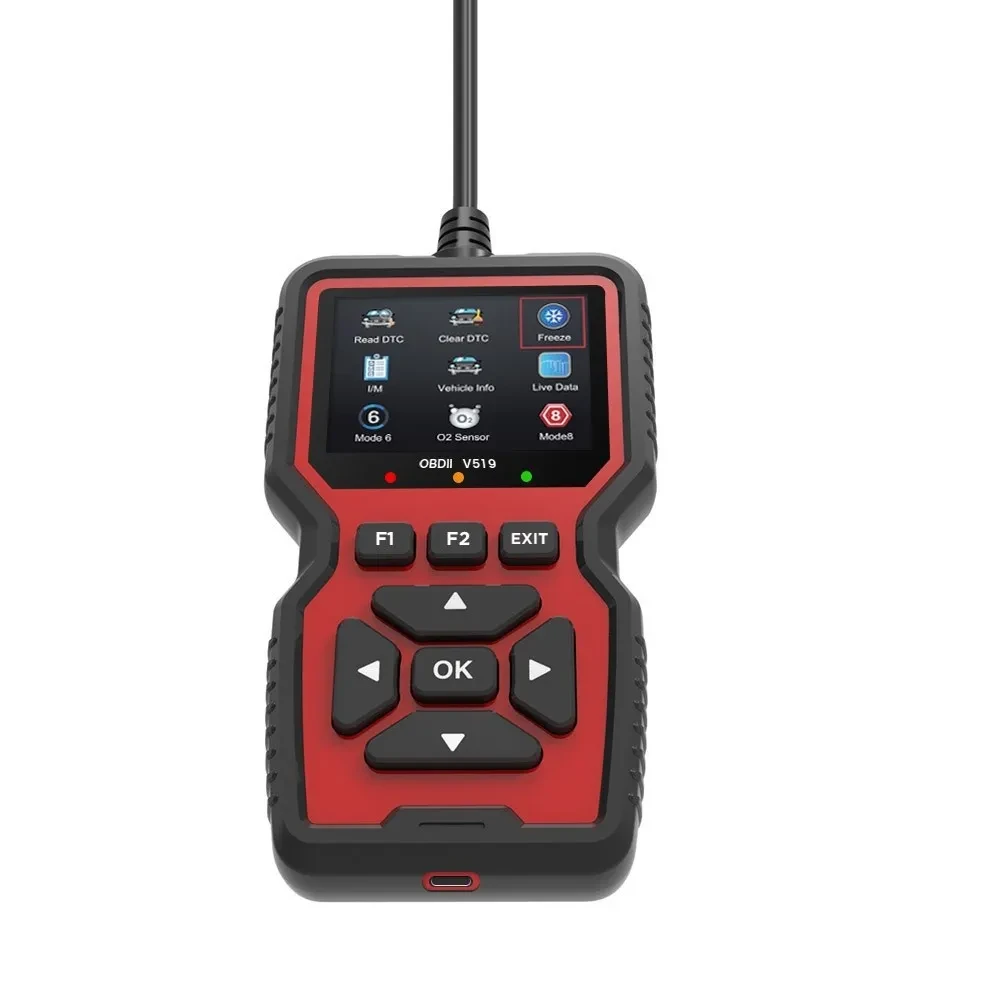
Car Diagnostic Scanner NZ

Product information:
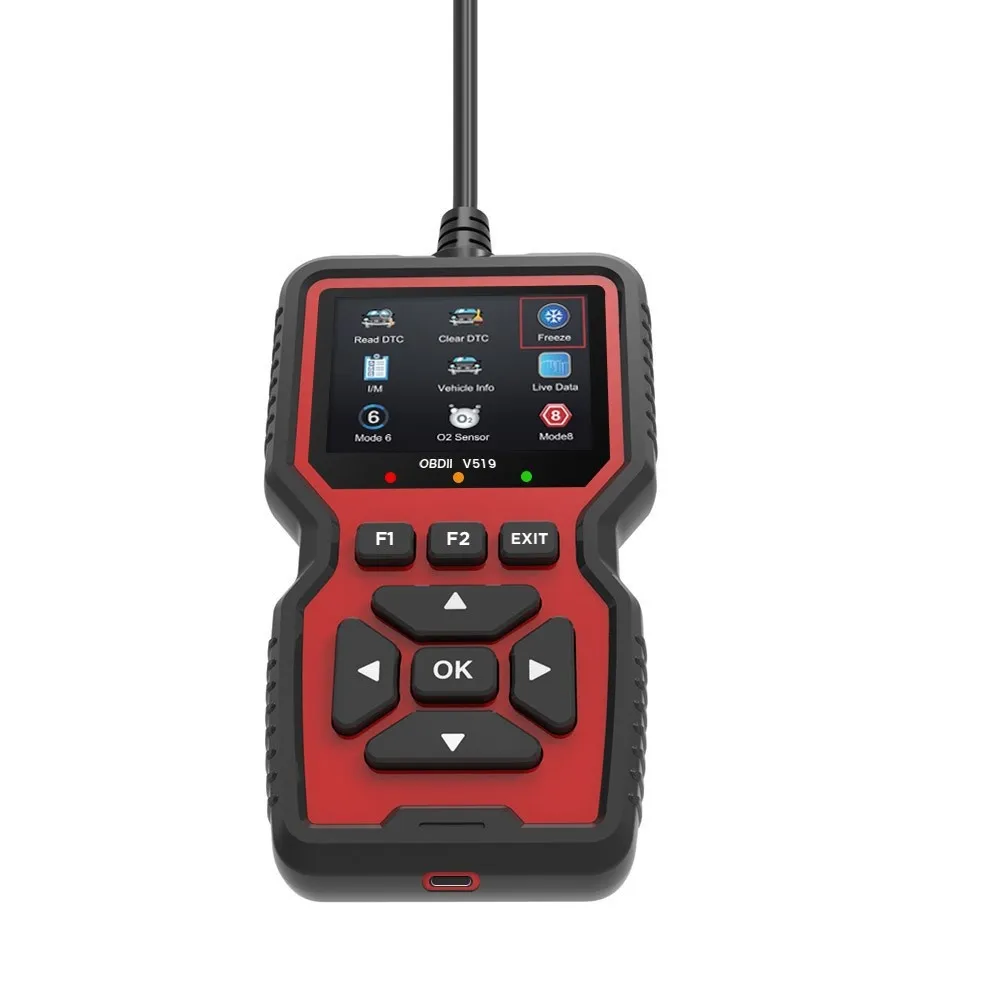
Specification: V519
Operating Temperature: 20
Applicable Vehicle Model: N
Voltage: 12–24
Packing list:
Alloy Battery Testing x1 Product Image:
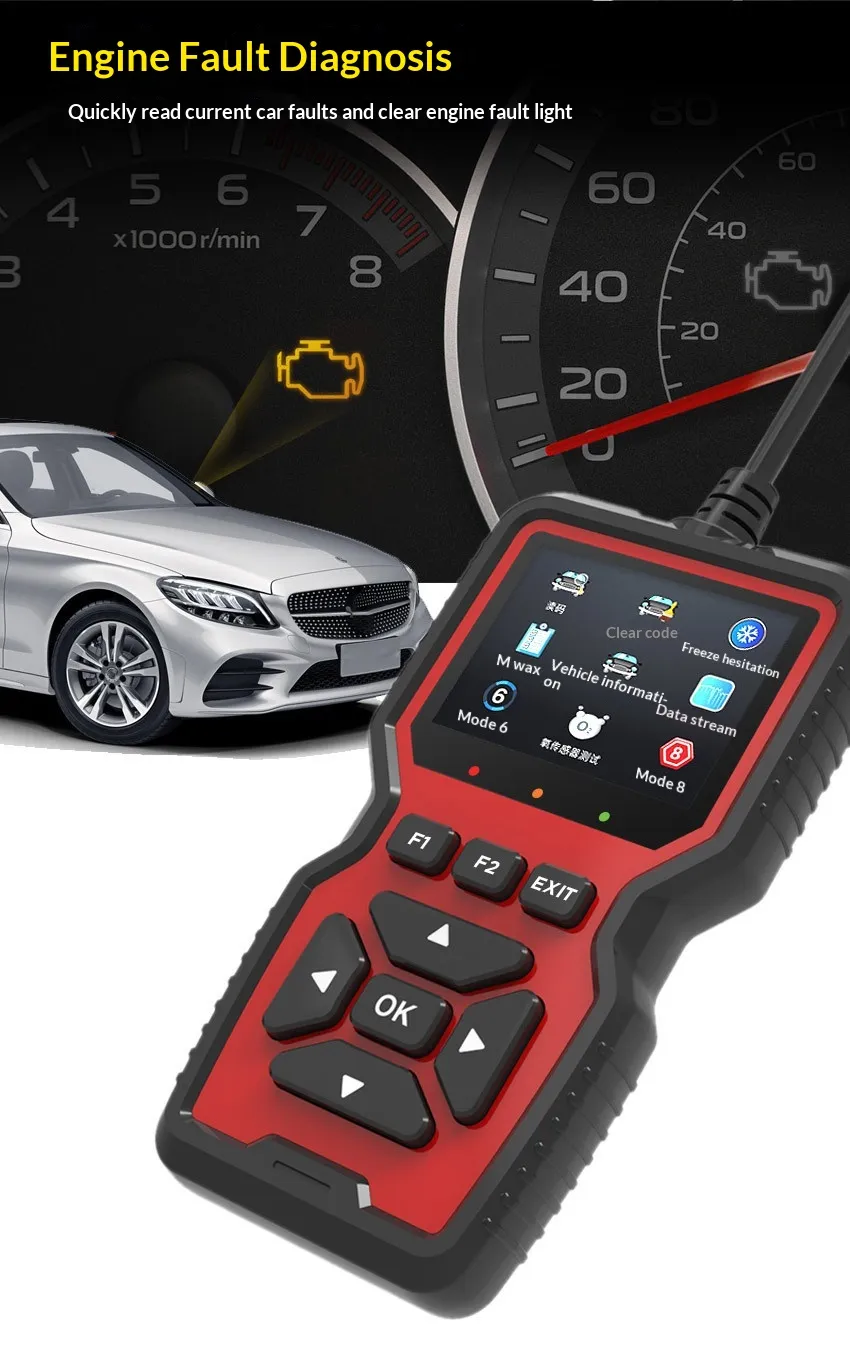
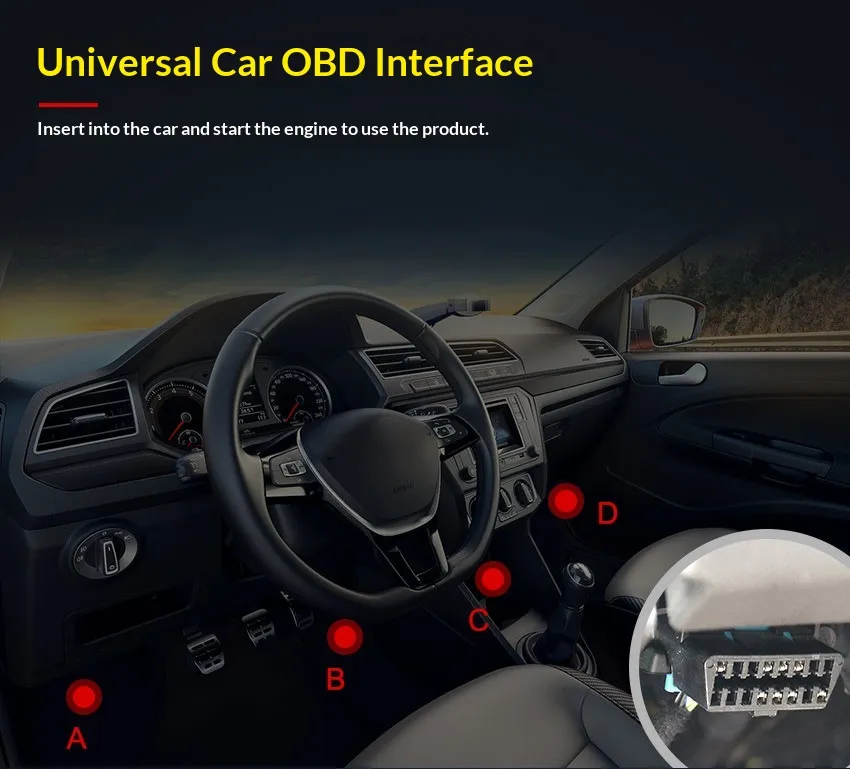
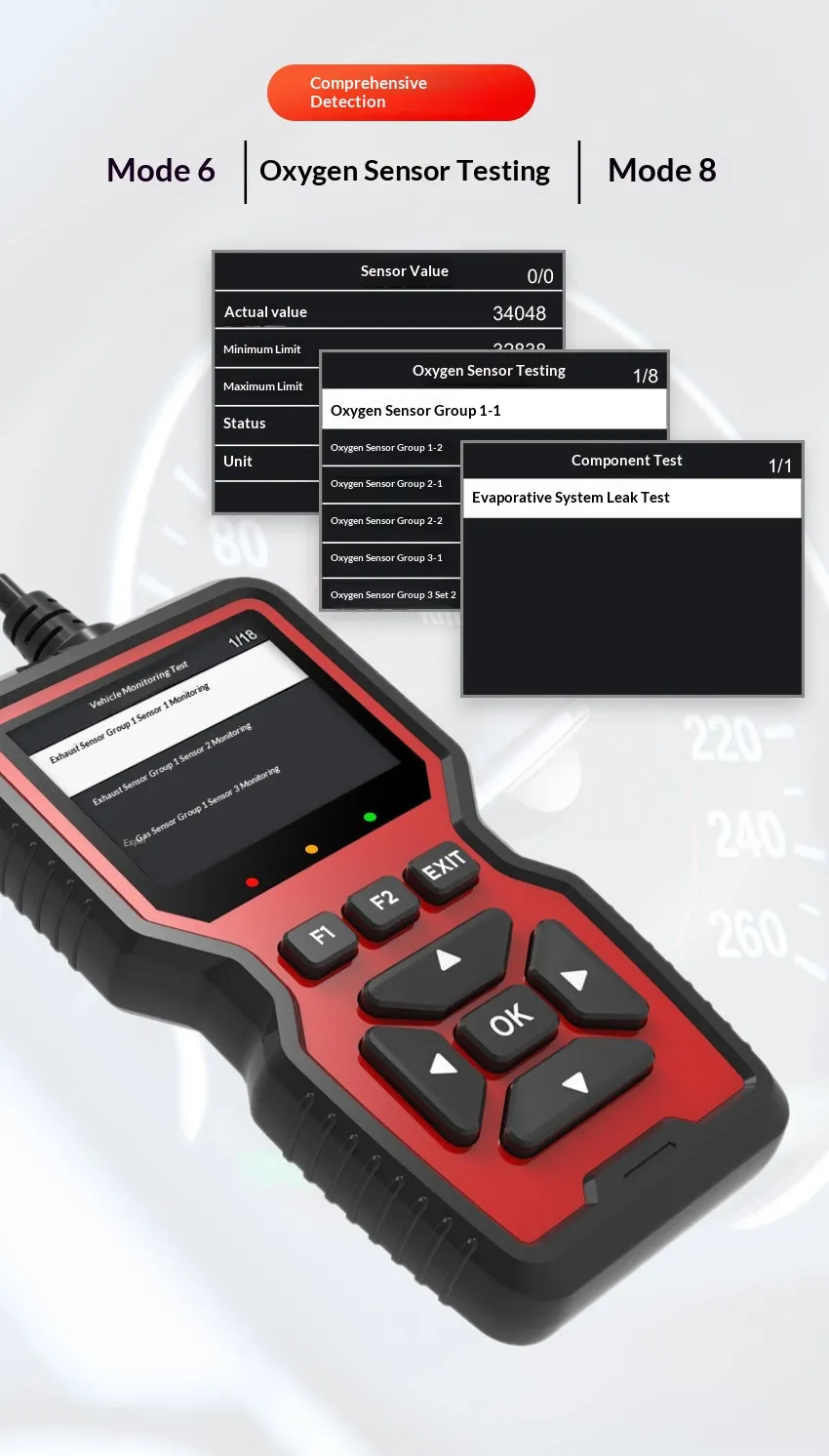
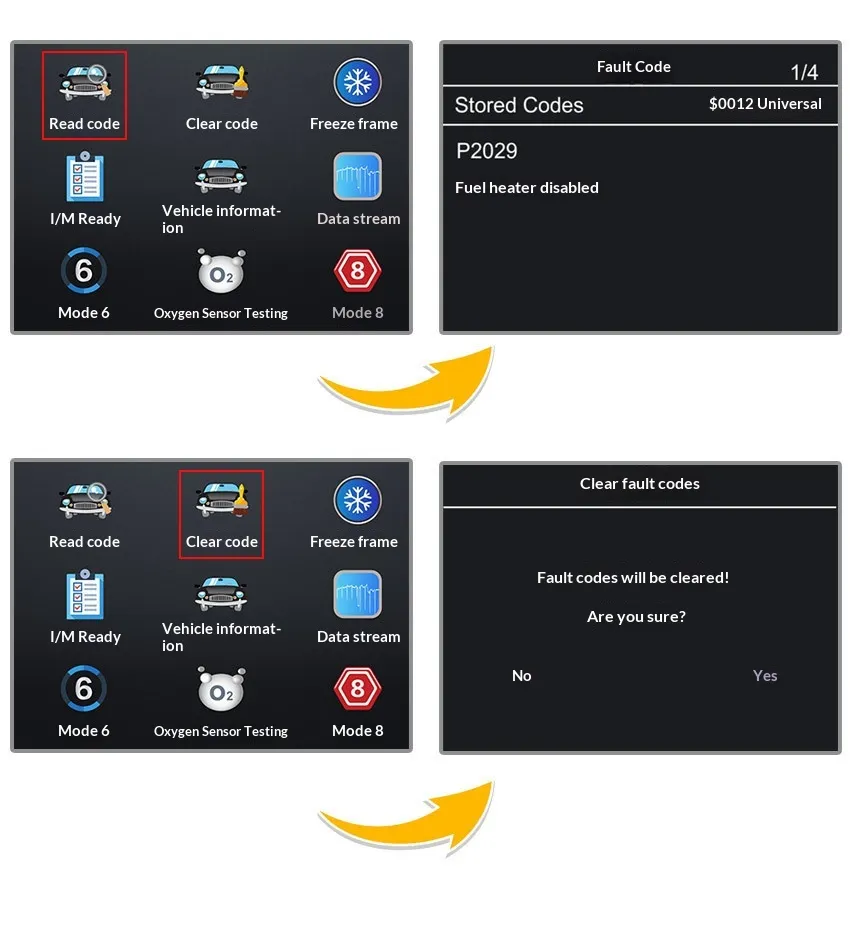
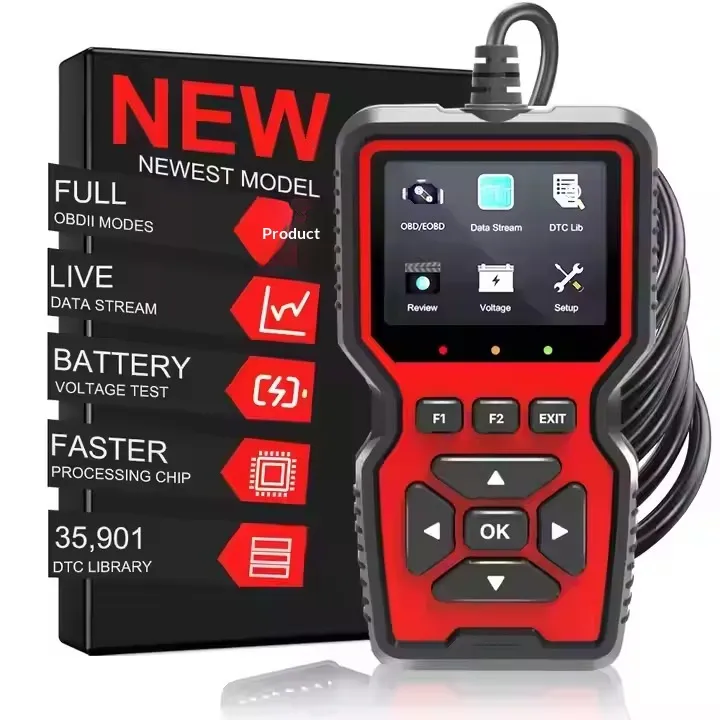
Car Diagnostic Scanner NZ – Diagnose Smarter, Drive Safer
Perfect for Car Owners, Mechanics, and DIY Vehicle Technicians
A Car Diagnostic Scanner NZ is an essential tool for any vehicle owner or automotive professional in New Zealand who wants fast, accurate insight into vehicle health, performance, and maintenance needs. Whether you’re troubleshooting a warning light, performing routine checks, or diagnosing complex engine issues, a quality diagnostic scanner provides precise data directly from your vehicle’s onboard systems. Ideal for self‑service mechanics, workshop technicians, fleet managers, and everyday drivers who want to understand what’s happening under the hood without guesswork.
Description – Car Diagnostic Scanner NZ
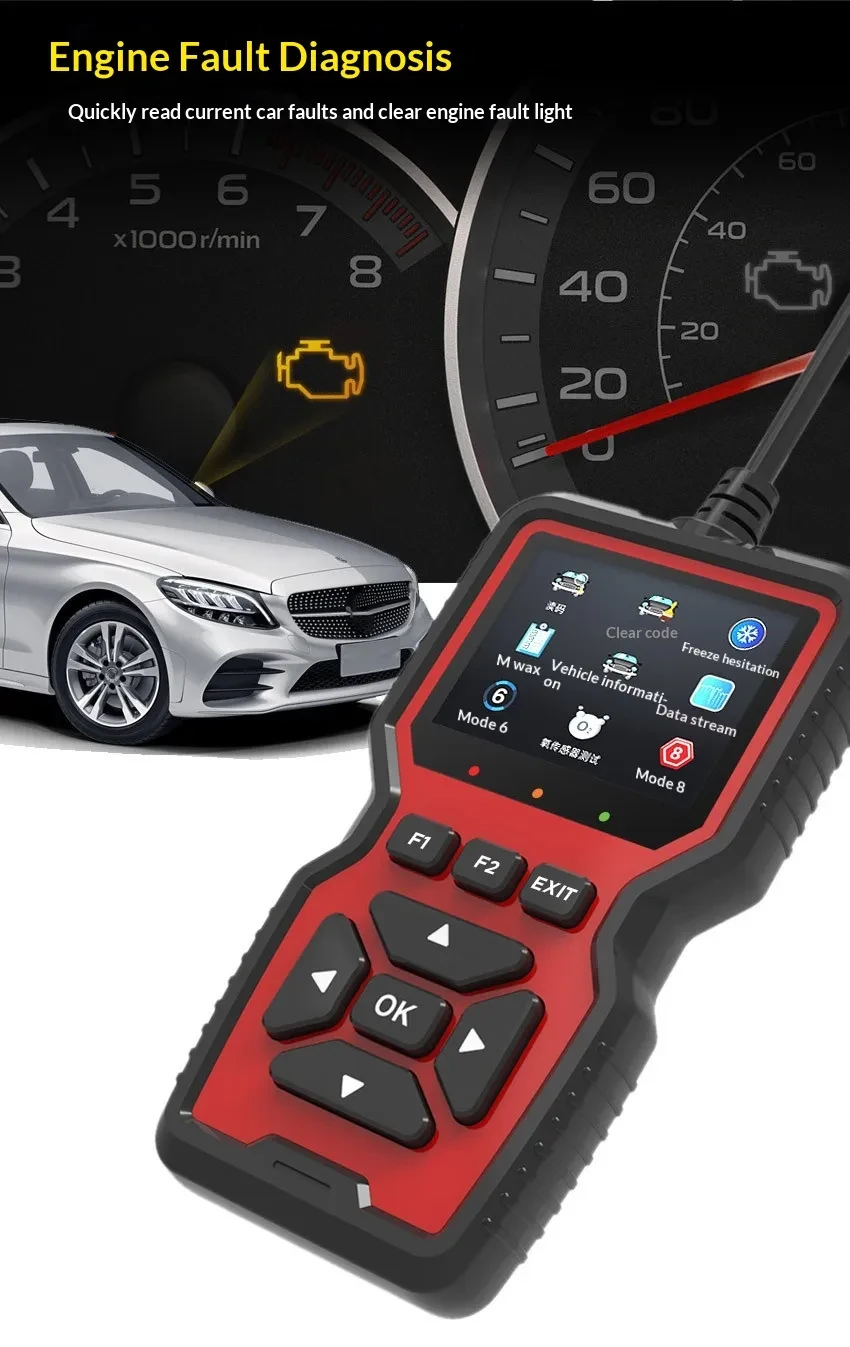
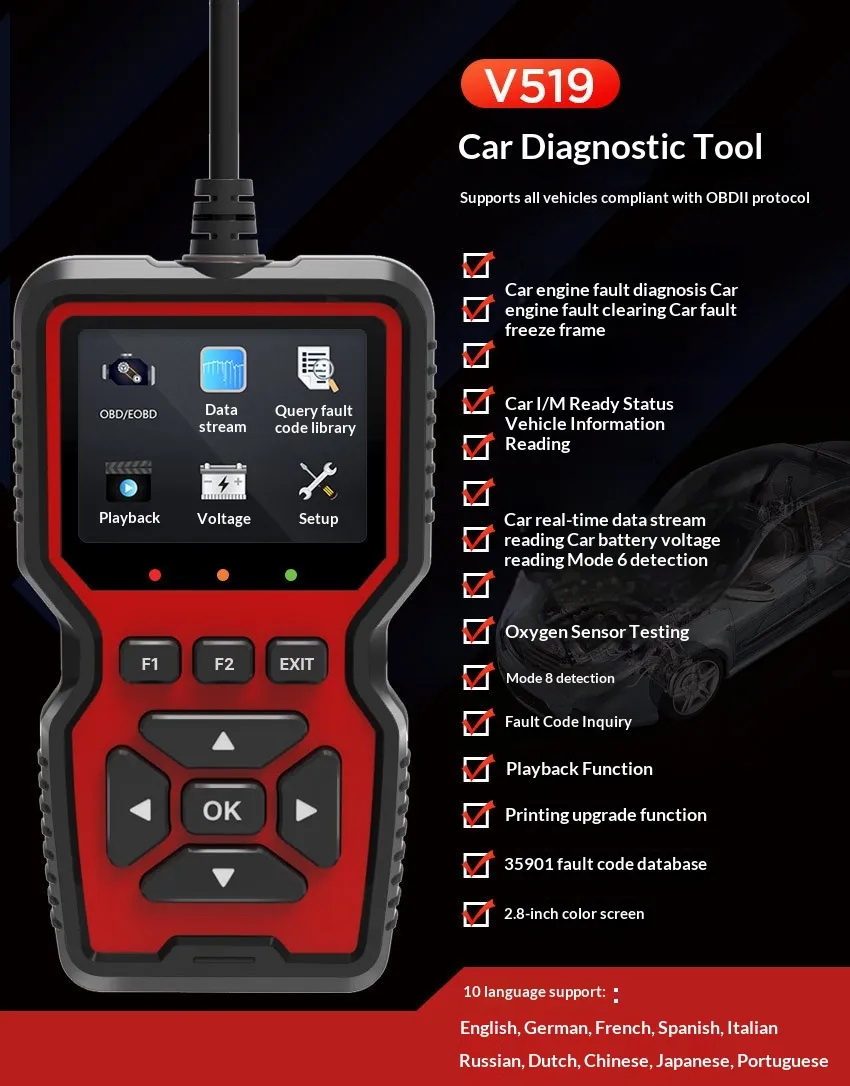
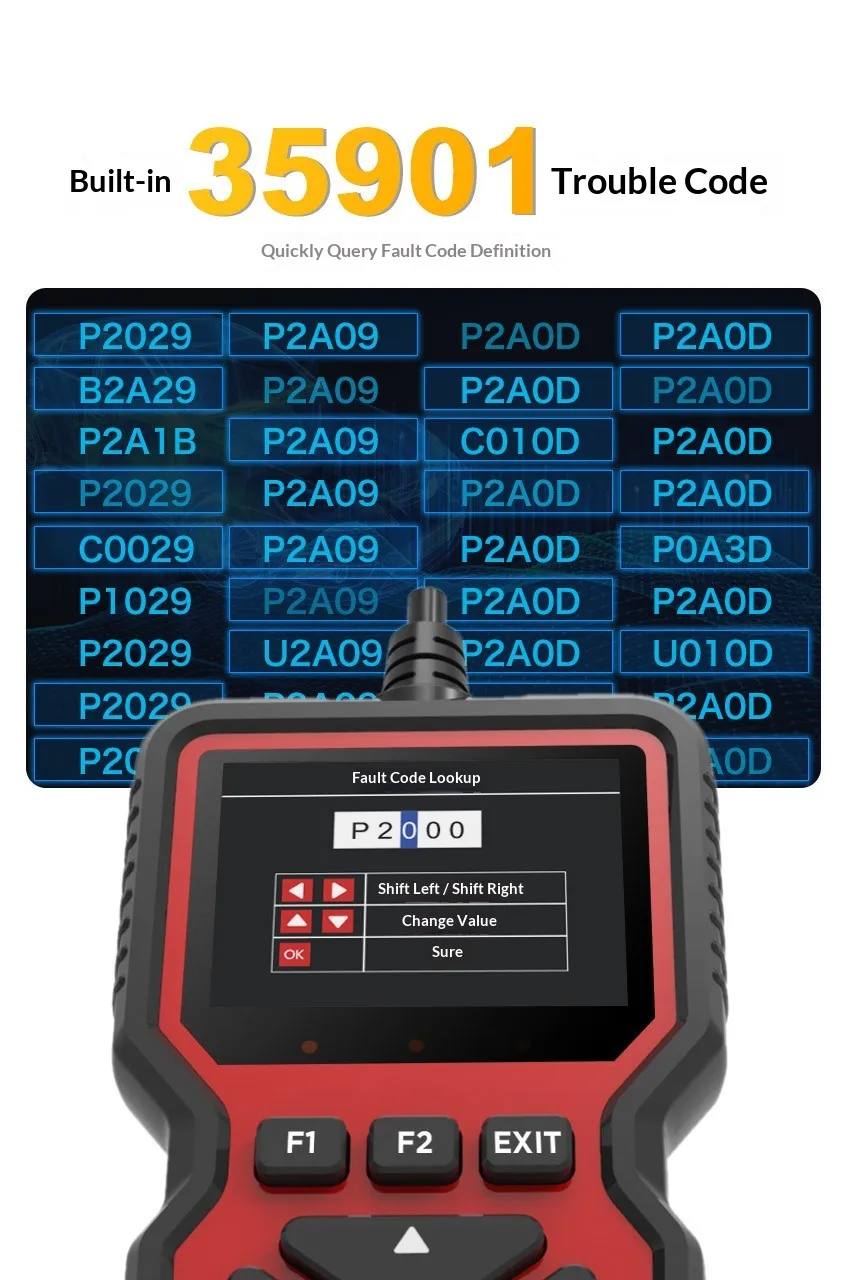
A car diagnostic scanner is a handheld or Bluetooth‑enabled device designed to interface with a vehicle’s onboard computer (ECU/PCM) to read and interpret system data, diagnostic trouble codes (DTCs), live sensor information, and operational parameters. In modern vehicles—whether petrol, diesel, or hybrid—the onboard diagnostic system (OBD‑II or manufacturer‑specific protocols) stores useful information about engine performance, emissions, transmission behavior, anti‑lock braking systems, airbag systems, battery health, and many other subsystems. A diagnostic scanner reads this data and presents it in a clear format so you can quickly identify issues, decide on necessary repairs or maintenance, and reset warning lights once fixes are complete.
In New Zealand, where vehicles are subject to stringent Warrant of Fitness (WOF) standards, emissions control, and varied driving conditions—from city streets to rugged rural roads—a diagnostic scanner helps owners stay compliant and safe. Affordable scanners range from basic code readers that clear check engine lights to advanced multifunction tools that support ABS/SRS, live data graphs, service resets, and full system scans for multiple vehicle brands.
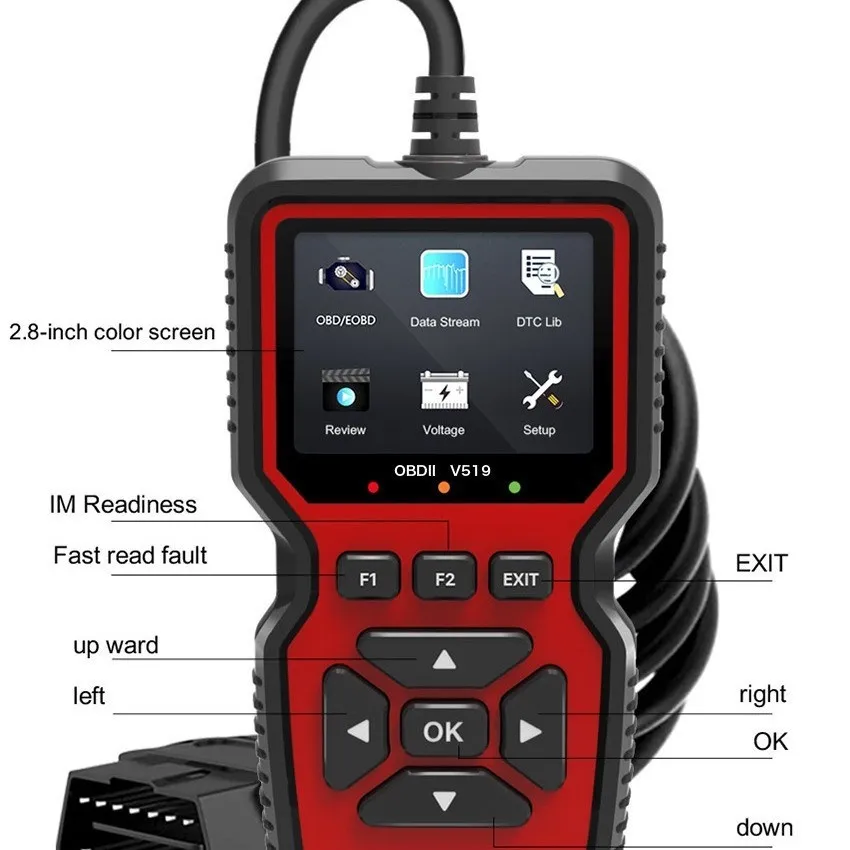
Construction of a quality scanner typically includes a durable casing with an LCD or full‑colour screen, intuitive navigation buttons or touchscreen interface, OBD‑II connector cable (for wired units), and wireless connectivity for Bluetooth or Wi‑Fi models paired to a smartphone app. Firmware and software integration allow frequent updates, ensuring compatibility with the latest vehicle models and diagnostic standards.
Key Points
1. Multi‑Protocol Vehicle Compatibility
A quality car diagnostic scanner NZ supports a wide range of OBD protocols—ISO 9141, KWP2000, CAN, J1850 PWM/VPW—and is
designed to work with petrol, diesel, and many hybrid systems. This is critical in NZ, where vehicles from Europe, Japan, Korea, and the
United States are common. With broad compatibility, you don’t need separate tools for each car in your fleet or household.
2. Comprehensive Diagnostic Functions
Basic models read and clear engine check lights (MIL), while advanced scanners display live sensor data, perform freeze frame analysis, and
diagnose transmission, ABS, SRS airbags, battery health, TPMS, and more. Some can even reset service intervals or perform actuator tests.
These functions save time and money by pinpointing issues accurately.
3. Live Data and Graphing Capabilities
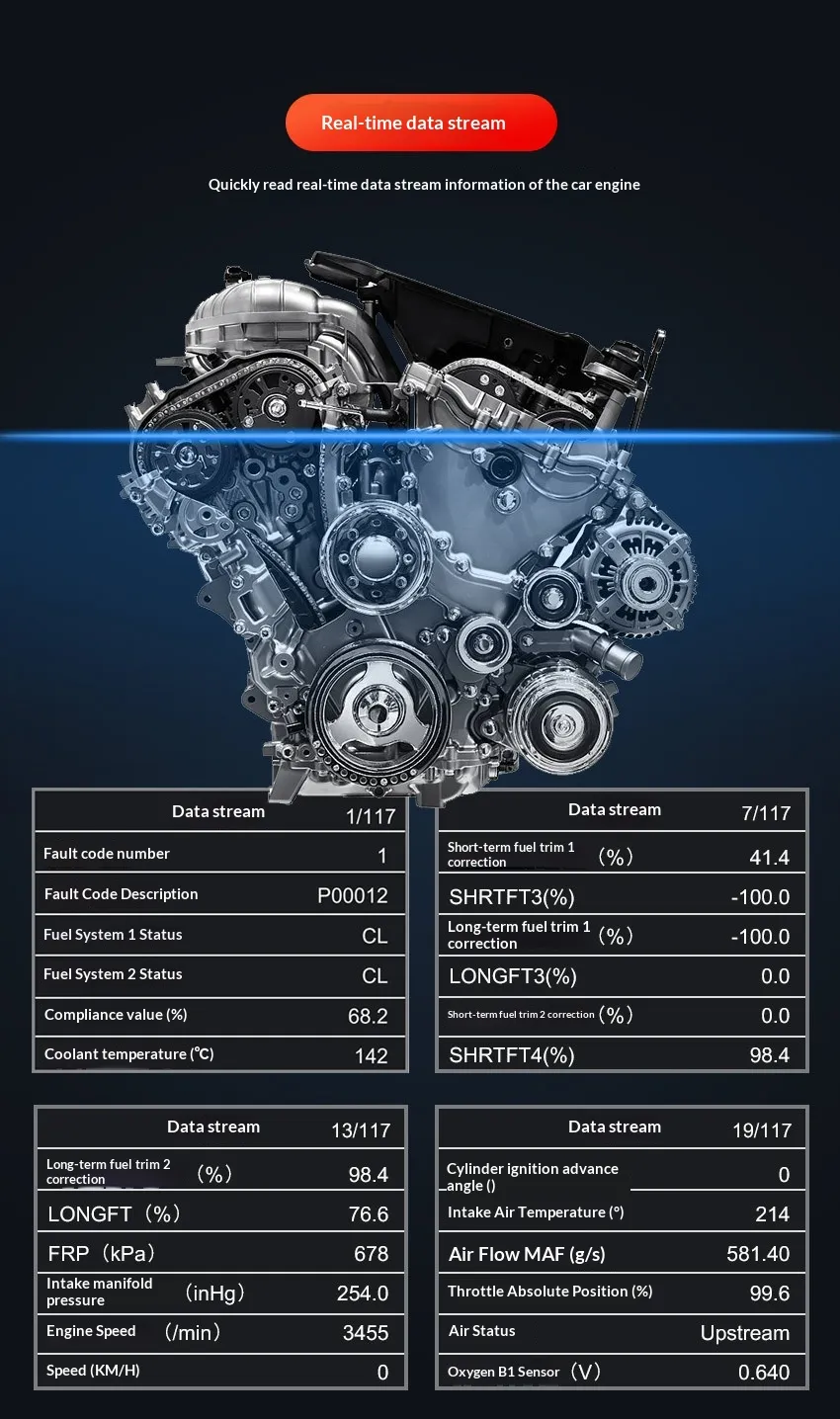
Rather than just presenting a code number, modern scanners offer real‑time data streams from key sensors (RPM, coolant temp, O2 sensor
voltages, fuel trims). Graphing this data over time helps identify intermittent faults and performance trends that can be difficult to
detect otherwise.
4. Smartphone Connectivity & User‑Friendly Interface
Many modern scanners use Bluetooth or Wi‑Fi to connect to a smartphone app, presenting diagnostic data on a familiar interface with updates
and built‑in code descriptions. This eliminates the need for a bulky standalone tool and leverages frequent mobile app updates to stay
current with vehicle models.
Benefits
Enhanced Maintenance Insight
A car diagnostic scanner gives you direct access to your vehicle’s onboard computer, allowing you to understand exactly why a warning light
is illuminated. Instead of guessing or relying on expensive workshop diagnostics, you can quickly read trouble codes and take informed next
steps.
Save Time and Money on Repairs
By identifying problems before they worsen or lead to unexpected failures, a diagnostic scanner reduces time in the workshop and costs
associated with “trial and error” fixing. For NZ drivers who handle multiple cars, even basic code reading can prevent costly misdiagnosis.
Professional‑Grade Tools for DIY Enthusiasts
Today’s scanners offer professional features previously reserved for expensive workshop tools. With functions like ABS/SRS scanning, live
data interpretation, and service resets, DIY mechanics and small garages in NZ can achieve workshop‑level diagnostics without excessive
investment.
Peace of Mind on the Road
Vehicles in New Zealand endure diverse driving environments—from Auckland traffic to remote Southern Alps passes. A scanner provides
real‑time reassurance and diagnostic visibility, improving safety and reliability while reducing the stress of unexpected issues.
Why Choose This Car Diagnostic Scanner NZ?
Choosing a dedicated car diagnostic scanner NZ means prioritising reliability, compatibility, and real‑world functionality over basic generic code readers or smartphone‑only adapters that offer limited insight. A high‑quality scanner is designed with robust hardware, intuitive menus, and frequent updates—ensuring ongoing compatibility with new vehicle models and diagnostic standards used in NZ.
Many models include features tailored for local drivers, such as WOF‑relevant data streams (emissions, readiness monitors), service interval resets, and manufacturer‑specific PID support. Whether you’re a tradesperson maintaining a fleet, a workshop technician servicing multiple brands, or a vehicle enthusiast who performs your own maintenance, a good scanner will pay for itself through time savings and smarter diagnostics.
When compared with relying solely on workshop diagnostics, owning your own scanner provides autonomy. You decide when to inspect, interpret, and act—without appointment wait times, unnecessary charges, or guesswork. The user experience is streamlined by devices with clear menus, multilingual support, built‑in code libraries, and connectivity that enhances data presentation via apps.
Real‑World Use Cases (NZ Focus)
1. Pre‑Purchase Vehicle Inspection
Inspecting used vehicles in New Zealand’s used market can reveal hidden issues before you commit to buying. A scanner lets you read pending
codes, verify system readiness, and check for recurring faults that may not yet trigger a warning light.
2. Routine WOF Readiness Checks
Before a Warrant of Fitness test, use your scanner to ensure OBD‑II readiness monitors are set, emissions‑related systems are functioning,
and last‑minute faults don’t lead to failure.
3. Fleet Management
Small business owners with vans, utes, or commercial vehicles can monitor multiple vehicles’ health, reduce downtime, and schedule
maintenance proactively based on scan data instead of arbitrary mileage intervals.
4. Early Fault Detection on Long Trips
NZ road trips—like drives to Queenstown, Coromandel, or Rangitīkei—can expose latent engine or sensor issues. Detecting anomalies early
allows you to address them before they become costly problems, keeping your adventure on track.
Frequently Asked Questions
What Does a Car Diagnostic Scanner Do?
A diagnostic scanner interfaces with your vehicle’s onboard computer to read and interpret diagnostic trouble codes, sensor data, system health reports, and operational parameters. This allows you to identify issues affecting performance, emissions, drivability, and safety.
Do All Cars in NZ Support Diagnostic Scanners?
Most petrol and diesel vehicles manufactured after 1996 use the standard OBD‑II protocol, enabling basic diagnostic access. Some models and brands may require advanced scanners that support manufacturer‑specific protocols for full system diagnostics.
Can I Reset Warning Lights?
Yes. Most scanners allow you to clear stored codes and reset warning lights once the underlying issue is resolved. However, if the problem persists, the light will reappear.
Is a Scanner Worth It for a Private Car Owner?
Absolutely. Even basic code readers reduce guesswork, save workshop time, and help you understand your vehicle’s health—especially important on long drives or in areas where breakdown support may be delayed.
In‑Depth Functional Features
Live Sensor Monitoring
Instead of just showing numeric trouble codes, a good scanner displays live data from oxygen sensors, throttle position sensors, coolant temperature sensors, mass air flow sensors, and more. These real‑time readings help you assess operational conditions and detect abnormalities.
Freeze Frame Data
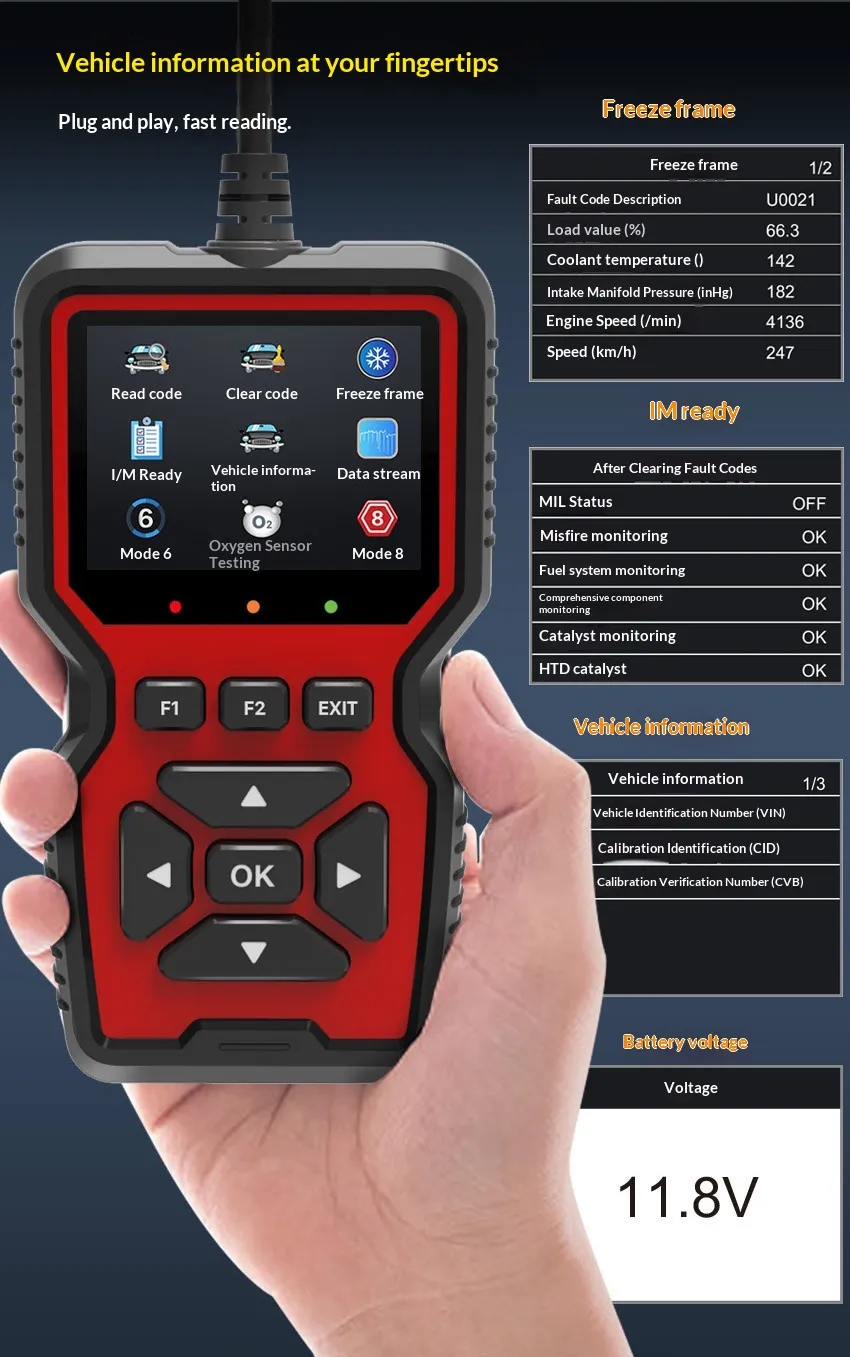
When a fault occurs, the vehicle stores a snapshot of sensor data at the moment of the fault. Advanced scanners retrieve this freeze frame information, giving context to codes and allowing more accurate troubleshooting.
Emissions Readiness Monitors
For emissions‑related inspections and WOF compliance, readiness monitors show whether key subsystems have completed their diagnostic checks since the last reset. A scanner lets you view readiness status and fix outstanding monitors before inspection.
ABS/SRS and Subsystem Diagnostics
Basic scanners focus on engine codes, but advanced tools extend to anti‑lock braking system (ABS) faults, supplemental restraint system (airbag) diagnostics, transmission data, battery stats, and other subsystems—providing a fuller picture of vehicle health.
Choosing the Right Scanner for NZ
When selecting a car diagnostic scanner NZ, consider the following:
Vehicle Compatibility
Ensure the tool supports OBD‑II protocols and, if needed, manufacturer‑specific extensions for full diagnostics on your vehicle make.
Feature Set
Match features to your needs: basic code reading for everyday owners, advanced subsystem diagnostics for workshops, or Bluetooth
connectivity for smartphone enthusiasts.
Update Support
Regular firmware and software updates are crucial to maintaining compatibility with newer vehicles and expanding diagnostic coverage.
Ease of Use
Intuitive interfaces, clear error descriptions, and user‑friendly display options reduce training time and frustration.
Support and Documentation
Local NZ support, manuals, and code interpretation guides enhance your ability to diagnose accurately and confidently.
Conclusion
A Car Diagnostic Scanner NZ is no longer a luxury—it is a practical necessity for modern vehicle owners, DIY mechanics, and automotive professionals. With its ability to read fault codes, display real‑time data, perform freeze frame analysis, and provide system‑wide insights, it empowers users to diagnose issues quickly, confidently, and cost‑effectively.
From basic code readers that give peace of mind to advanced multifunction tools that unlock workshop‑style diagnostics, choosing the right scanner transforms your approach to vehicle maintenance. In a country like New Zealand, where road conditions vary and vehicle reliability is essential, owning a diagnostic scanner enhances safety, reduces repair costs, and gives you control over your vehicle’s health.
Whether you’re managing a fleet, preparing for WOF, troubleshooting a persistent warning light, or simply want deeper understanding of how your car operates, a diagnostic scanner is an investment that continually pays dividends in efficiency, confidence, and automotive intelligence.
The product may be provided by a different brand of comparable quality.
The actual product may vary slightly from the image shown.
Shop amazing plants at The Node – a top destination for plant lovers

.png)









.jpg)









.jpg)





.jpeg)





.jpeg)



.jpeg)








.jpeg)



.jpeg)

.jpeg)

.jpeg)

.jpeg)




.jpeg)
.jpg)

.jpeg)






.jpeg)
.jpeg)




.jpeg)





.jpeg)


.jpeg)

.jpeg)

.jpeg)

.jpeg)







.jpeg)
.jpeg)
.jpeg)





.jpeg)



.jpeg)






.jpg)
.jpeg)









.jpg)


ulva-Logo.jpg)




.jpeg)



.png)















.png)