.jpg)
ATTACK SHARK X11 Gaming Mouse Compatible for Xbox/PS/Win11 with Magnetic Charging Dock, BT/2.4G/Wired Wireless Mouse, PixArt PAW3311 Sensor, 22000 DPI, Compatible with PS, Mac, PC, Office & Gaming (White)

ATTACK SHARK X11 Gaming Mouse Compatible for Xbox/PS/Win11 with Magnetic Charging Dock, BT/2.4G/Wired Wireless Mouse, PixArt PAW3311 Sensor, 22000 DPI, Compatible with PS, Mac, PC, Office & Gaming (White)
Unleash Your Gaming Potential with the ATTACK SHARK X11 Gaming Mouse
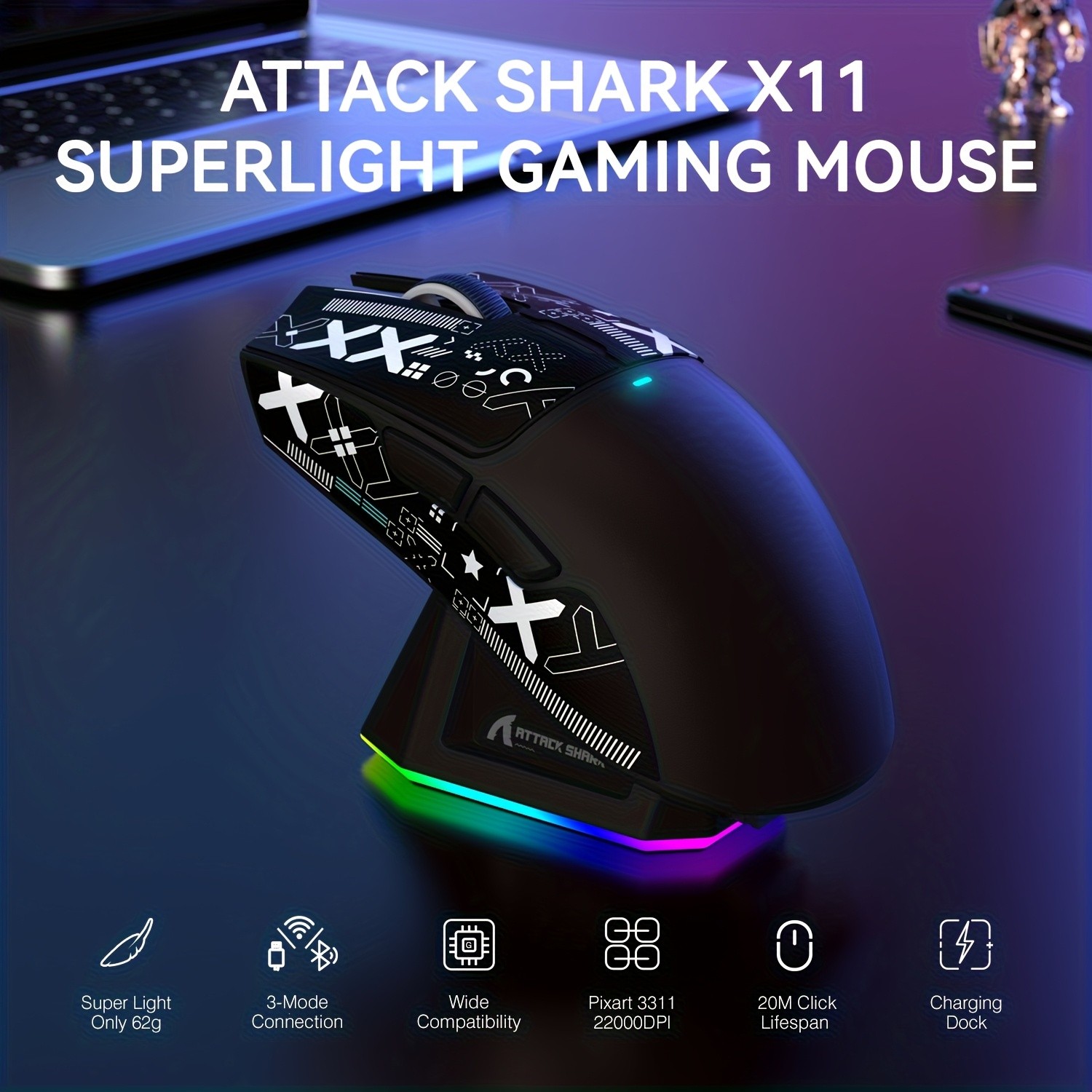
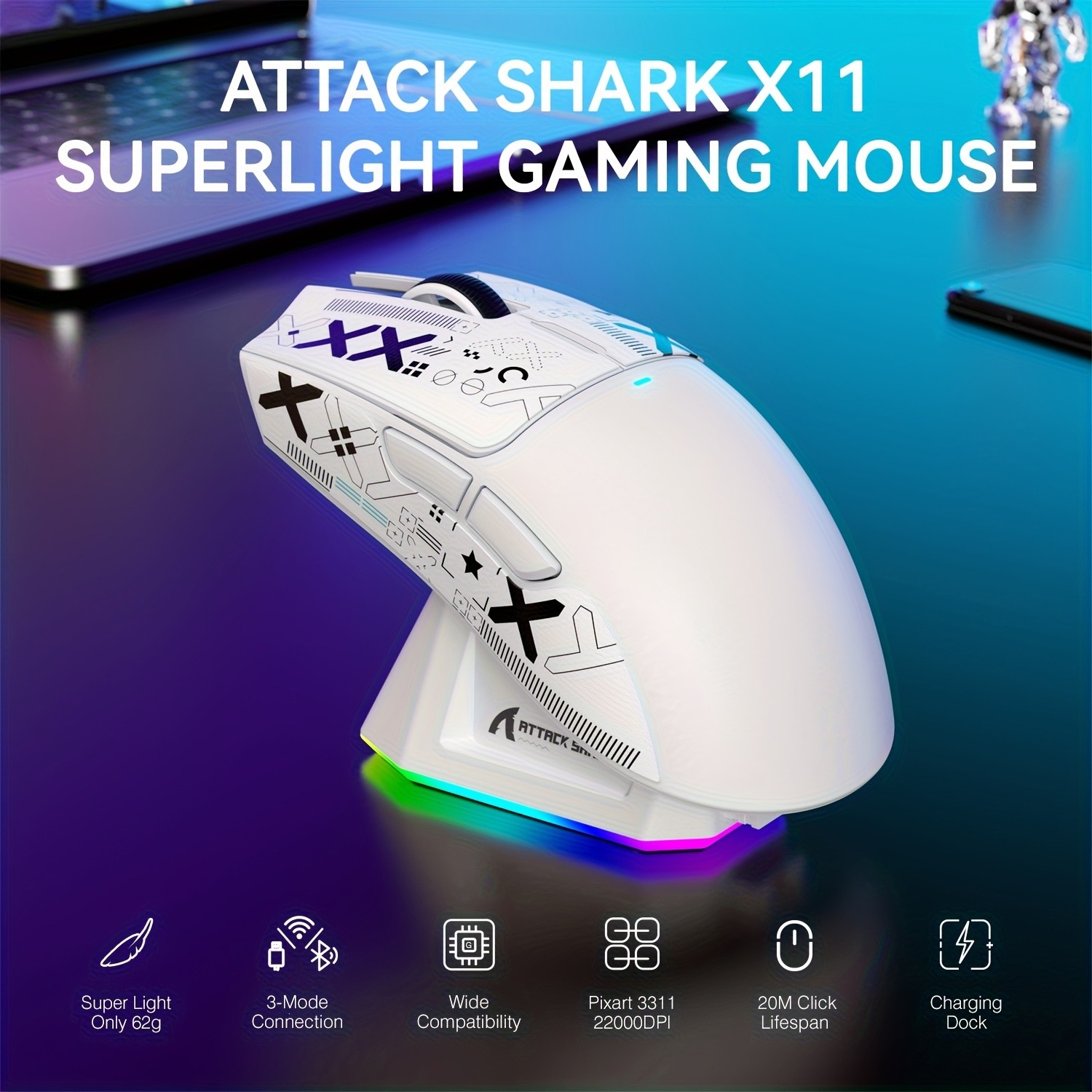
The ATTACK SHARK X11 Gaming Mouse is engineered to elevate your gaming experience to the next level. Compatible with a wide range of platforms, including Xbox, PS, Windows 11, Mac, and PC, this mouse offers seamless performance, whether you're gaming or working. Featuring a high-precision PixArt PAW3311 sensor, a customizable 22000 DPI, and multi-connectivity options (BT, 2.4G, and wired), the ATTACK SHARK X11 is designed for ultimate flexibility and control. With its magnetic charging dock, sleek white design, and ergonomic features, this mouse is ideal for gamers, office users, and professionals alike.
Key Features of the ATTACK SHARK X11 Gaming Mouse
1. High-Precision PixArt PAW3311 Sensor
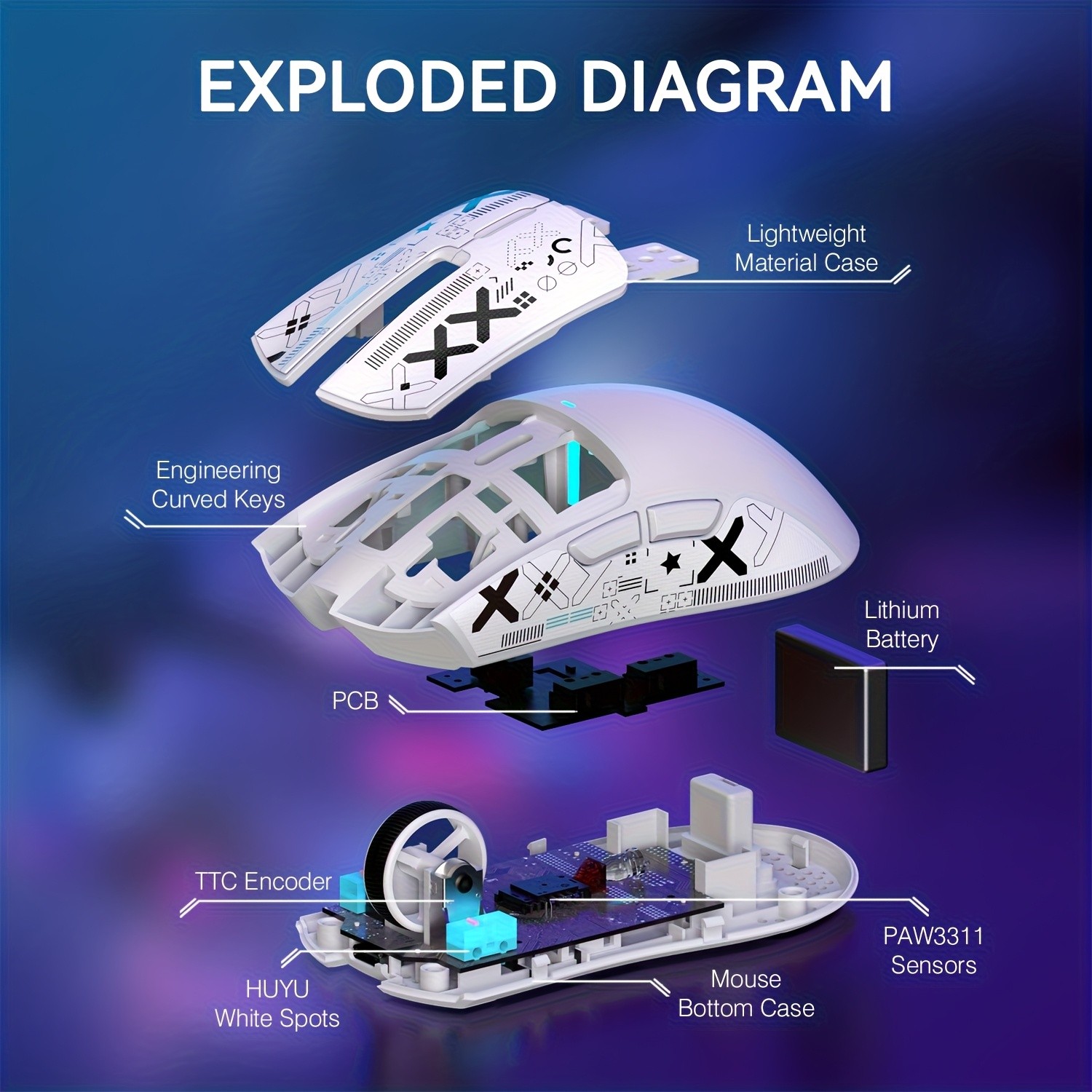
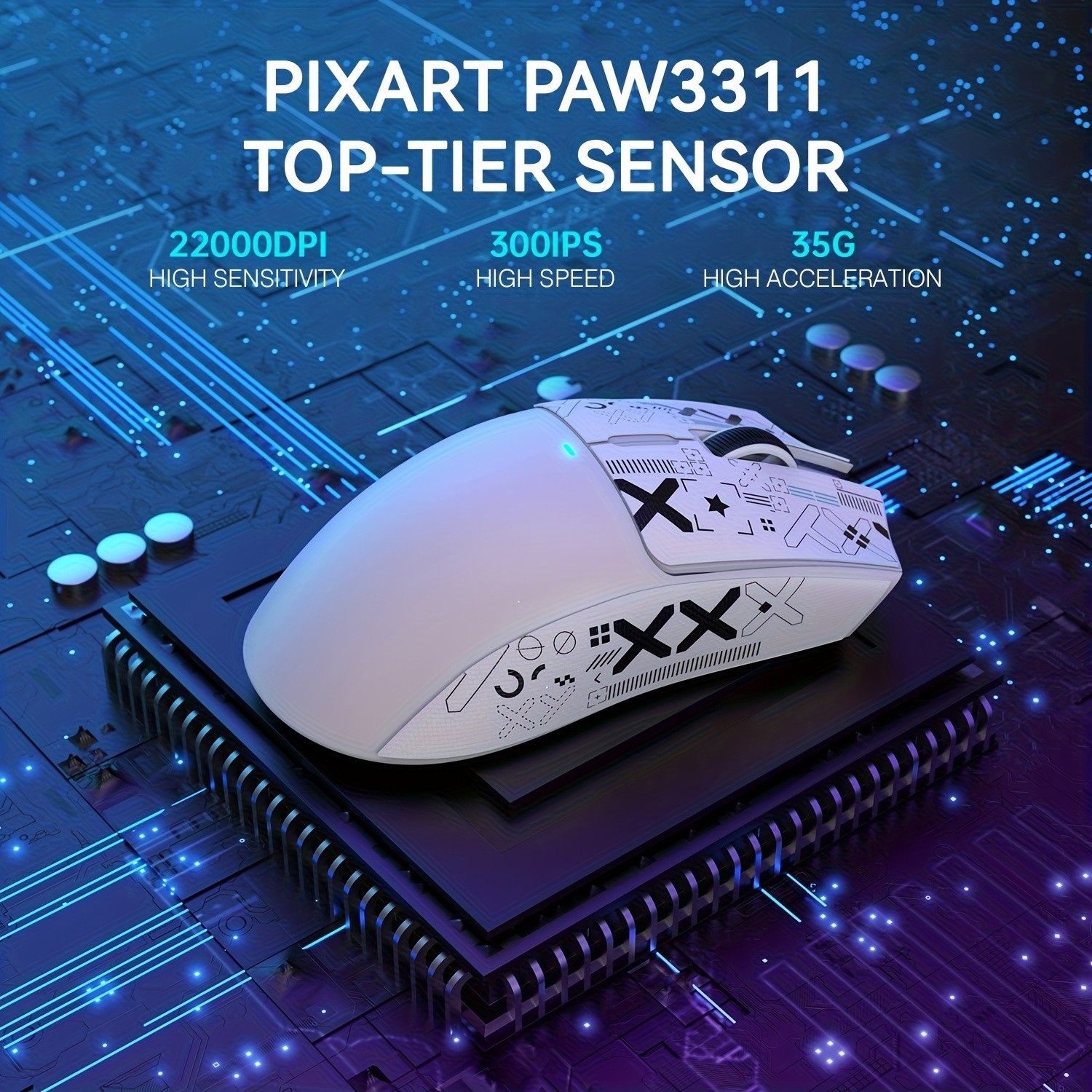
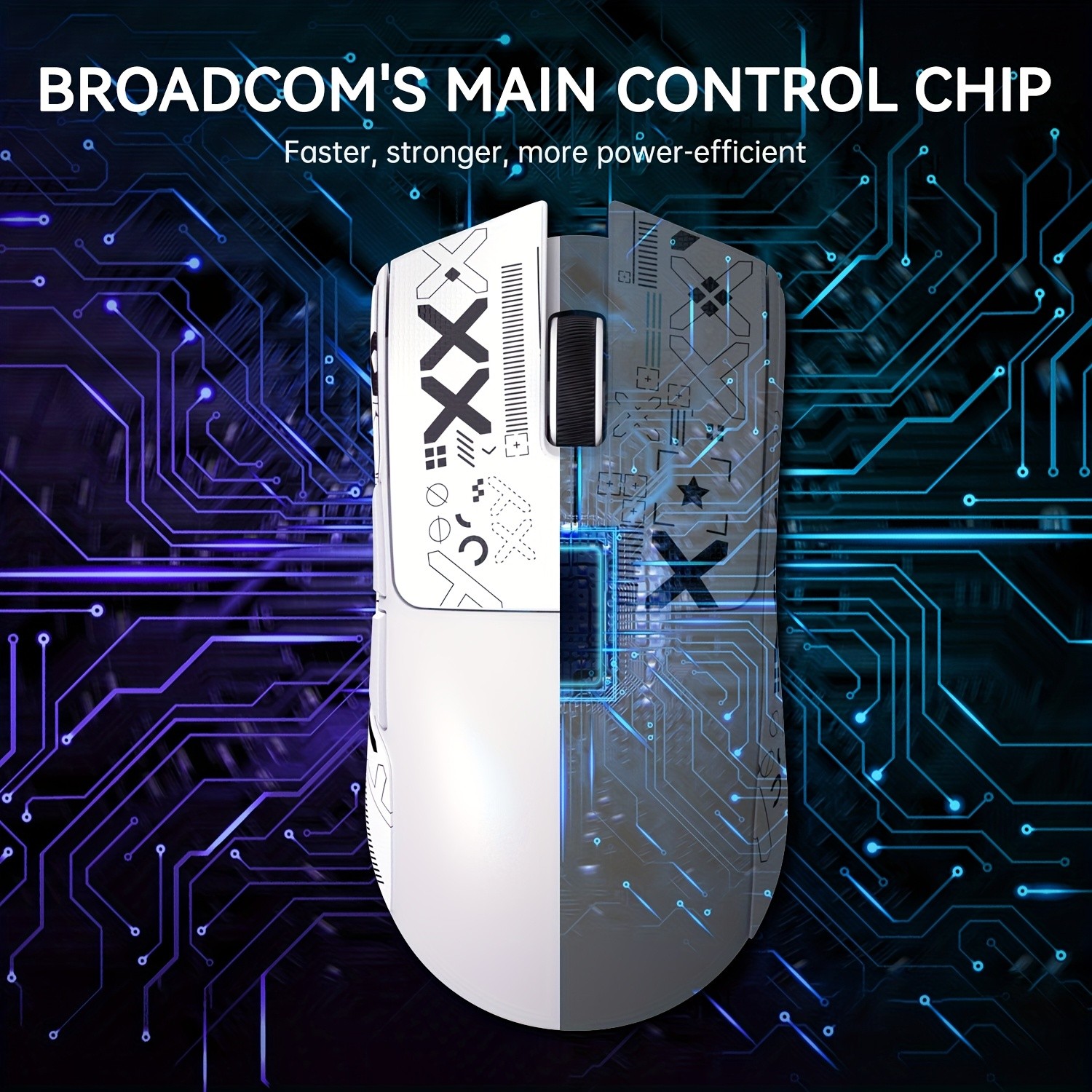
At the core of the ATTACK SHARK X11 is the PixArt PAW3311 sensor, a top-tier sensor known for its high precision and accuracy. This sensor ensures that every move you make is tracked with zero delay, providing the responsiveness you need for intense gaming sessions or precise work tasks. Whether you’re tracking enemies in fast-paced games or navigating through design software, the PixArt PAW3311 will not disappoint.
2. Customizable 22000 DPI for Maximum Control
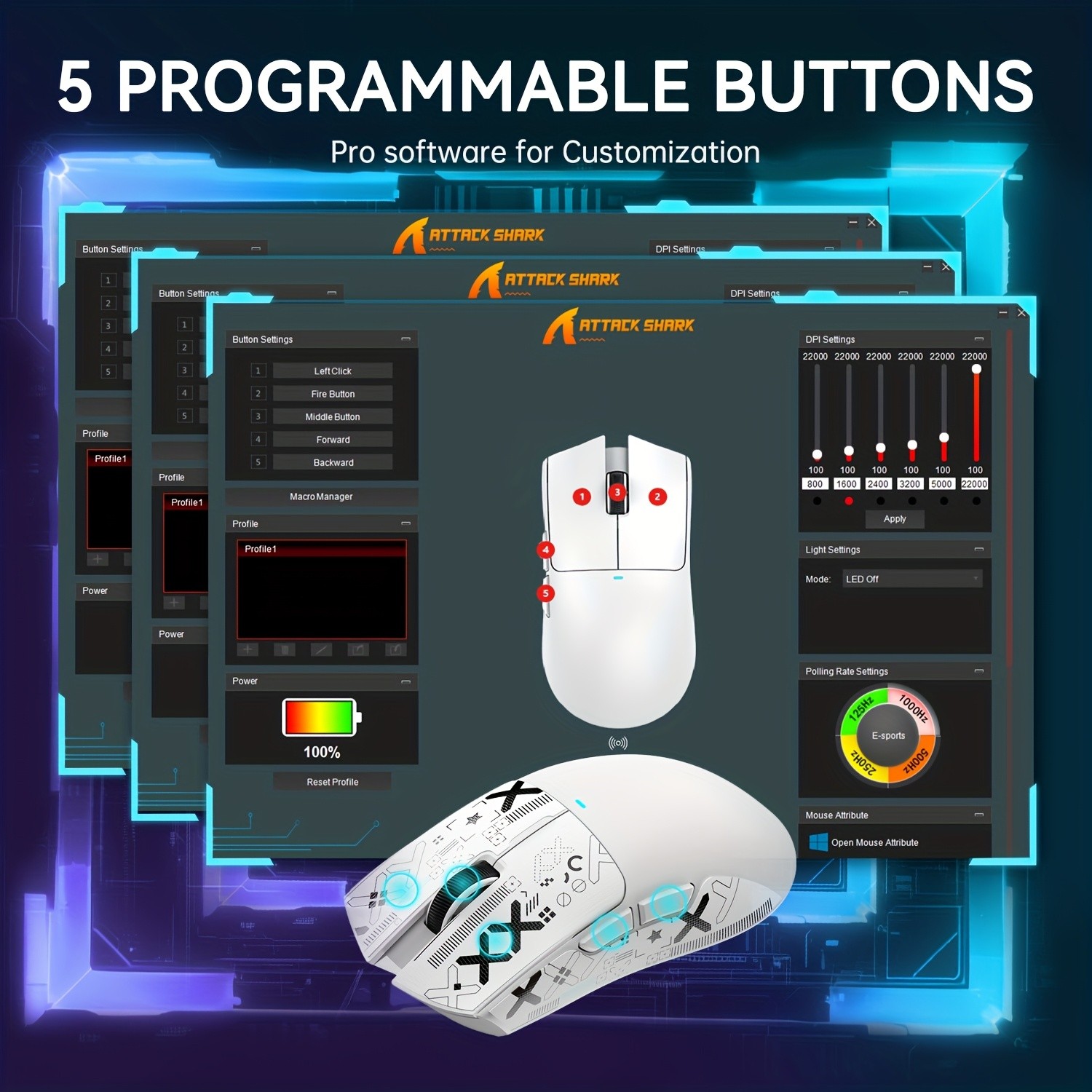
The ATTACK SHARK X11 offers an adjustable DPI setting that goes up to 22000 DPI, allowing you to switch between different sensitivity levels with ease. Whether you prefer a high DPI for rapid movements in FPS games or a lower DPI for precise control in strategy games, this mouse has you covered. Customize your DPI settings based on your preferences to get the most out of your gaming and working experience.
3. Multi-Connectivity Options: BT, 2.4G, and Wired
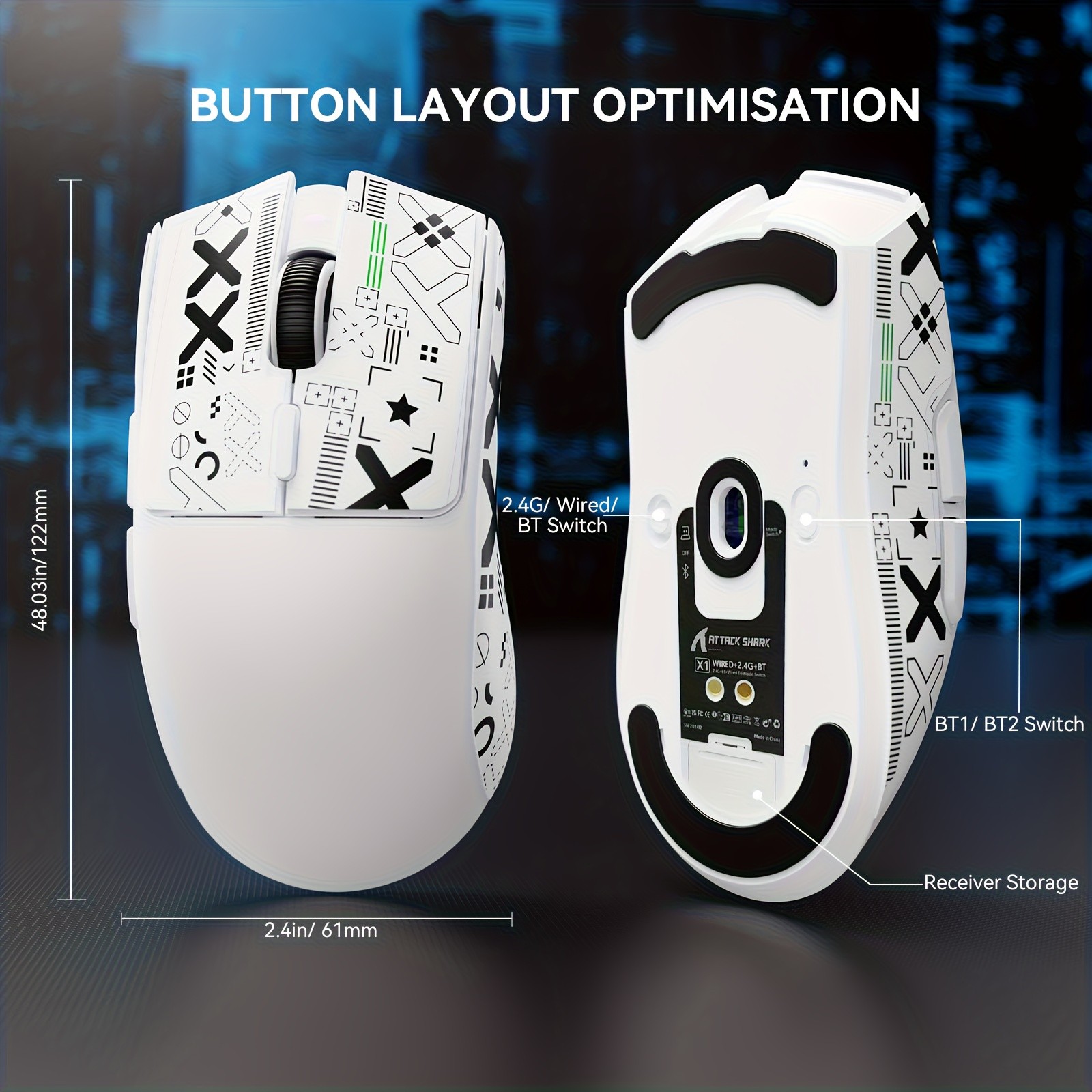
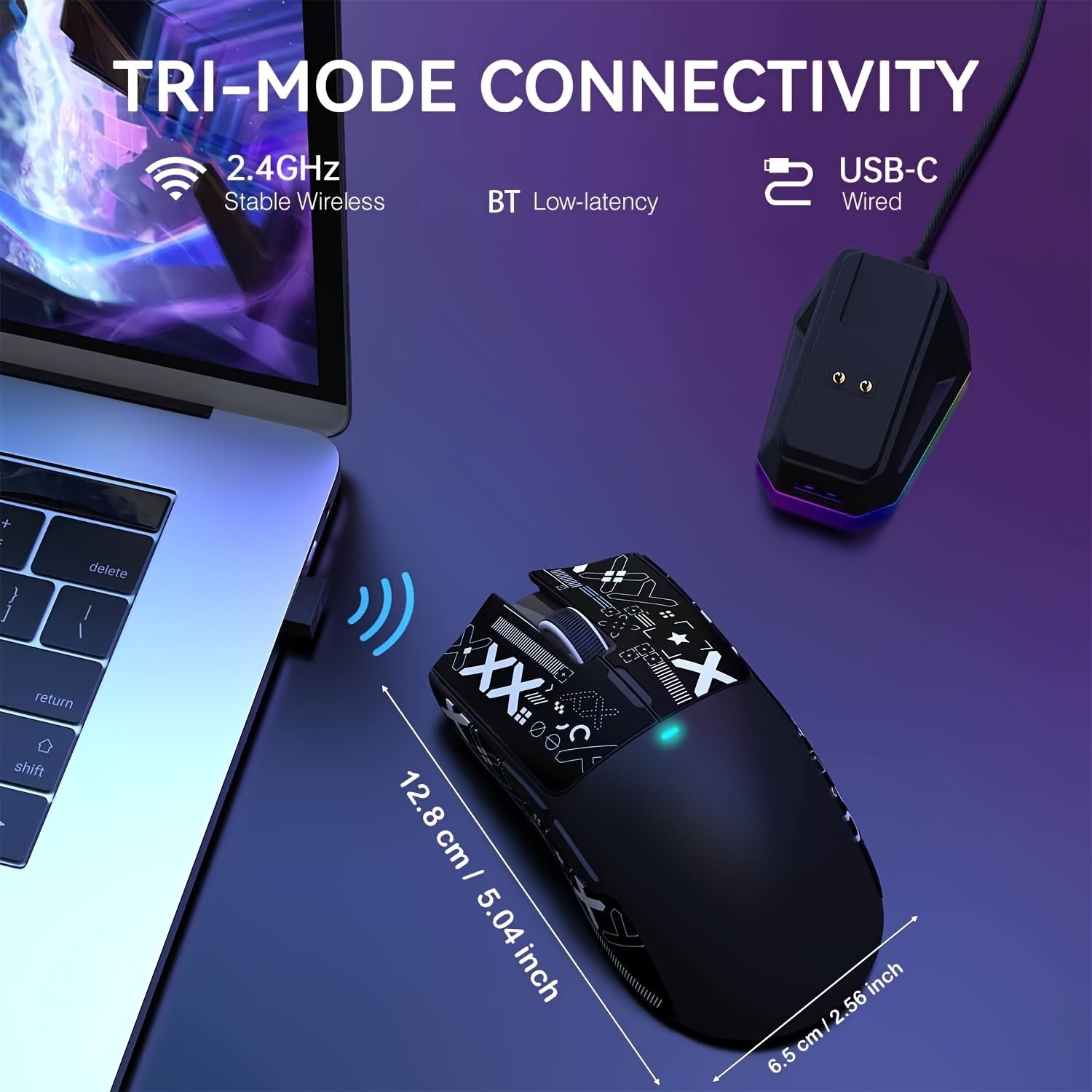
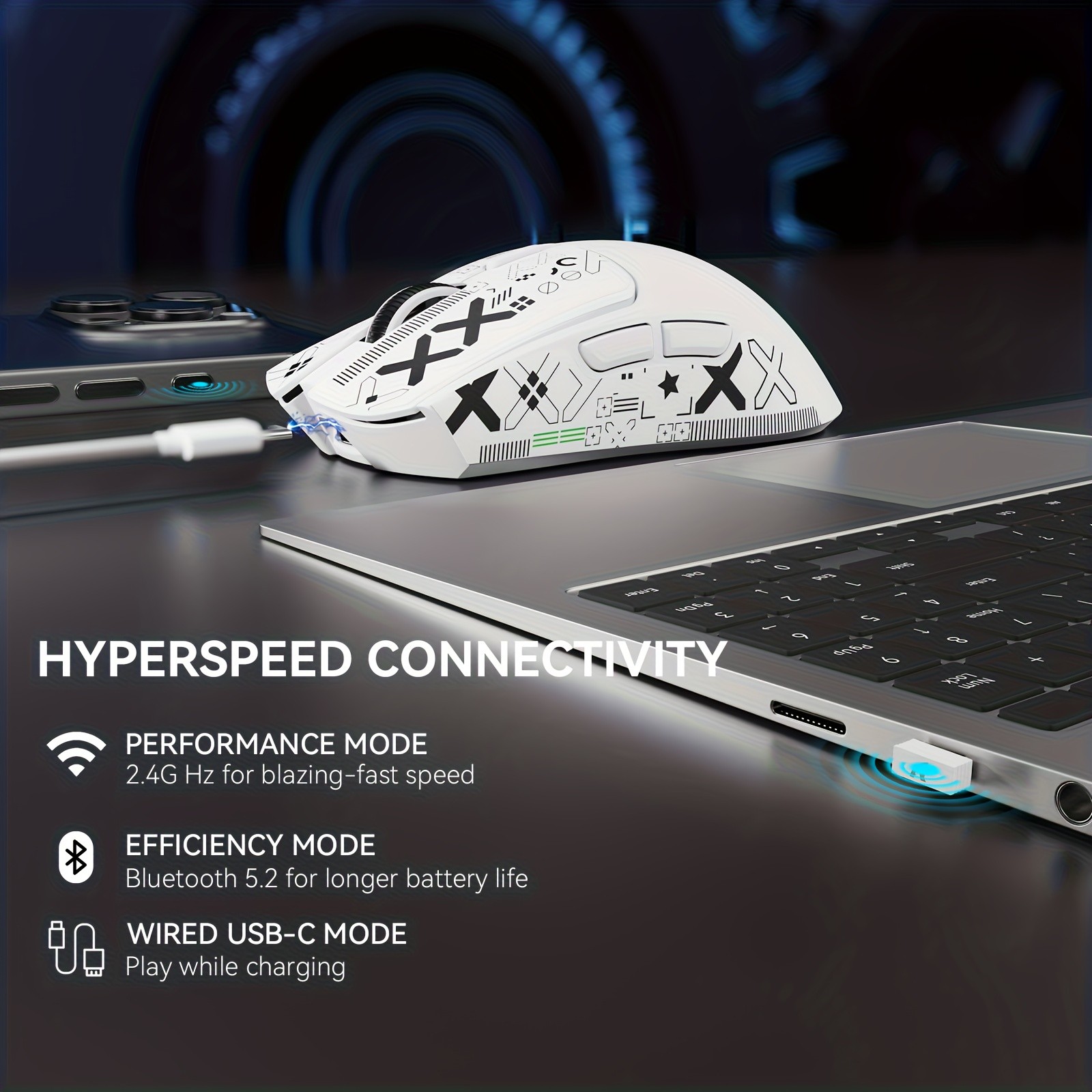
The ATTACK SHARK X11 offers versatile connectivity options, making it easy to switch between devices. You can connect via Bluetooth (BT), 2.4G wireless, or wired connection, depending on your preference and the environment you're using it in. Whether you're using it for PC gaming, Xbox, PS, or office work, the mouse ensures a stable and seamless connection across all platforms.
4. Magnetic Charging Dock for Easy Power-Up
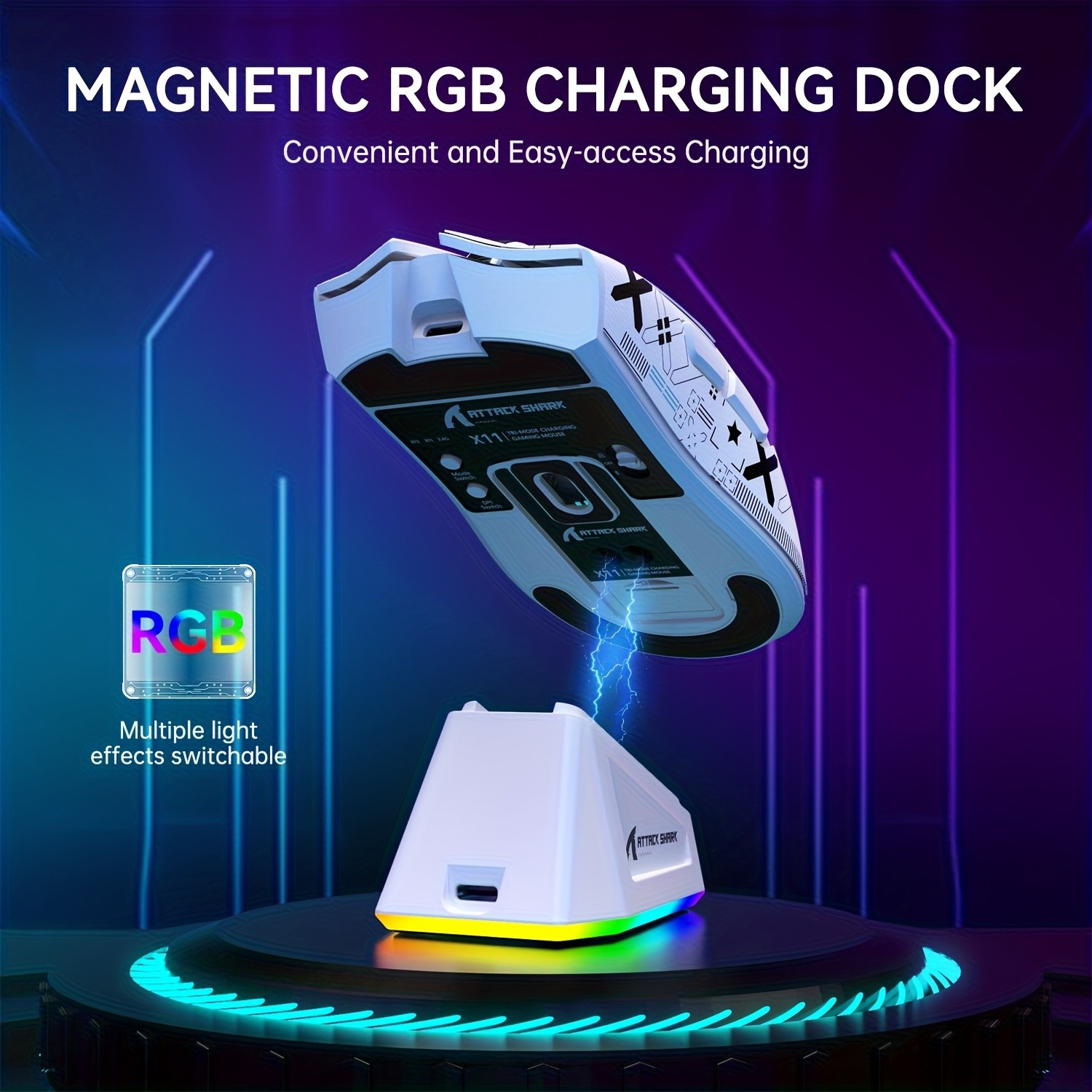
Forget the hassle of constantly changing batteries. The magnetic charging dock keeps your ATTACK SHARK X11 powered up and ready for use. Simply place the mouse on the dock, and it will charge automatically, ensuring that your mouse is always ready when you need it. The dock's magnetic design provides an easy and convenient way to keep your mouse charged, while also reducing wear and tear on the cable.
5. Ergonomic Design for Comfortable Use
Designed with ergonomics in mind, the ATTACK SHARK X11 offers a comfortable grip that suits all hand sizes. The well-positioned buttons and contours provide an intuitive, comfortable experience, whether you're playing games for hours or using the mouse for work tasks. Its ergonomic design minimizes strain on your wrist, offering a fatigue-free experience even during long sessions.
6. Sleek White Design to Match Any Setup
The ATTACK SHARK X11 features a sleek white design that adds a modern, stylish look to any gaming or office setup. The minimalist design ensures that the mouse complements a wide range of setups, while its RGB lighting (optional) adds a customizable aesthetic for gamers who want to personalize their mouse's appearance.
Why Choose the ATTACK SHARK X11 Gaming Mouse?
1. Versatile Connectivity for All Platforms
The ATTACK SHARK X11 is compatible with multiple platforms, including Xbox, PS, Windows 11, Mac, and PC. This means you can use it for gaming, work, or casual use, regardless of the device you're on. The multi-connectivity options (Bluetooth, 2.4G wireless, and wired) offer flexibility and convenience, allowing you to quickly switch between devices as needed.
2. Immersive Gaming Experience with High DPI Sensitivity
For gamers, the 22000 DPI adjustable setting provides a competitive advantage, allowing you to tailor your sensitivity for a wide range of genres, from fast-paced FPS games to slower-paced strategy games. The PixArt PAW3311 sensor ensures that your movements are smooth and precise, delivering accuracy when you need it most.
3. Long-Lasting Power with Magnetic Charging Dock
The magnetic charging dock offers a hassle-free charging solution that ensures your mouse is always powered up and ready for use. No more worrying about batteries running out during an important game or work task—just place the mouse on the dock, and it will charge automatically.
4. Comfortable for Extended Use
The ergonomic design of the ATTACK SHARK X11 makes it suitable for both gamers and office users. Whether you’re gaming for hours or using it for productivity tasks, the mouse is designed to offer a comfortable experience, minimizing hand strain and allowing for extended use without discomfort.
5. Stylish and Functional Design
The sleek white design adds a touch of modern elegance to your setup. The ATTACK SHARK X11 is not only functional but also visually appealing, making it an excellent choice for those who want both performance and aesthetics. The customizable RGB lighting also allows you to personalize the mouse to fit your style.
How to Use the ATTACK SHARK X11 Gaming Mouse
Step 1: Pair with Your Device
To get started, simply choose the connectivity option that best suits your needs—Bluetooth, 2.4G wireless, or wired. Pair the mouse with your device, and you're good to go. Whether you're using it on your PC, Xbox, PS, or Mac, the setup is quick and easy.
Step 2: Adjust DPI Settings
Set the DPI level to match your preferences. Whether you need high sensitivity for quick gaming movements or low sensitivity for precision tasks, use the adjustable DPI settings to customize the mouse for your specific needs.
Step 3: Use the Magnetic Charging Dock
When it's time to recharge, simply place the ATTACK SHARK X11 on the magnetic charging dock, and it will start charging automatically. This ensures that your mouse is always powered up and ready for the next round of gaming or work.
Step 4: Enjoy a Comfortable Experience
Take advantage of the ergonomic design, ensuring that the mouse fits comfortably in your hand. The contoured design provides a natural grip that minimizes strain on your wrist during long gaming sessions or work periods.
Benefits of Using the ATTACK SHARK X11 Gaming Mouse
1. Customizable Sensitivity for Precise Control
With the 22000 DPI setting and the PixArt PAW3311 sensor, the ATTACK SHARK X11 offers highly customizable sensitivity that suits all kinds of gaming and productivity tasks. Whether you're making rapid movements or need precision for detailed work, this mouse has the flexibility to adapt to your needs.
2. Seamless Compatibility Across Platforms
The ATTACK SHARK X11 is designed to be used across all major platforms, making it an excellent all-around choice. Whether you’re gaming on Xbox, PS, or using it for work on PC or Mac, the mouse offers seamless performance and connection stability.
3. Comfort for Long Gaming Sessions
The ergonomic design and comfortable fit ensure that the ATTACK SHARK X11 is suitable for long gaming or working sessions. The mouse's design helps reduce hand fatigue, making it an ideal choice for gamers or professionals who need a mouse for extended use.
4. Convenient Charging with Magnetic Dock
The magnetic charging dock is not only a stylish addition to your setup but also a practical feature that ensures your mouse is always ready for use. It eliminates the need for frequent battery changes, providing a reliable power solution for daily use.
5. Stylish White Design with RGB Lighting
The sleek white design and customizable RGB lighting make this mouse a standout piece of equipment. Whether you're using it for gaming, work, or casual use, the mouse adds a modern and stylish touch to your setup.
Customer Testimonials
Alex from Auckland:
"This mouse is incredible for gaming. The DPI adjustment is perfect for my FPS games, and the magnetic charging dock is so convenient.
Highly recommend it!"
Olivia from Wellington:
"I use this mouse for both work and gaming, and it's amazing. The fit is comfortable, and the DPI settings are super responsive. The
magnetic dock keeps everything tidy too!"
Ben from Christchurch:
"I’ve been using this for a few weeks now, and it’s been a great experience. The mouse feels solid, and the RGB lighting makes it look
awesome in my gaming setup."
Conclusion: Elevate Your Gaming and Productivity with ATTACK SHARK X11 Gaming Mouse
The ATTACK SHARK X11 Gaming Mouse is designed to enhance your gaming experience, productivity, and comfort. With its high DPI sensitivity, PixArt PAW3311 sensor, multi-connectivity options, and magnetic charging dock, it is perfect for gamers, office professionals, and anyone who needs a reliable, customizable mouse. Its ergonomic design ensures comfort during long sessions, while the sleek white design and RGB lighting add a stylish touch to your setup. Upgrade your mouse today and take control of your gaming and work experience like never before.
The product may be provided by a different brand of comparable quality.
The actual product may vary slightly from the image shown.
Shop amazing plants at The Node – a top destination for plant lovers








.jpg)









.jpg)





.jpeg)





.jpeg)



.jpeg)








.jpeg)



.jpeg)

.jpeg)

.jpeg)

.jpeg)




.jpeg)
.jpg)

.jpeg)






.jpeg)
.jpeg)




.jpeg)





.jpeg)


.jpeg)

.jpeg)

.jpeg)

.jpeg)







.jpeg)
.jpeg)
.jpeg)





.jpeg)



.jpeg)






.jpg)
.jpeg)









.jpg)


ulva-Logo.jpg)




.jpeg)



.png)















.png)