
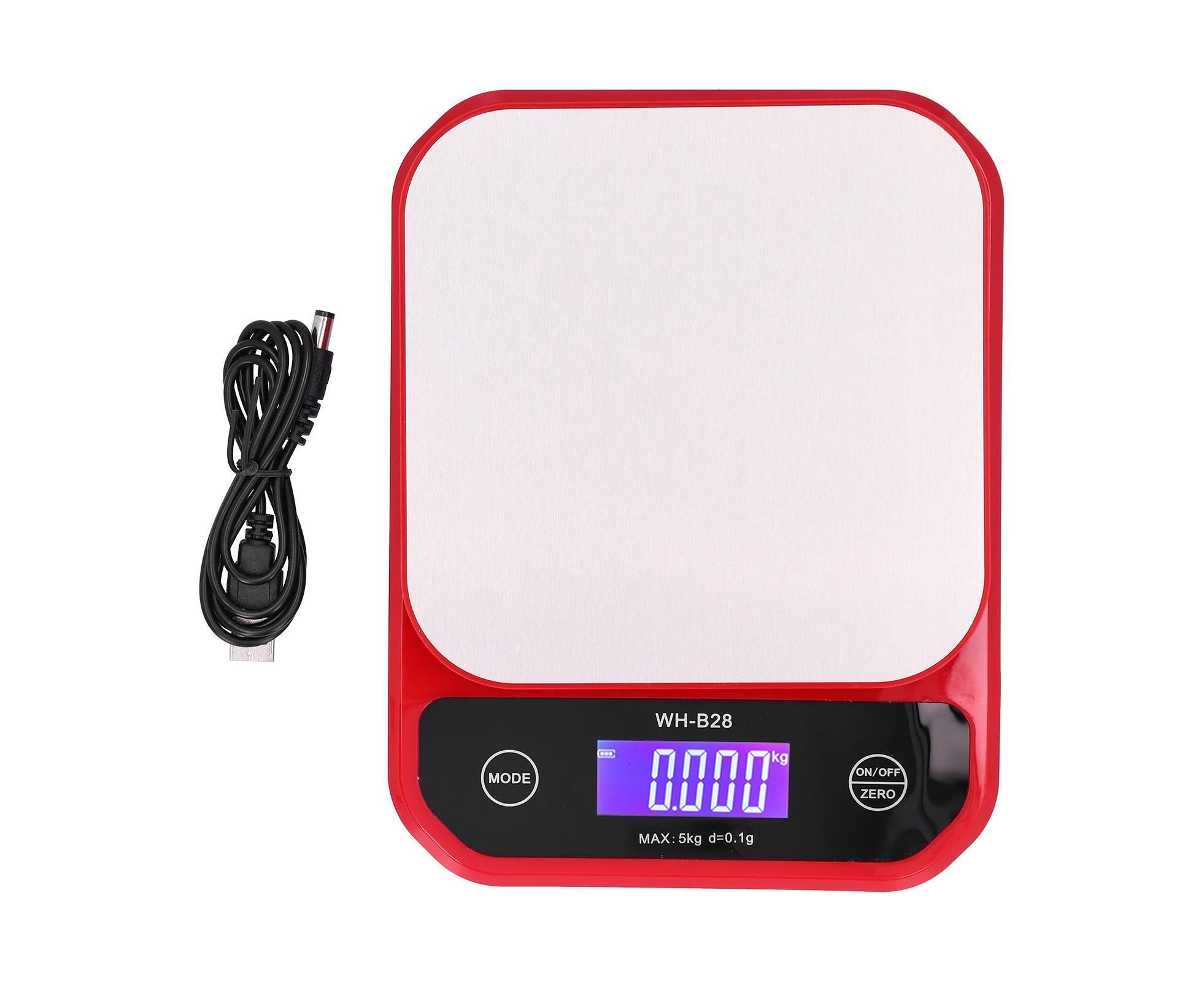
USB Charging Scale Waterproof Kitchen Baking Food Scale Electric Weight Measuring BalanceRed 5kg/0.1g
GiftTree Code: V1263-JX-1526

Features
- Suitable for weighing nutritious meals, milk, meat, kitchen scales, coffee scales, liquid solids, powders and gases.
- Press unit to switch between gram (g), ounce (oz), pound (b) and milliliter (ml).
- When using a container to weigh bulk items, you can put the container on the scale first, short press the clear button (multiplexed with the on/off button) to reset to zero and then put in the items.
- Lay the electronic scale horizontally and press the on/off button to turn it on. At this time, the full display well self?checks and enters the weighing state after being extremely stable and reset to zero.
- Under normal working conditions, press the ON/OFF button for more than 2 seconds to manually shut down. If there is no weight change within 120 seconds and there is no key operation, it will automatically shut down.
Specifications
- Item Type: Balance
- Material: New ABS engineering plastic + stainless steel panel
- Weight: Approx. 540g / 19oz
- Product Size: Approx. 16x21x3cm / 6.3x8.3x1.2in
- Battery capacity: 400mA
- Battery Type: Rechargeable Lithium Battery (shipped with built-in power)
- Battery Model: 502030
- Working Voltage: 2.7V~4.5V
- Working Current:5mA (backlight bright 12mA)
- Working Temperature: 0°C~+40°C/+32~F~104~F
How to use
On/off: Lay the electronic scale horizontally and press the "on/off" button to turn it on. At this time, the fully displayed well is self-checking, and it enters the weighing state after being extremely stable and reset to zero. In the normal working state, press the "on/off" button to exceed 2 seconds to shut down manually, if there is no weight change within 120 seconds and there is no button operation, it will automatically shut down.
Unit conversion: press "unit" to convert between "gram (g)", "ounce (oz)", "pound (b)" and milliliter (ml).
Tare: When using a container to weigh bulk items, put the container on the scale first, and short press the "Zero" (multiplexed with the "On/Off" button) to reset to zero before putting in the items.
In the box
- 1 x Electronic Scale
- 1 x USB Cable
- 1 x English Manual
Notes
Calibration steps:1. Set the electronic scale to the off state, press and hold the "Unit key and then the "On/Off" key to turn it on, and release the "Unit and "On/Off" keys at the same time to enter the calibration state. At this time, the current calibration range is displayed, and the user can Use the "unit" button to select other required ranges, and press the "on/off" button again to confirm when the value is violated, and then the internal value will be displayed.2. Press the "key to display" CALO again and the internal value will be displayed.3. Place the standard weight of the first calibration point according to the regulations, and display the internal value again after it stabilizes.4. Place the standard weight of the second calibration point according to the regulations. After it is stable, if the calibration is successful, it will enter the normal weighing state. If the calibration fails, it will display "Err".(Note: The standard weights at the 1.2 calibration point with a range of 5KG/0.1g are 1000g and 2000g, and other ranges are 2000g and 4000g)
Delivery availability
Delivery is available to New Zealand and eligible Australian addresses only.
The product may be provided by a different brand of comparable quality.
The actual product may vary slightly from the image shown.
Shop amazing plants at The Node – a top destination for plant lovers