
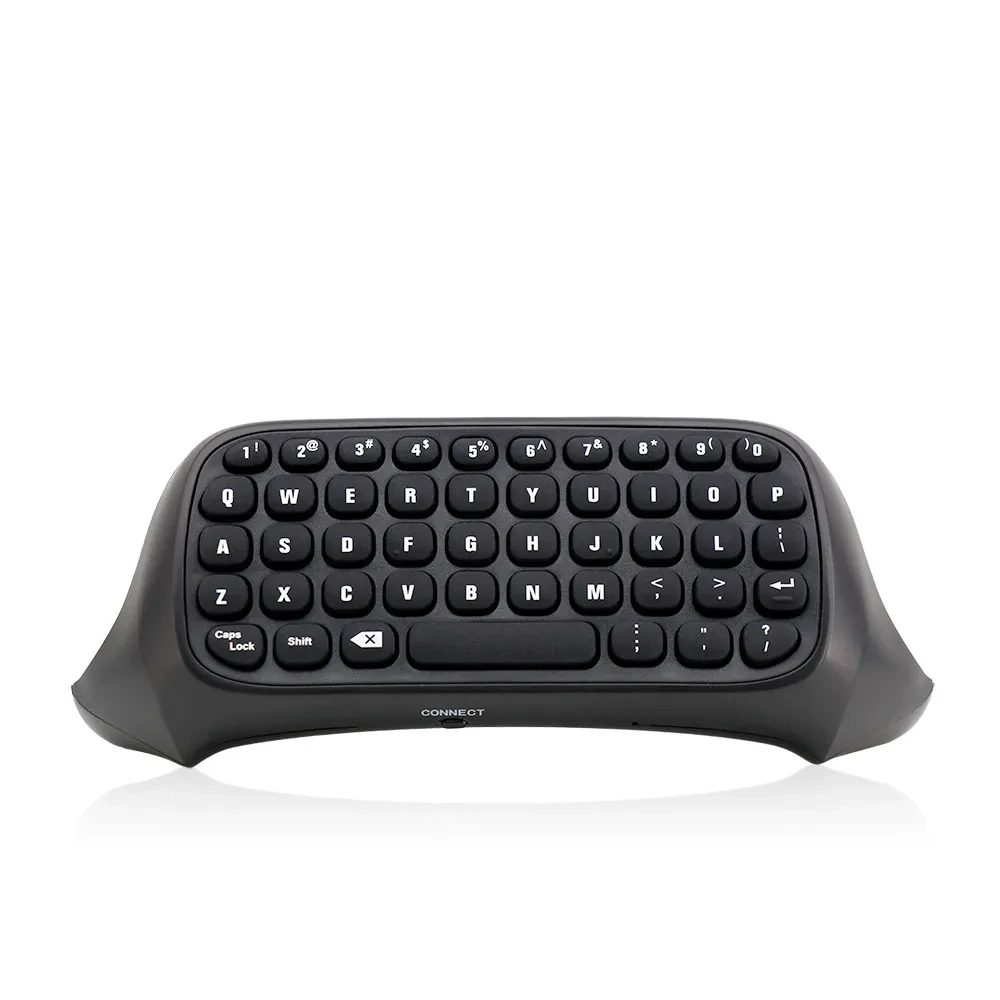
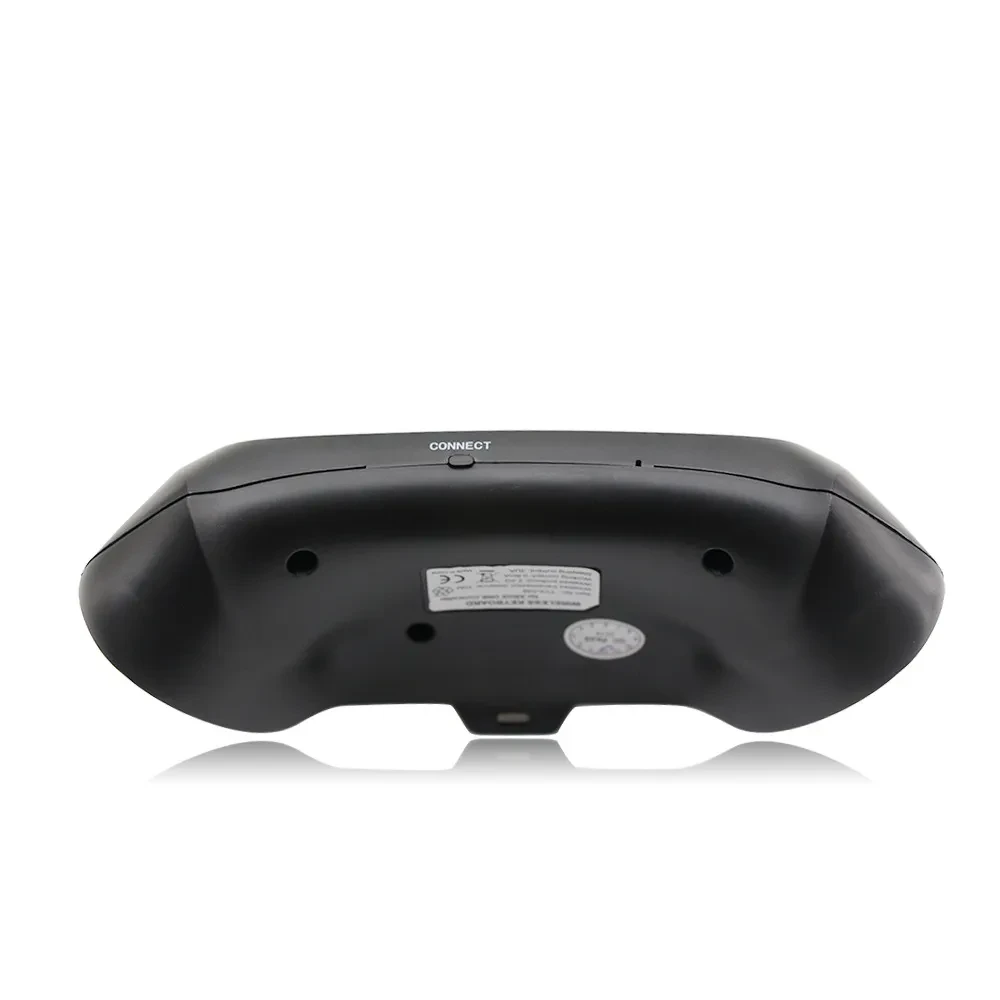
ONE Handle Keyboard 2.4G Keyboard Wireless Keyboard Xboxone Chat Keyboard

Instructions for use:
1. Connect the XBOX one host power supply first, then connect the HDMI cable to the display device and turn on the XBOX one host power
supply. The corresponding power indicator lights up.
2. Connect the Xbox_one handle to the XBOX one host (do not understand the manual)
3. Align the two connecting posts of the keyboard with the holes of the controller, align the XBOX ONE headphone head with the seat on the
back of the wireless controller, and then gently push the keyboard to the controller until it is stuck. .
4. When the controller of the controller is connected, press the code button on the back of the XBOX one keyboard. The blue light of the
XBOX one keyboard will be bright. At this point, the 2.4G receiver of the distribution is plugged into any USB port of the XBOX one host,
and the XBOX one keyboard can be automatically completed.
5. After the code is completed, the XBOX one blue code light will be off, which means that the XBOX one keyboard can work normally. (If
there is no code success, the blue pair of lights will turn off automatically for 12 seconds, indicating that the XBOX one keyboard enters
the sleep power saving mode)
6. The XBOX one keyboard and the 2.4G receiver only need to be coded once, and the subsequent use only needs to open the host wake-up handle
to be automatically connected and used directly.
7, XBOX one handle sleep, this product will also go to sleep. Press the “” button on the XBOX one handle to wake up the handle and keyboard.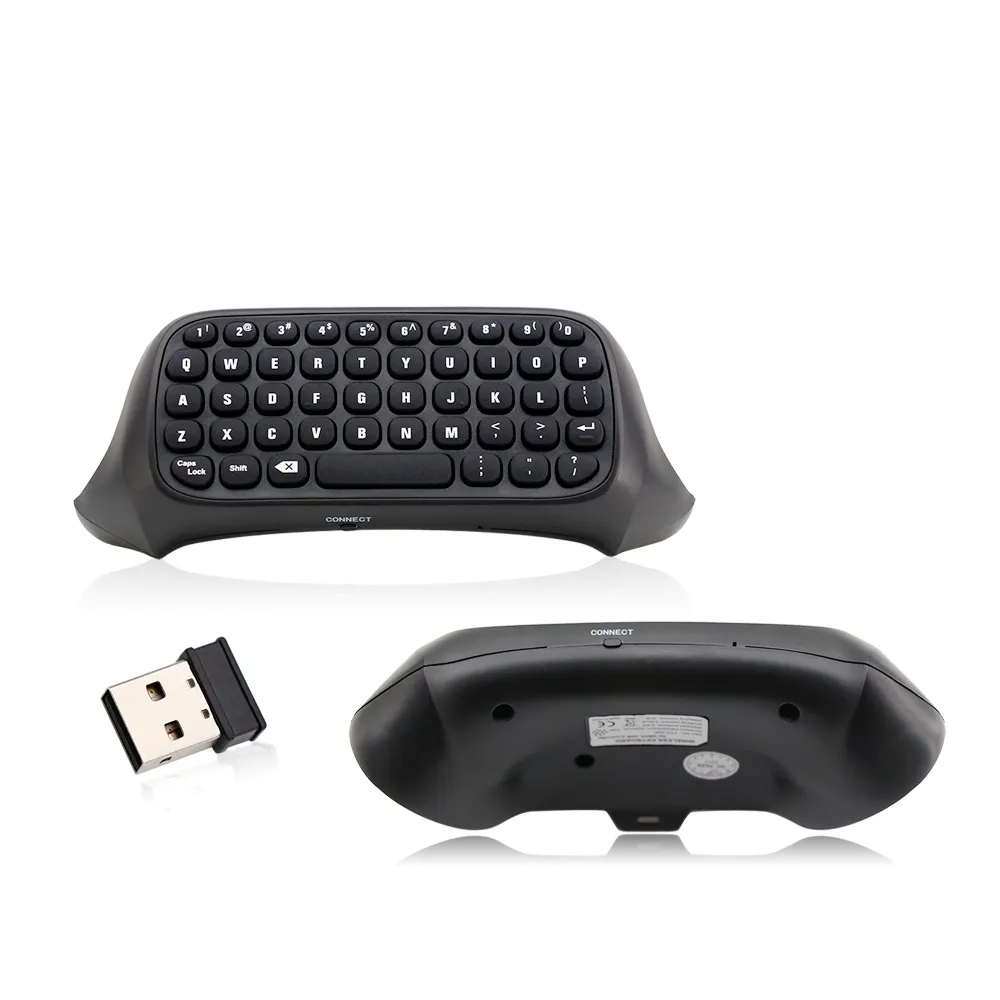
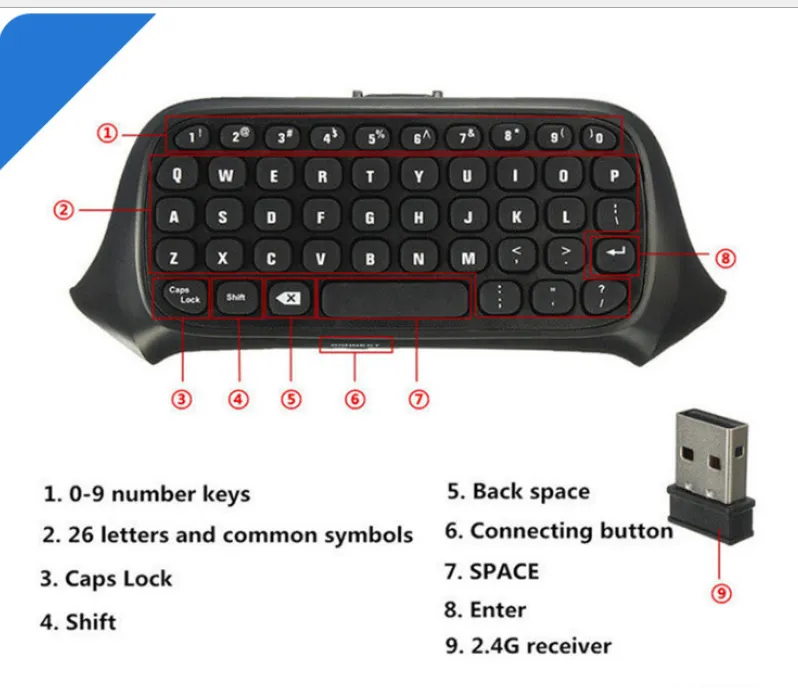
ONE Handle Keyboard 2.4G Wireless Keyboard Xbox One Chat Keyboard – Easy Gaming Communication and Control
Perfect for Xbox Players, Console Gamers, Online Chat, and Everyday Gaming Use
The ONE Handle Keyboard 2.4G Wireless Keyboard Xbox One Chat Keyboard is designed for gamers who want a simple and efficient way to type, chat, and communicate during gameplay. Ideal for Xbox One users and console gaming, this compact keyboard attaches easily to your controller setup and makes messaging faster and more convenient while playing online games.
Description – ONE Handle Keyboard 2.4G Wireless Keyboard Xbox One Chat Keyboard
This wireless gaming keyboard uses 2.4G connectivity to provide stable and responsive performance for console communication. It is designed specifically for Xbox One chat functions, allowing players to type messages quickly without needing a full-sized keyboard. The compact design attaches conveniently for easy access during gameplay.
The keyboard features a simple layout optimized for gaming communication, making it easier to chat with teammates, send messages, and navigate basic controls. Lightweight and portable, it is suitable for long gaming sessions without adding bulk or discomfort. It is a practical accessory for improving communication during online multiplayer gaming.
Key Points
2.4G Wireless Connection: Stable and responsive performance.
Xbox One Compatible: Designed for console chat use.
Compact Design: Easy attachment and portability.
Easy Typing Access: Quick communication during games.
Lightweight Build: Comfortable for long gaming sessions.
Simple Layout: Optimized for gaming chat use.
Plug and Play Setup: Easy to connect and use.
Portable Gaming Accessory: Convenient for everyday use.
Benefits
Faster In-Game Communication: Send messages quickly during gameplay.
Improves Gaming Experience: Easier team coordination.
No Full Keyboard Needed: Compact and space-saving design.
Comfortable to Use: Lightweight and ergonomic feel.
Wireless Convenience: No cable clutter during gaming.
Great for Multiplayer Games: Enhances team interaction.
Easy Setup: Simple plug-and-play functionality.
Portable Gaming Tool: Easy to carry and store.
Why Choose This ONE Handle Keyboard 2.4G Wireless Keyboard Xbox One Chat Keyboard?
This wireless keyboard is designed to improve communication for Xbox One gamers by offering a compact and easy-to-use typing solution. Its 2.4G wireless connection ensures stable performance while gaming, making it a useful accessory for multiplayer communication.
It is especially helpful for players who frequently use in-game chat and want faster, more convenient messaging without switching devices. Its lightweight and portable design makes it a practical gaming upgrade.
Conclusion
The ONE Handle Keyboard 2.4G Wireless Keyboard Xbox One Chat Keyboard is a compact and practical gaming accessory designed to improve communication during console gameplay. With wireless connectivity, easy typing access, and portable design, it is ideal for Xbox One users and online gamers.
The product may be provided by a different brand of comparable quality.
The actual product may vary slightly from the image shown.
Shop amazing plants at The Node – a top destination for plant lovers
.png)





.jpg)








.jpg)





.jpeg)





.jpeg)

.jpeg)








.jpeg)



.jpeg)

.jpeg)

.jpeg)

.jpeg)


.jpeg)
.jpg)

.jpeg)





.jpeg)
.jpeg)



.jpeg)





.jpeg)


.jpeg)

.jpeg)

.jpeg)

.jpeg)





.jpeg)
.jpeg)
.jpeg)


.jpeg)


.jpeg)




.jpg)
.jpeg)









.jpg)


ulva-Logo.jpg)



.jpeg)



.png)












.png)