
Offline Scanning Translation Dictionary Pen Translation Pen

Product information:
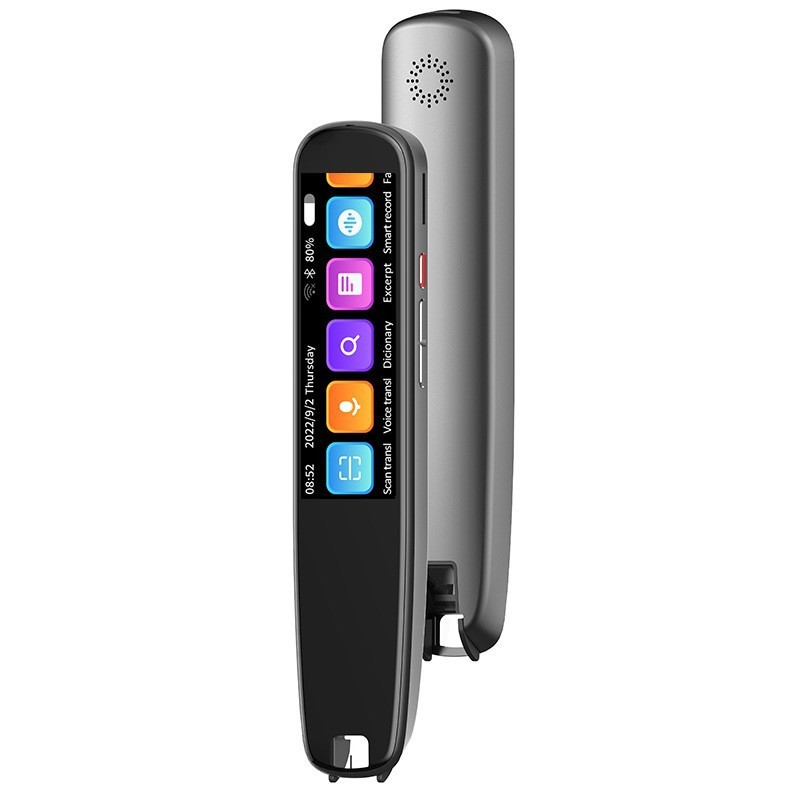
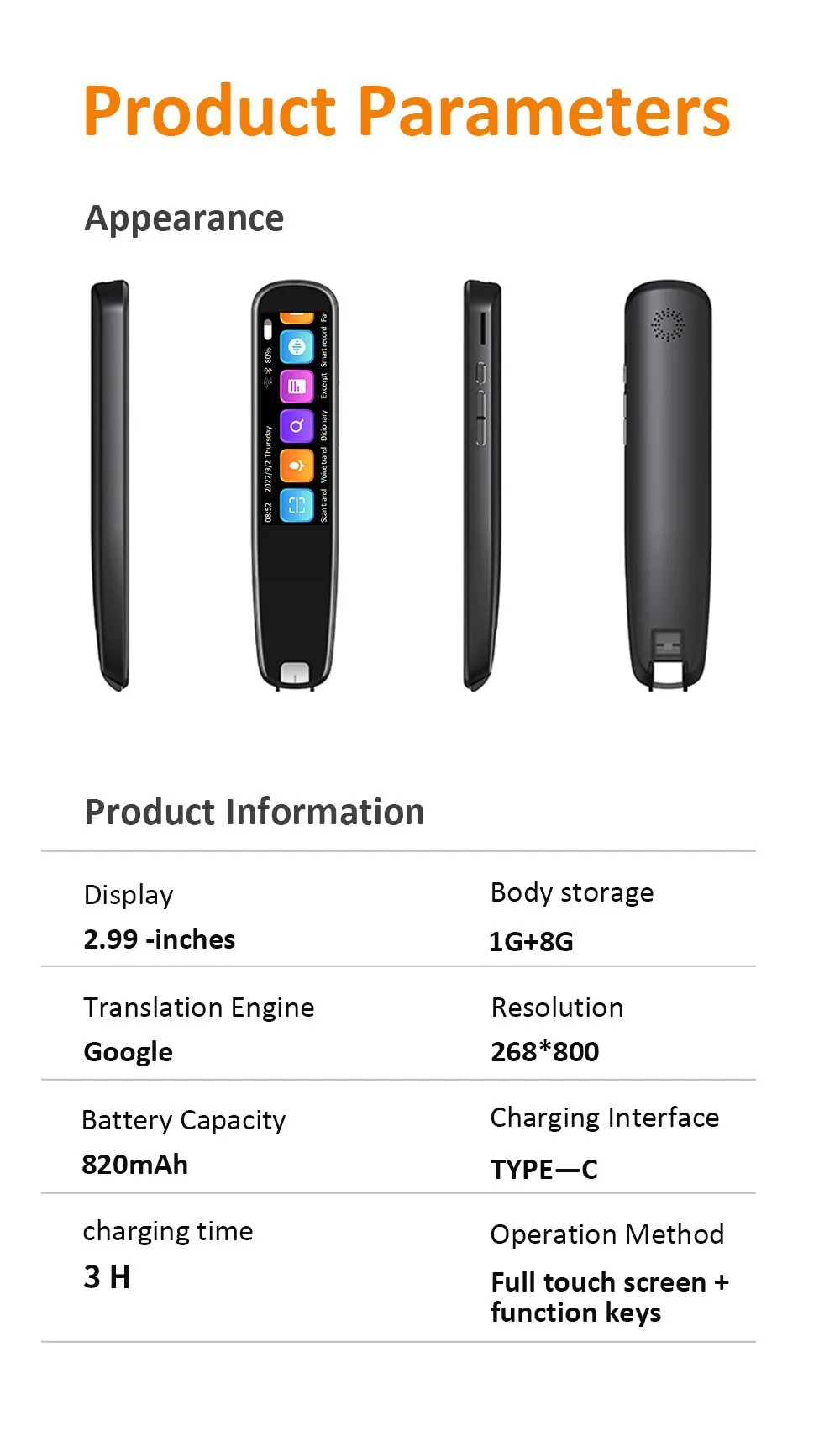
Type:Scanning and translating pen
Operating system:Android
Bluetooth:support
Wireless distance:10M
Mode of operation:Button + touch screen
Material:Zinc alloy
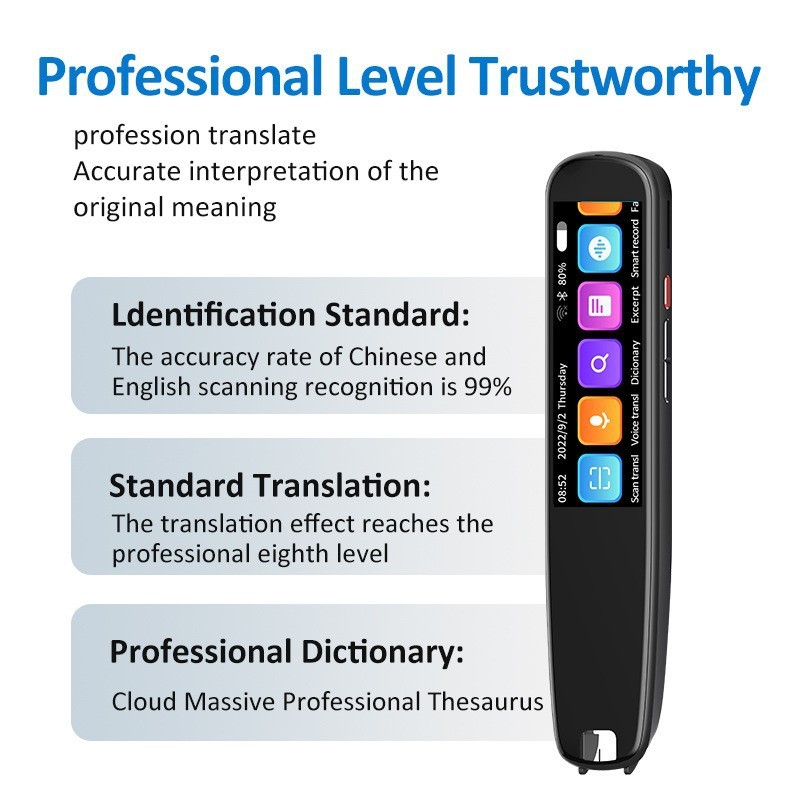
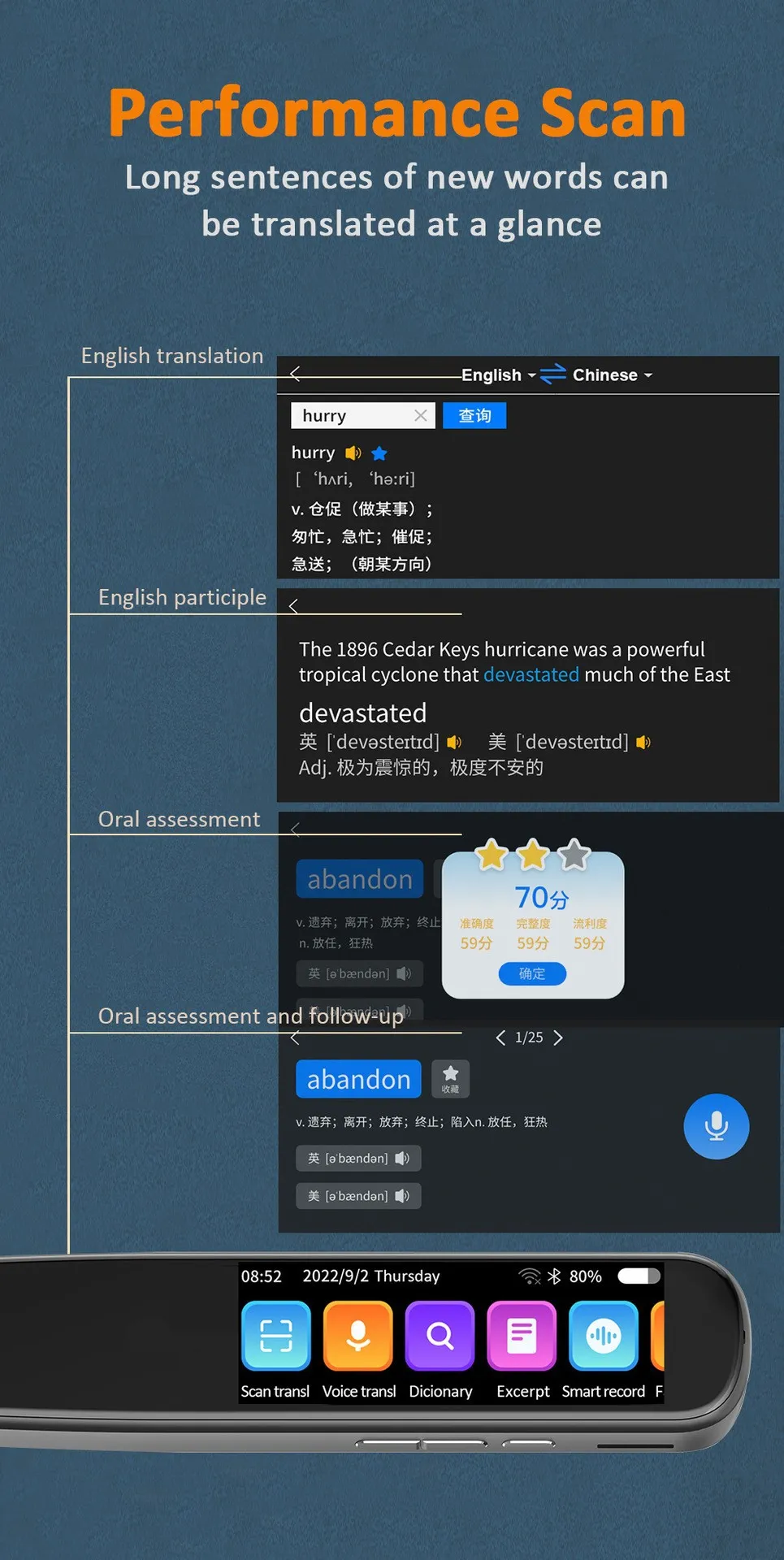
Additional function:Scanning translation
Product size:153 mm * 35.3 mm * 14.5 mm
Packing list:
Point reading pen+data line * 1
Offline Scanning Translation Dictionary Pen Translation Pen – Smart Language Learning Anywhere
Perfect for Students, Travellers, Professionals, and Language Learners
The Offline Scanning Translation Dictionary Pen Translation Pen is ideal for anyone who wants a convenient way to translate words, sentences, and documents without relying on an internet connection. Designed with scanning technology and built-in dictionary functions, it helps users understand foreign languages quickly and efficiently. Perfect for students, travellers, business users, and language learners in New Zealand, this portable translation device provides a practical solution for improving communication and expanding language skills.
Description – Offline Scanning Translation Dictionary Pen Translation Pen
The Offline Scanning Translation Dictionary Pen Translation Pen is a compact smart learning device designed to make language translation faster and more convenient. Using optical scanning technology, it allows users to scan printed words, phrases, or sentences directly from books, documents, labels, and other text surfaces.
Unlike traditional translation apps that require constant internet access, this translation pen features offline dictionary functions, allowing users to access language support wherever they are. This makes it especially useful for classrooms, travel, study sessions, and situations where internet access may not be available.
The pen-style design provides a simple and natural way to interact with text. Users can quickly scan a word or sentence and view the translation through the built-in display, helping improve reading comprehension and vocabulary learning.
Designed as both a translation tool and learning assistant, this device supports students and language learners by providing instant word meanings, pronunciation assistance, and vocabulary practice. It can help users better understand foreign books, study materials, and everyday text.
The portable size makes it easy to carry in a backpack, school bag, or travel pouch. Its lightweight design allows users to take it anywhere, making language learning more flexible and accessible.
The Offline Scanning Translation Dictionary Pen is also useful for professionals who work with multilingual documents, travellers navigating foreign languages, and families supporting language education at home.
For New Zealand users, this smart translation pen offers a convenient combination of technology, portability, and learning support, helping users overcome language barriers and improve communication skills.
Key Points
Offline Translation Function:
Provides language translation support without requiring constant internet access.
Text Scanning Technology:
Allows users to scan printed words and sentences quickly for instant translation.
Built-In Dictionary Support:
Helps users understand meanings, definitions, and vocabulary more efficiently.
Portable Pen Design:
Compact and lightweight for easy carrying at school, work, or while travelling.
Useful Learning Assistant:
Supports language study, reading practice, and vocabulary development.
Benefits
Improves Language Learning:
Helps users build vocabulary and understand foreign languages more easily.
Works Without Internet:
Provides convenient translation access in classrooms, travel situations, and offline environments.
Saves Time During Reading:
Quick scanning reduces the need to manually search for unfamiliar words.
Supports Multiple Uses:
Suitable for education, travel, business communication, and personal learning.
Easy to Carry Anywhere:
Portable design allows users to keep a translation tool available whenever needed.
Why Choose This Offline Scanning Translation Dictionary Pen Translation Pen?
The Offline Scanning Translation Dictionary Pen Translation Pen is a practical choice for users who want a dedicated language tool that is simple, portable, and reliable. Unlike smartphone translation applications, this device provides a focused learning experience without distractions from other apps.
Its scanning function makes reading foreign text faster and easier by allowing users to instantly capture words from books, documents, and printed materials. This is especially useful for students who want to improve vocabulary and comprehension while studying.
The offline capability provides additional convenience for travellers and learners who may not always have access to Wi-Fi or mobile data. Users can continue learning and translating in different environments without depending on an internet connection.
Its pen-shaped design makes it comfortable to use and easy to carry. Whether kept in a school bag, office drawer, or travel case, it provides quick access to language support whenever required.
For New Zealand students, travellers, and professionals, this translation pen offers a smart and convenient way to improve communication, learn languages, and understand international content more effectively.
Conclusion
The Offline Scanning Translation Dictionary Pen Translation Pen is a versatile learning and communication tool designed for modern language needs. With offline translation capabilities, scanning technology, built-in dictionary functions, and a portable pen design, it provides a convenient solution for students, travellers, and professionals. Whether learning a new language, reading foreign materials, or improving communication, this smart translation device helps make language understanding easier and more accessible.
The product may be provided by a different brand of comparable quality.
The actual product may vary slightly from the image shown.
Shop amazing plants at The Node – a top destination for plant lovers

.png)








.jpg)









.jpg)





.jpeg)





.jpeg)



.jpeg)








.jpeg)



.jpeg)

.jpeg)

.jpeg)

.jpeg)




.jpeg)
.jpg)

.jpeg)






.jpeg)
.jpeg)



.jpeg)





.jpeg)


.jpeg)

.jpeg)

.jpeg)

.jpeg)







.jpeg)
.jpeg)
.jpeg)





.jpeg)



.jpeg)





.jpg)
.jpeg)









.jpg)


ulva-Logo.jpg)




.jpeg)



.png)















.png)