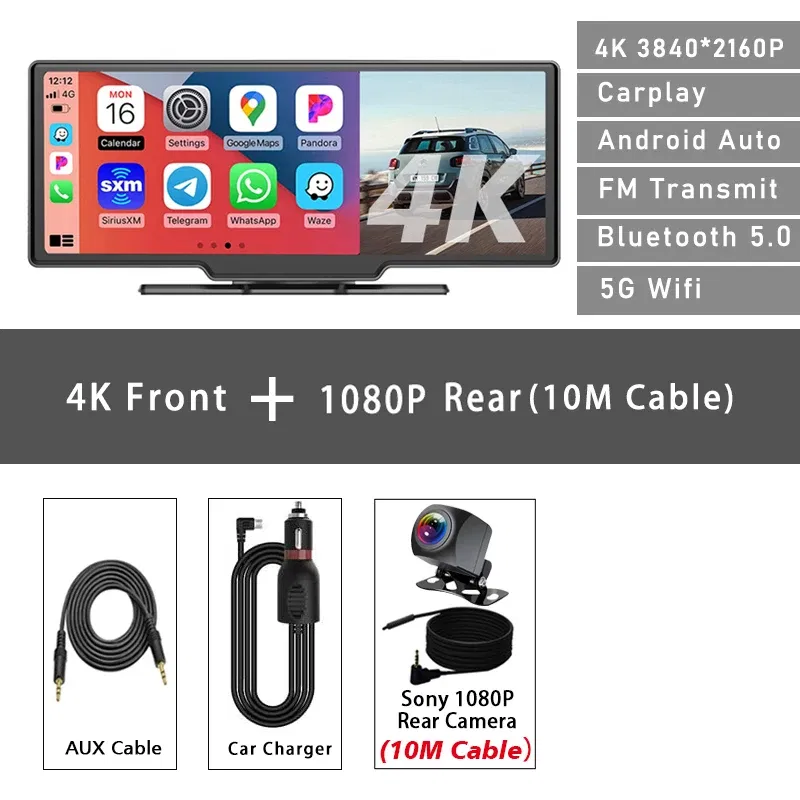
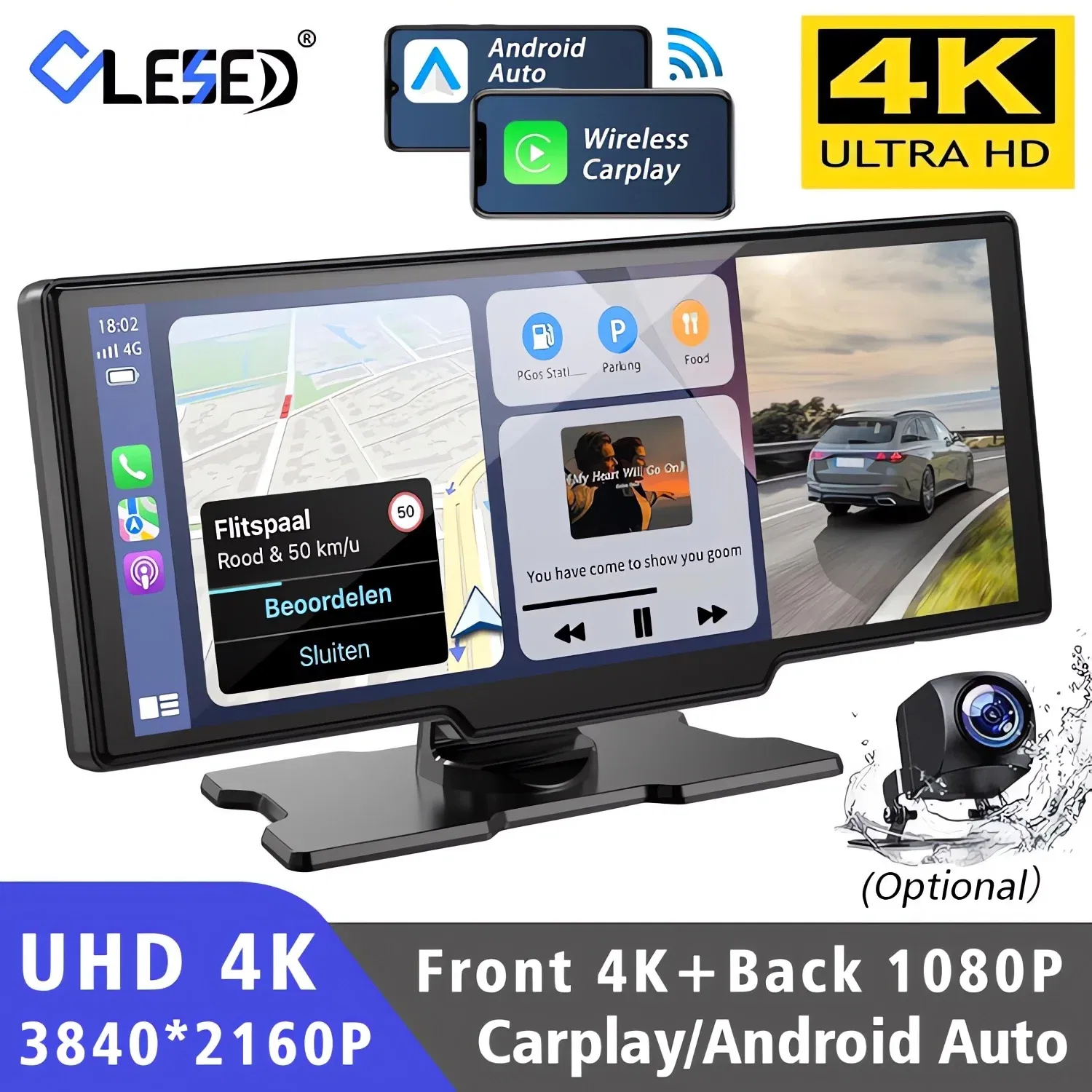
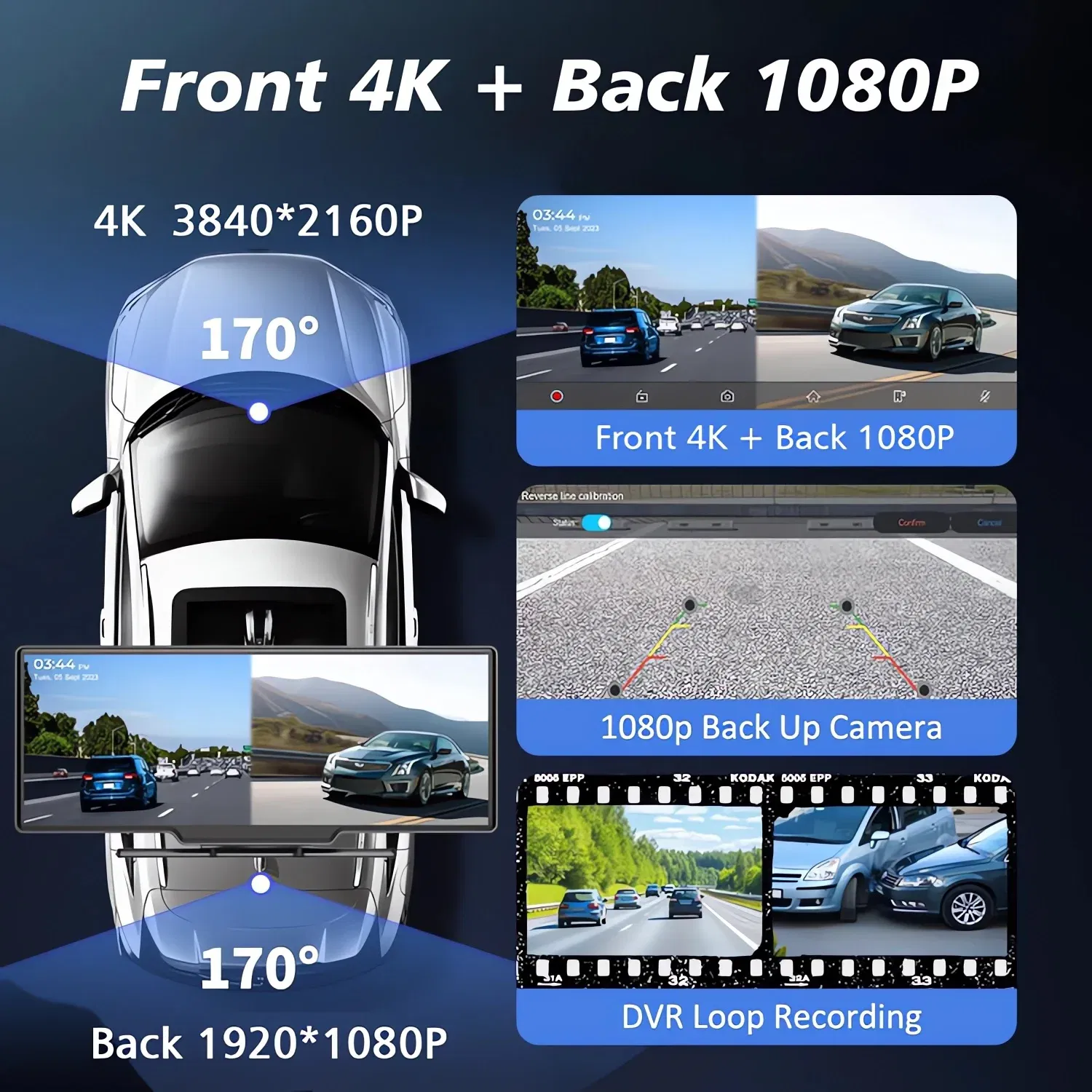
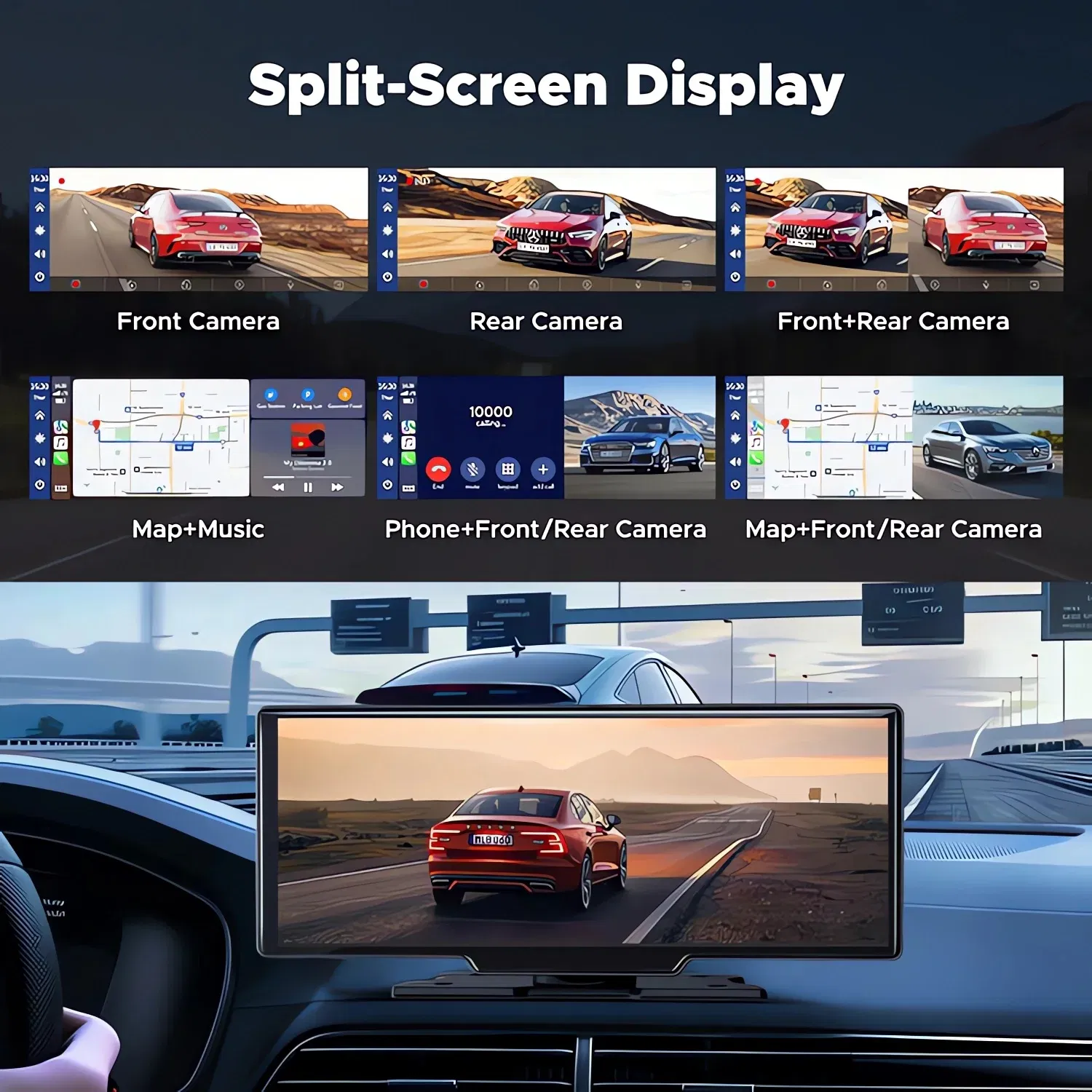
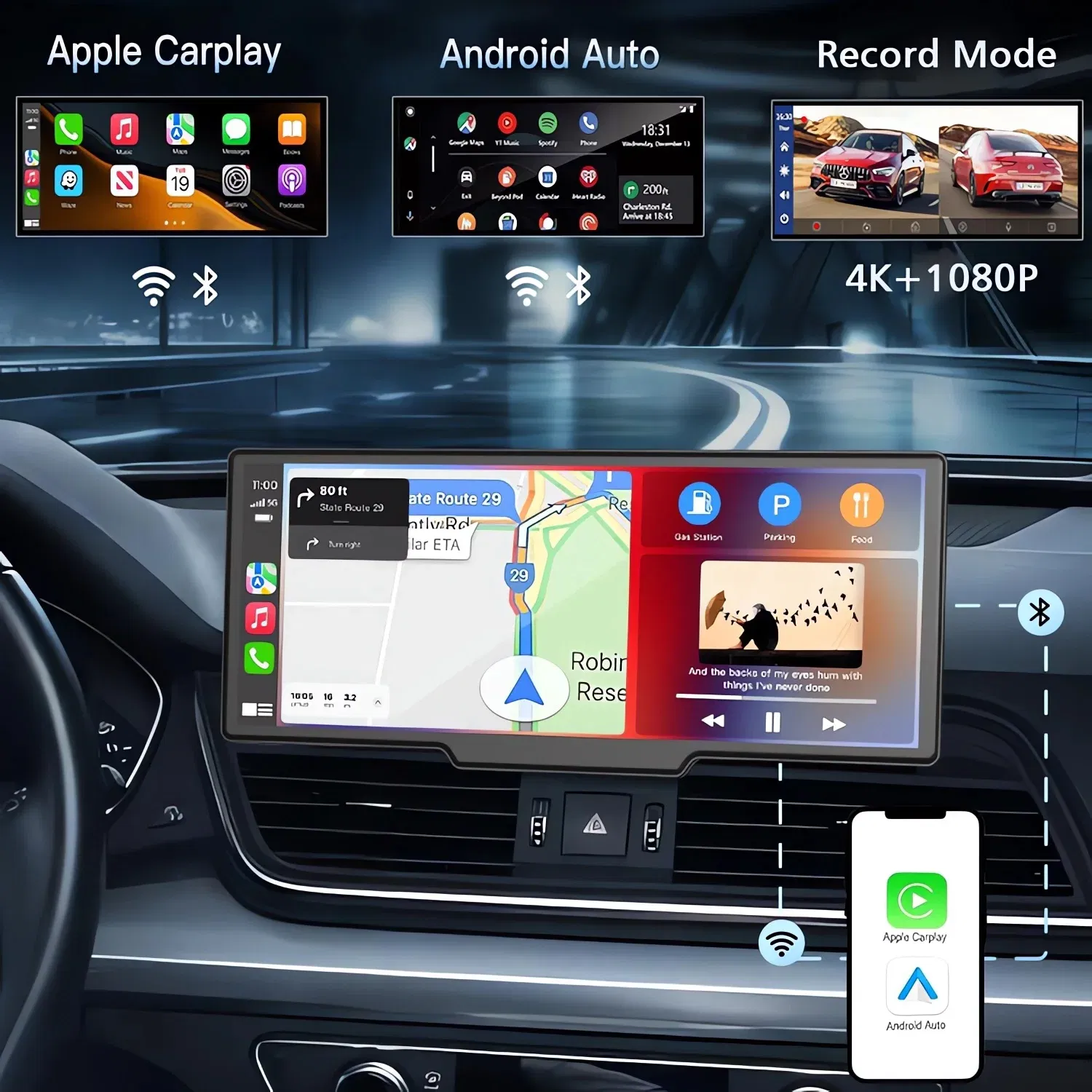
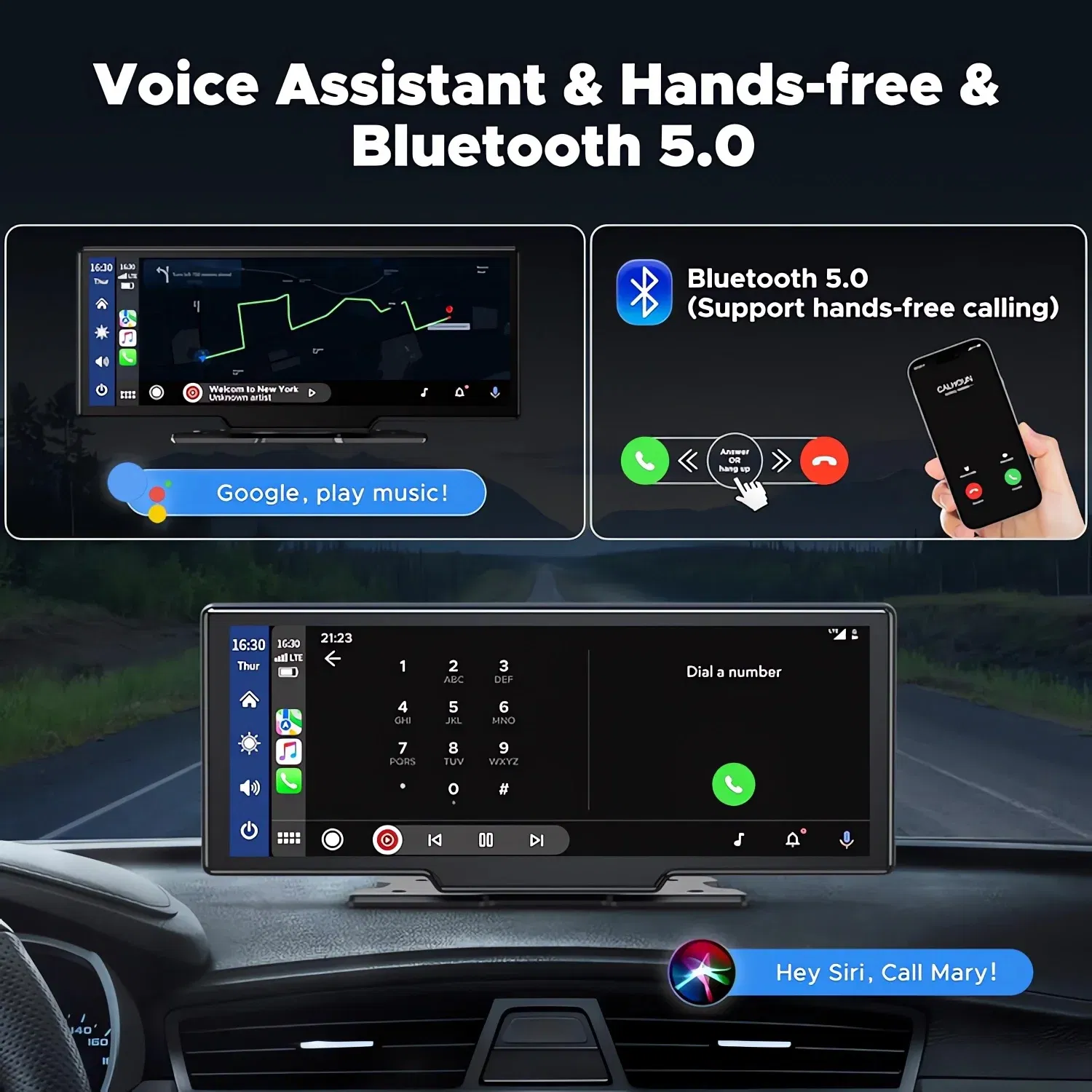
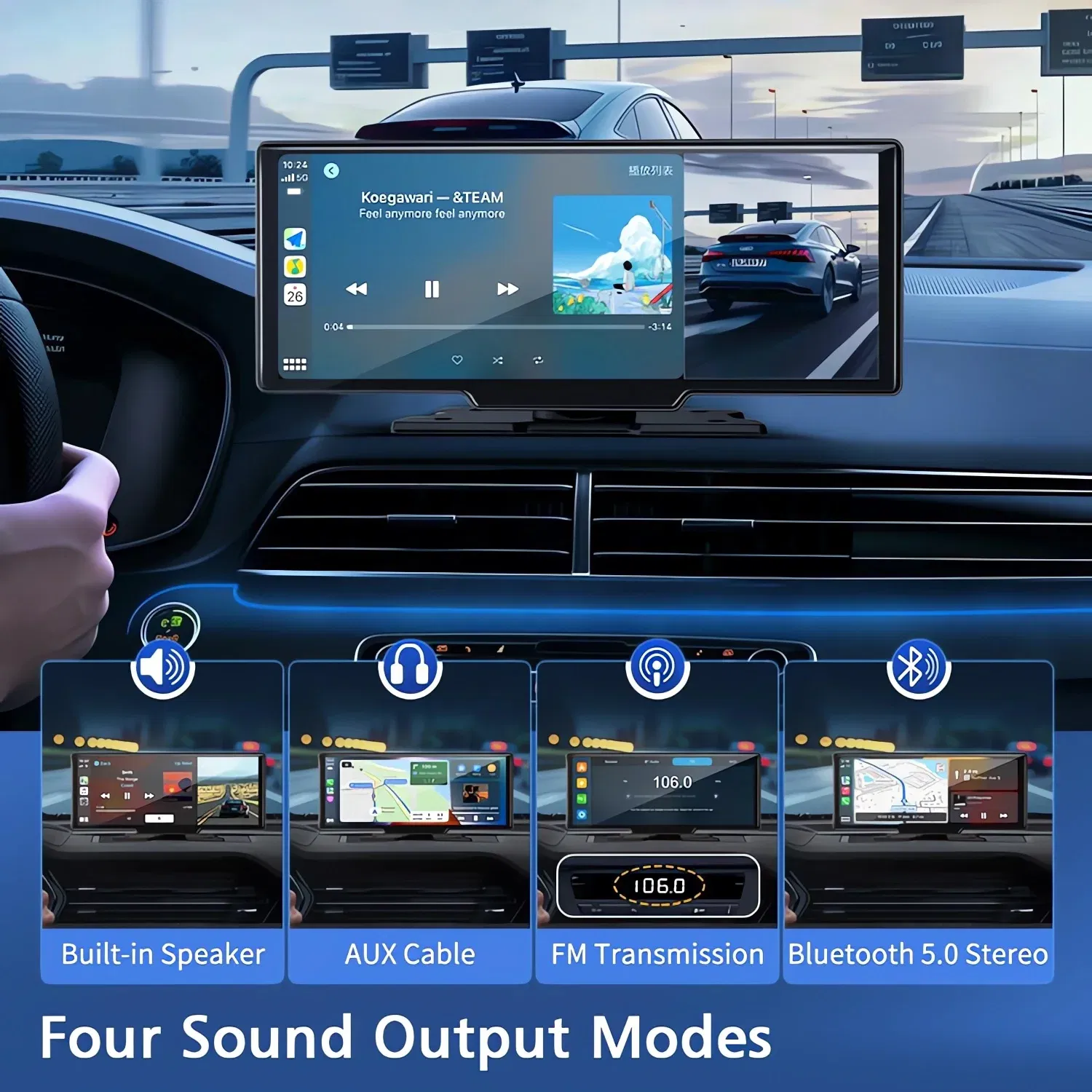
Car Dvr 10.26 Inch 4K 3840*2160P Carplay Android Auto Dash Cam GPS 5G WIFI FM BT Dual Lens Camera Dashcam Drive Recorder
$287.34 NZD
or 4 payments of $71.84 with

Car Dvr 10.26 Inch 4K 3840*2160P Carplay Android Auto Dash Cam GPS 5G WIFI FM BT Dual Lens Camera Dashcam Drive Recorder
Is Batteries Included: NoFrames Per Second: 25Chipset Manufacturer: AllwinnerAssembly Mode: Portable RecorderCable Length: 6M/10MDisplay: IPSAPP Compatibility: ViidureNumber Of Lenses: 2NightShot Function: YesPower Source: Corded ElectricOriginal Package: YesLoop-Cycle Recording Feature: YesItem Type: Car DVRAudio Recorded: YesCamera Resolution: 3840x2160Special Features: Display RotateSpecial Features: Digital zoomSpecial Features: sd/mmc cardSpecial Features: Anti Surge Voltage ImpactSpecial Features: Anti FogSpecial Features: Anti VibrationSpecial Features: Real Time SurveillanceSpecial Features: Automatic White BalanceSpecial Features: Wide Dynamic RangeSpecial Features: wifi functionSpecial Features: BluetoothSpecial Features: Voice controlSpecial Features: Parking MonitorSpecial Features: Speed and Coordinates RecordingSpecial Features: 3D DNRSpecial Features: External GPSBuilt-in Screen: YesTouch Screen: YesGPS logger: ExternalMemory Card Required Reding Speed: Class 10Imaging Sensor: SONY Starvis 2 IMX678Interface: USB 2.0Interface: AV-InInterface: Wi-FiInterface: Micro SD/TFInterface: BluetoothOSD Language: ArabicOSD Language: Chinese (Simplified)OSD Language: Chinese (Traditional)OSD Language: czechOSD Language: DutchOSD Language: EnglishOSD Language: FrenchOSD Language: GermanOSD Language: HebrewOSD Language: ItalianOSD Language: JapaneseOSD Language: KoreanOSD Language: PolishOSD Language: PortugueseOSD Language: RussianOSD Language: SpanishOSD Language: TurkishPixels: 1200MegaRear Camera: YesDisplay Size: 10.26"Choice: yesSupported Languages:English, Chinese, Korean, Japanese, Russian, Arabic, Spanish, Portuguese, Polish, Turkish, French, German, Italian, Hebrew, Czech, Dutch.About Formatting The Memory Card:When installing a memory card for the first time, be sure to format the memory card on the DVR. After formatting, the DVR can correctly match the memory card.Formatting Steps: After installing the memory card, please enter the DVR menu, find the format option, and click to format the memory card.(Important: Formatting the memory card on the computer is an incorrect operation. Please be sure to format the memory card on the DVR's menu option.)About Carplay/Android Auto Connection:(1) If it is an Apple phone, the DVR menu needs to select the Carplay connection method as the connection method. The Carplay software installed on the Apple phone can directly connect to the DVR through the Carplay function.(2) If it is an Android phone, the DVR menu needs to select Android Auto as the connection method, and then download the Android Auto software from the Google App Store to connect to the DVR(Note: You must make sure to download the "Android Auto" software from the Google App Store. Downloading it from other channels may not work.)About The Installation And Use Of GPS:1. Connect the GPS module to the DVR and turn on the GPS function in the DVR menu settings;2. Install the DVR on the car and start the recording mode. Start the car outdoors and drive for a certain distance. The GPS module will automatically capture the satellite signal and the DVR will automatically record the video with the GPS driving track.Video Playback Of GPS Tracks:1. Install the GPS dedicated video player "Hit GPS Player" on your computer. Please enter the link below in your computer browser to download and install;Download link: https://pcgps.ce2ce.com/hit/hitplayer.html2. Open the recorded DVR video with GPS track information on the computer through "Hit GPS Player" to play back the GPS driving track.About The Reversing Assist Function:If the kit you ordered includes a rearview camera and you need to implement the reversing assist function, you need to connect the red signal wire of the rearview camera to the car's reversing light (the light will come on when reversing). If you don't need the reverse assist function, just disconnect the red signal wire and leave it unconnected.About the length of the rear view camera cable:
Is Batteries Included: NoFrames Per Second: 25Chipset Manufacturer: AllwinnerAssembly Mode: Portable RecorderCable Length: 6M/10MDisplay: IPSAPP Compatibility: ViidureNumber Of Lenses: 2NightShot Function: YesPower Source: Corded ElectricOriginal Package: YesLoop-Cycle Recording Feature: YesItem Type: Car DVRAudio Recorded: YesCamera Resolution: 3840x2160Special Features: Display RotateSpecial Features: Digital zoomSpecial Features: sd/mmc cardSpecial Features: Anti Surge Voltage ImpactSpecial Features: Anti FogSpecial Features: Anti VibrationSpecial Features: Real Time SurveillanceSpecial Features: Automatic White BalanceSpecial Features: Wide Dynamic RangeSpecial Features: wifi functionSpecial Features: BluetoothSpecial Features: Voice controlSpecial Features: Parking MonitorSpecial Features: Speed and Coordinates RecordingSpecial Features: 3D DNRSpecial Features: External GPSBuilt-in Screen: YesTouch Screen: YesGPS logger: ExternalMemory Card Required Reding Speed: Class 10Imaging Sensor: SONY Starvis 2 IMX678Interface: USB 2.0Interface: AV-InInterface: Wi-FiInterface: Micro SD/TFInterface: BluetoothOSD Language: ArabicOSD Language: Chinese (Simplified)OSD Language: Chinese (Traditional)OSD Language: czechOSD Language: DutchOSD Language: EnglishOSD Language: FrenchOSD Language: GermanOSD Language: HebrewOSD Language: ItalianOSD Language: JapaneseOSD Language: KoreanOSD Language: PolishOSD Language: PortugueseOSD Language: RussianOSD Language: SpanishOSD Language: TurkishPixels: 1200MegaRear Camera: YesDisplay Size: 10.26"Choice: yesSupported Languages:English, Chinese, Korean, Japanese, Russian, Arabic, Spanish, Portuguese, Polish, Turkish, French, German, Italian, Hebrew, Czech, Dutch.About Formatting The Memory Card:When installing a memory card for the first time, be sure to format the memory card on the DVR. After formatting, the DVR can correctly match the memory card.Formatting Steps: After installing the memory card, please enter the DVR menu, find the format option, and click to format the memory card.(Important: Formatting the memory card on the computer is an incorrect operation. Please be sure to format the memory card on the DVR's menu option.)About Carplay/Android Auto Connection:(1) If it is an Apple phone, the DVR menu needs to select the Carplay connection method as the connection method. The Carplay software installed on the Apple phone can directly connect to the DVR through the Carplay function.(2) If it is an Android phone, the DVR menu needs to select Android Auto as the connection method, and then download the Android Auto software from the Google App Store to connect to the DVR(Note: You must make sure to download the "Android Auto" software from the Google App Store. Downloading it from other channels may not work.)About The Installation And Use Of GPS:1. Connect the GPS module to the DVR and turn on the GPS function in the DVR menu settings;2. Install the DVR on the car and start the recording mode. Start the car outdoors and drive for a certain distance. The GPS module will automatically capture the satellite signal and the DVR will automatically record the video with the GPS driving track.Video Playback Of GPS Tracks:1. Install the GPS dedicated video player "Hit GPS Player" on your computer. Please enter the link below in your computer browser to download and install;Download link: https://pcgps.ce2ce.com/hit/hitplayer.html2. Open the recorded DVR video with GPS track information on the computer through "Hit GPS Player" to play back the GPS driving track.About The Reversing Assist Function:If the kit you ordered includes a rearview camera and you need to implement the reversing assist function, you need to connect the red signal wire of the rearview camera to the car's reversing light (the light will come on when reversing). If you don't need the reverse assist function, just disconnect the red signal wire and leave it unconnected.About the length of the rear view camera cable:
The product may be provided by a different brand of comparable quality.
The actual product may vary slightly from the image shown.
Shop amazing plants at The Node – a top destination for plant lovers





.jpg)









.jpg)





.jpeg)





.jpeg)



.jpeg)








.jpeg)



.jpeg)

.jpeg)

.jpeg)

.jpeg)




.jpeg)
.jpg)

.jpeg)






.jpeg)
.jpeg)




.jpeg)





.jpeg)


.jpeg)

.jpeg)

.jpeg)

.jpeg)







.jpeg)
.jpeg)
.jpeg)





.jpeg)



.jpeg)






.jpg)
.jpeg)









.jpg)


ulva-Logo.jpg)




.jpeg)



.png)















.png)